Answered
How can I organise/re-arrange the list of brushes PS CS6?
I'm not even sure what to call the thing I'm trying to organise!
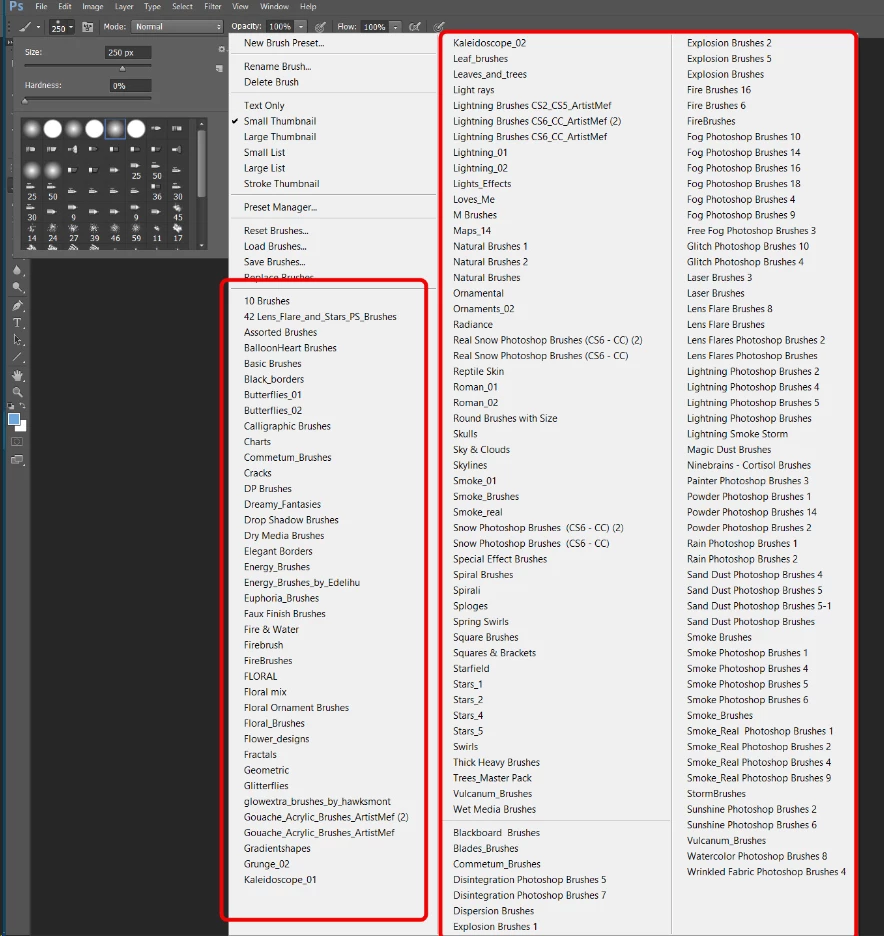
When you want to load a new set of brushes and you click the "gear" icon in the brushes picker (?), you get a list of brush names (if you select one of these it contains a number of brushes that you can then use). See the screenshot below - the lists are inside the red boxes.
What I would like to do is rearrange that list of brush sets and add separators to that list.
Is it possible and if so can you point me in the right direction - all my searching so far just relates to rearranging brushes within one of those brush names.
Thank you for any help you might be able to provide.
 AdChoices