FrankieGS
Inspiring
October 14, 2017
Answered

How can I reset path blur?

  • October 14, 2017
  • 3 replies
  • 924 views

Hi,

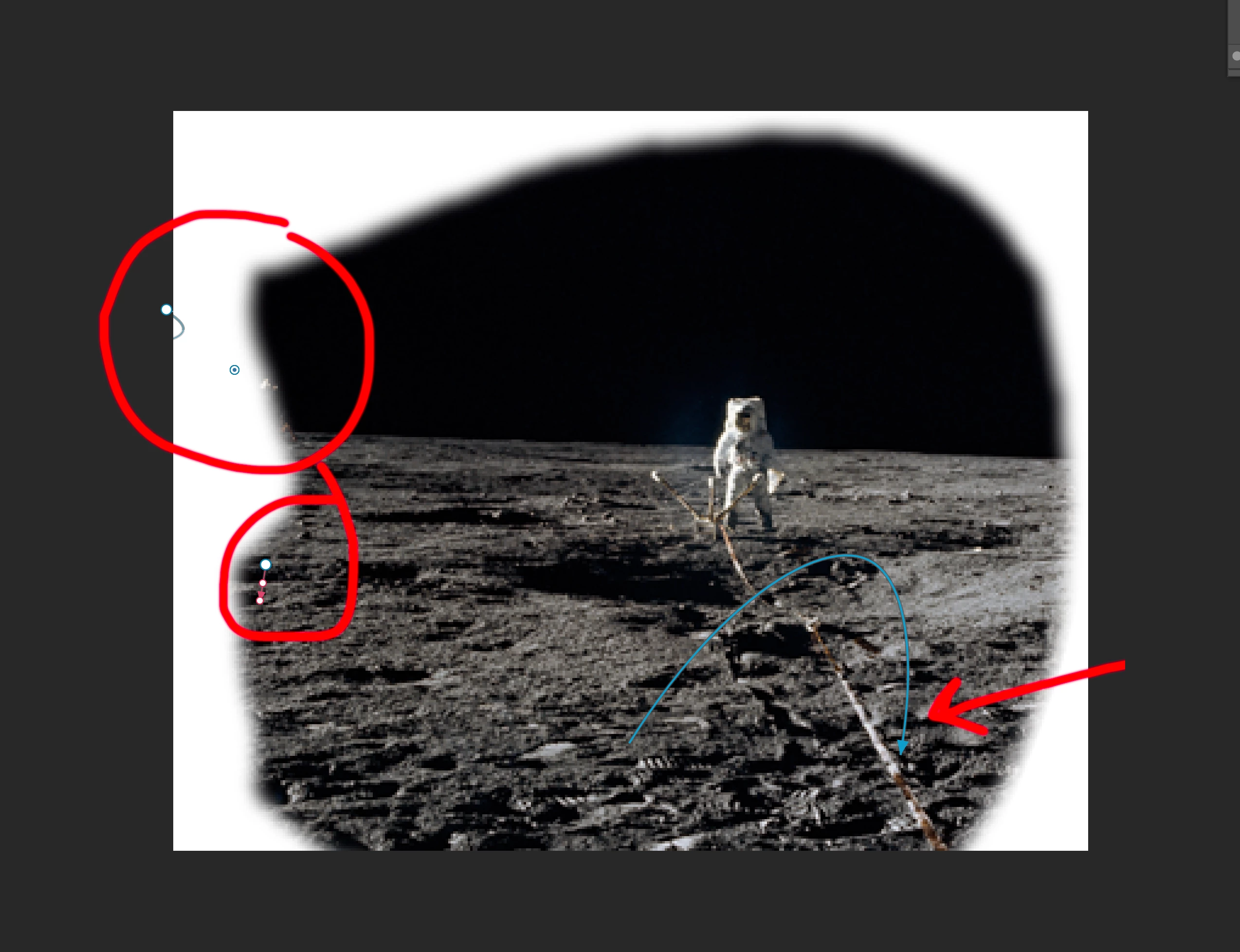
I'd like to use path blur, but I can't seem to control the points at all. They don't seem to behave neatly like they do in the demo videos.

The white points are not on the blue line. I've tried dragging them onto it but new blue lines just start. I've tried deleting the end point by clicking on it and pressing backspace (no del on mac keyboard) but the blue line is still there without any end points.

I'm thinking the best thing would be to clear it all and start again but have no idea how to do this.

Looking forward to any help, thanks.
    This topic has been closed for replies.
    Correct answer davescm

    Go to the options bar at the top of path blur and click on the icon (circled red below) to reset all pins

    Dave

    3 replies

    FrankieGS
    FrankieGSAuthor
    Inspiring
    October 15, 2017

    Note that although Dave's answer was correct for my question (how to reset), the underlying problem of not being able to edit the points was solved by this answer Path blur blue arrow is missing

    It says go to Preferences > Perfomance > tick ‘use graphic processor’.

    All the weird things stopped happening and the controls worked fine!

    FrankieGS
    FrankieGSAuthor
    Inspiring
    October 14, 2017

    Thanks!

    davescm
    Community Expert
    Community Expert
    October 14, 2017

    You're welcome.

    Dave

    davescm
    Community Expert
    davescmCommunity ExpertCorrect answer
    Community Expert
    October 14, 2017

    Go to the options bar at the top of path blur and click on the icon (circled red below) to reset all pins

    Dave
