Greetings @jazz-y !
Could you help me a bit with modifying this script?
I'm not very successful in modifying it.....
I'm trying to change this script for other photos (Different background, where there is no difference in brightness between wall and floor)
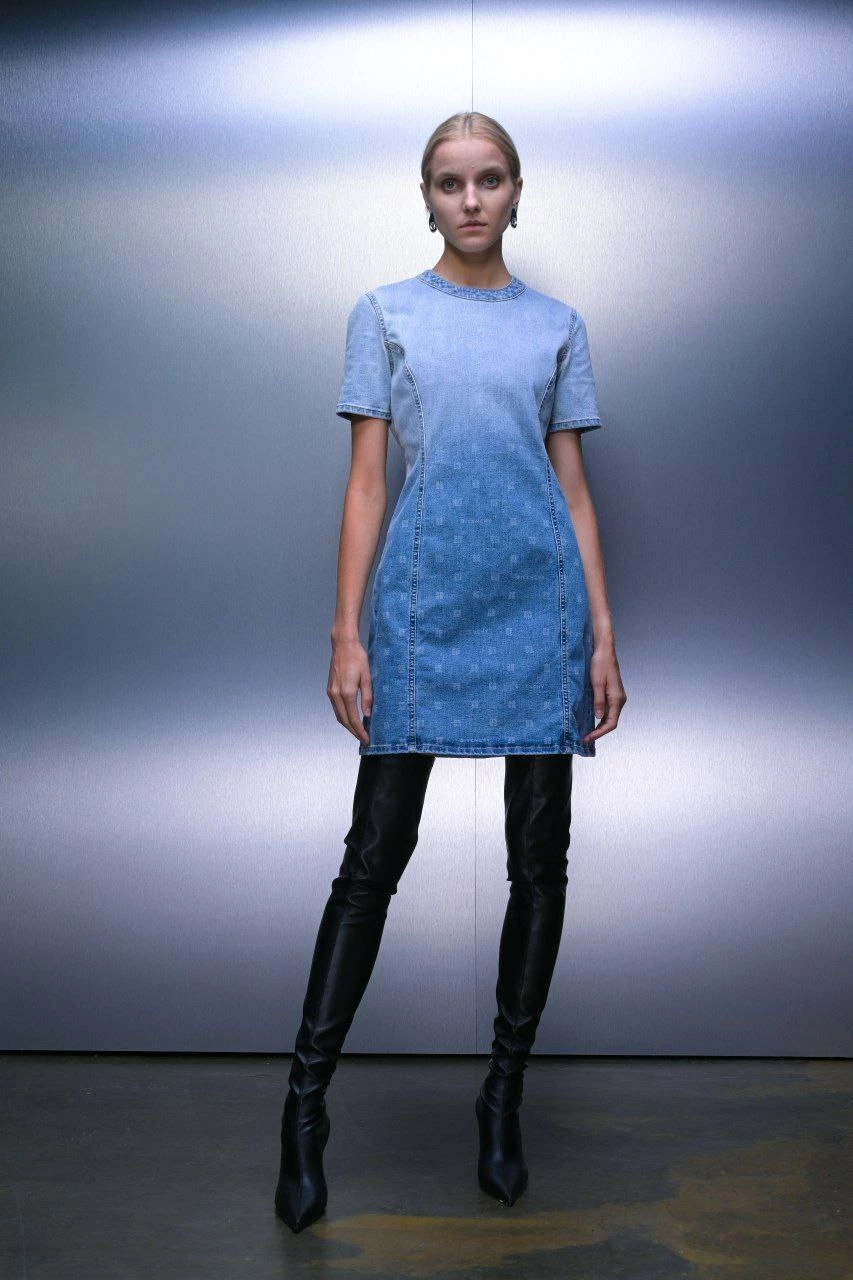
But in those photos, there is a clear black bar between the wall and the floor.
I thought it would be logical to include one "Threshold"(up 12 percent) correction step in the action. To get a clear black line.
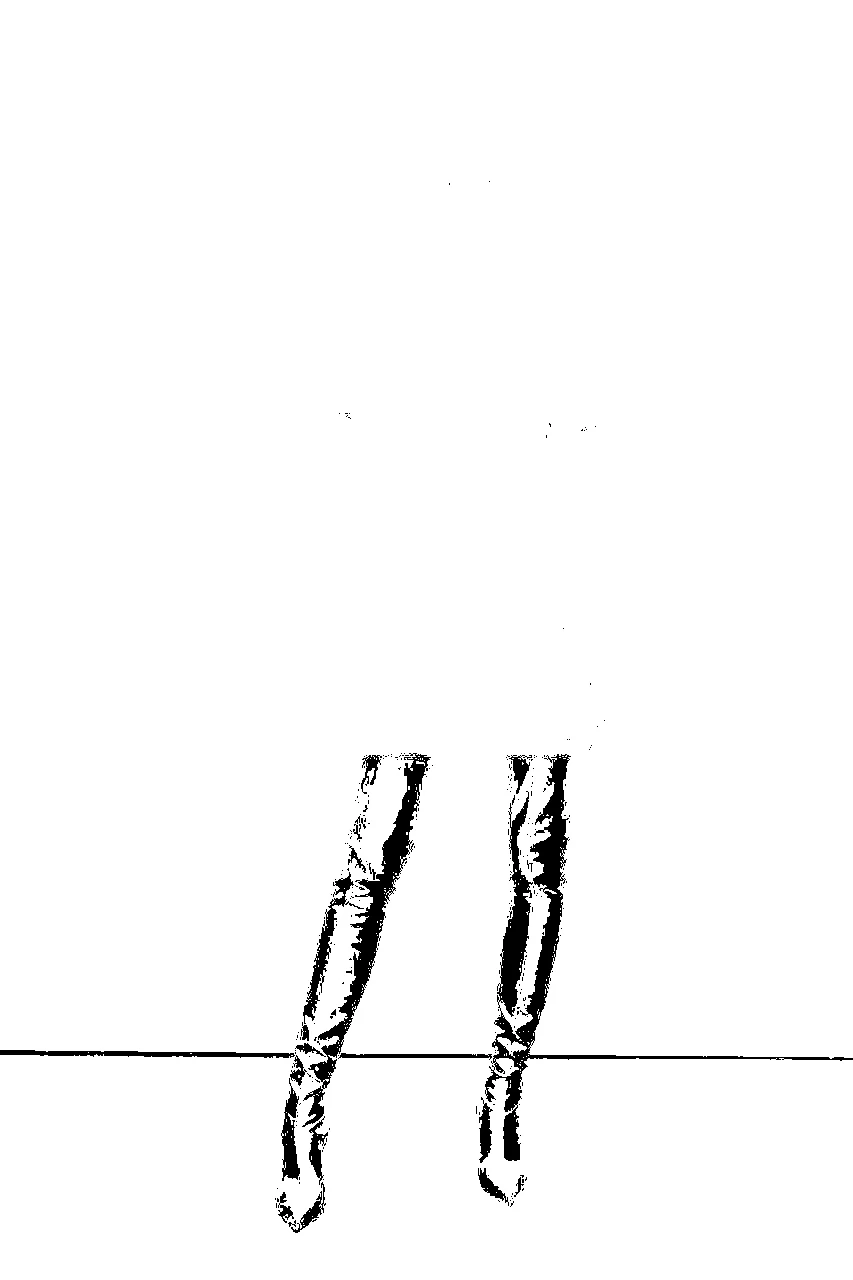
After that, to modify the script so that the script detects the black line and not the absolute difference in brightness "findFloor".
But due to my poor knowledge of scripting I was not able to get a working result.
I will be very grateful if you have an opportunity to help me
Hi! Unfortunately, such scripts are not universal and it works well only for solving a specific problem.
Try this one. It works well on the image posted to you, but there may be issues with other images.
I've modified the script so that it tries to find an area in the bottom half of the frame with a big difference in brightness, assuming that's where the floor boundary is. For large images, you can increase the size of the BATCH_SIZE constant (this is the number of consecutive pixels within which the script tries to find the maximum brightness difference)
var apl = new AM('application'),
    doc = new AM('document'),
    lr = new AM('layer'),
    floorY = [];
const STRIPE_SIZE = 25,
    MAX_DE = 5;
try {
    if (apl.getProperty('numberOfDocuments')) {
        var docRes = doc.getProperty('resolution'),
            docW = doc.getProperty('width') * docRes / 72,
            docH = doc.getProperty('height') * docRes / 72;
        activeDocument.suspendHistory('Find floor line', 'function() {}')
        activeDocument.suspendHistory('Get left stripe', 'measureDocument(floorY)')
        doc.stepBack();
        activeDocument.suspendHistory('Get right stripe', 'measureDocument(floorY)')
        doc.stepBack();
        activeDocument.suspendHistory('Rotate Document', 'rotateDocument()')
    }
} catch (e) { alert('A lot of things can go wrong in this script. :(\n\n' + e) }
function measureDocument(floor) {
    doc.flatten()
    doc.convertToGrayscale();
    floor.length ? doc.selectStrip(docH * 0.5, 0, docH, 1) : doc.selectStrip(docH * 0.5, docW - 1, docH, docW);
    doc.crop();
    var f = new File(Folder.temp + '/colors.raw');
    doc.saveToRAW(f)
    floor.push(findFloor(f));
}
function rotateDocument() {
    var title = lr.getProperty('name'),
        id = lr.getProperty('layerID')
    lr.duplicate(title)
    lr.deleteLayer(id);
    lr.rotate(Math.atan2(floorY[1] - floorY[0], docW) * 180 / Math.PI)
}
function findFloor(f) {
    var content = '';
    if (f.exists) {
        f.open('r');
        f.encoding = "BINARY";
        content = f.read();
        f.close();
        f.remove();
        var colors = function (s) {
            var m = 0, c = [];
            for (var i = 0; i < s.length; i++) {
                var k = s.charCodeAt(i); m += k; c.push(k)
            };
            return c
        }(content),
            dE = function (a, b) {
                return Math.round(Math.sqrt(Math.pow(a - b, 2)));
            },
            cur = 0,
            colorDiff = [];
        do {
            var stripe = [],
                median = 0;
            for (cur; cur < colors.length; cur++) {
                median += colors[cur]
                stripe.push(colors[cur])
                if (stripe.length >= STRIPE_SIZE) { cur++; break };
            }
            median = median / stripe.length
            for (var i = 0; i < stripe.length; i++) {
                colorDiff.push(dE(stripe[i], median))
            }
            if (cur == colors.length) break;
        } while (true)

        var max = 0,
            height = 0;
        for (var i = 0; i < colorDiff.length; i++) {
            if (colorDiff[i] >= max) { max = colorDiff[i]; height = i };
        }
        for (var i = height; i >= 0; i--) {
            if (dE(colors[height], colors[i]) > MAX_DE) return i + 1;
        }

    }
    return height;
}
function AM(target) {
    var s2t = stringIDToTypeID,
        t2s = typeIDToStringID;
    target = target ? s2t(target) : null;
    this.getProperty = function (property, id, idxMode) {
        property = s2t(property);
        (r = new ActionReference()).putProperty(s2t('property'), property);
        id != undefined ? (idxMode ? r.putIndex(target, id) : r.putIdentifier(target, id)) :
            r.putEnumerated(target, s2t('ordinal'), s2t('targetEnum'));
        return getDescValue(executeActionGet(r), property)
    }
    this.hasProperty = function (property, id, idxMode) {
        property = s2t(property);
        (r = new ActionReference()).putProperty(s2t('property'), property);
        id ? (idxMode ? r.putIndex(target, id) : r.putIdentifier(target, id))
            : r.putEnumerated(target, s2t('ordinal'), s2t('targetEnum'));
        return executeActionGet(r).hasKey(property)
    }
    this.convertToGrayscale = function () {
        (d = new ActionDescriptor()).putClass(s2t("to"), s2t("grayscaleMode"));
        executeAction(s2t("convertMode"), d, DialogModes.NO);
    }
    this.selectStrip = function (top, left, bottom, right) {
        (r = new ActionReference()).putProperty(s2t("channel"), s2t("selection"));
        (d = new ActionDescriptor()).putReference(s2t("null"), r);
        (d1 = new ActionDescriptor()).putUnitDouble(s2t("top"), s2t("pixelsUnit"), top);
        d1.putUnitDouble(s2t("left"), s2t("pixelsUnit"), left);
        d1.putUnitDouble(s2t("bottom"), s2t("pixelsUnit"), bottom);
        d1.putUnitDouble(s2t("right"), s2t("pixelsUnit"), right);
        d.putObject(s2t("to"), s2t("rectangle"), d1);
        executeAction(s2t("set"), d, DialogModes.NO);
    }
    this.flatten = function () {
        executeAction(s2t("flattenImage"), new ActionDescriptor(), DialogModes.NO);
    }
    this.crop = function () {
        (d = new ActionDescriptor()).putBoolean(s2t("delete"), true);
        executeAction(s2t("crop"), d, DialogModes.NO);
    }
    this.saveToRAW = function (f) {
        (d = new ActionDescriptor()).putBoolean(s2t('copy'), true);
        (d1 = new ActionDescriptor()).putObject(s2t("as"), s2t("rawFormat"), d);
        d1.putPath(s2t("in"), f);
        executeAction(s2t("save"), d1, DialogModes.NO);
    }
    this.stepBack = function () {
        (r = new ActionReference()).putEnumerated(charIDToTypeID('HstS'), s2t('ordinal'), s2t('previous'));
        (d = new ActionDescriptor()).putReference(s2t('null'), r);
        executeAction(s2t('select'), d, DialogModes.NO);
    }
    this.duplicate = function (title) {
        (r = new ActionReference()).putEnumerated(s2t("layer"), s2t("ordinal"), s2t("targetEnum"));
        (d = new ActionDescriptor()).putReference(s2t("null"), r);
        d.putString(s2t("name"), title);
        executeAction(s2t("duplicate"), d, DialogModes.NO);
    }
    this.deleteLayer = function (id) {
        (r = new ActionReference()).putIdentifier(s2t("layer"), id);
        (d = new ActionDescriptor()).putReference(s2t("null"), r);
        executeAction(s2t("delete"), d, DialogModes.NO);
    }
    this.rotate = function (angle) {
        (r = new ActionReference()).putEnumerated(s2t("layer"), s2t("ordinal"), s2t("targetEnum"));
        (d = new ActionDescriptor()).putReference(s2t("null"), r);
        d.putEnumerated(s2t("freeTransformCenterState"), s2t("quadCenterState"), s2t("QCSAverage"));
        d.putUnitDouble(s2t("angle"), s2t("angleUnit"), angle);
        d.putEnumerated(s2t("interfaceIconFrameDimmed"), s2t("interpolationType"), s2t("bicubic"));
        executeAction(s2t("transform"), d, DialogModes.NO);
    }
    function getDescValue(d, p) {
        switch (d.getType(p)) {
            case DescValueType.OBJECTTYPE: return { type: t2s(d.getObjectType(p)), value: d.getObjectValue(p) };
            case DescValueType.LISTTYPE: return d.getList(p);
            case DescValueType.REFERENCETYPE: return d.getReference(p);
            case DescValueType.BOOLEANTYPE: return d.getBoolean(p);
            case DescValueType.STRINGTYPE: return d.getString(p);
            case DescValueType.INTEGERTYPE: return d.getInteger(p);
            case DescValueType.LARGEINTEGERTYPE: return d.getLargeInteger(p);
            case DescValueType.DOUBLETYPE: return d.getDouble(p);
            case DescValueType.ALIASTYPE: return d.getPath(p);
            case DescValueType.CLASSTYPE: return d.getClass(p);
            case DescValueType.UNITDOUBLE: return (d.getUnitDoubleValue(p));
            case DescValueType.ENUMERATEDTYPE: return { type: t2s(d.getEnumerationType(p)), value: t2s(d.getEnumerationValue(p)) };
            default: break;
        };
    }
}




 AdChoices