
stevespismo
Participant
July 29, 2021
Answered

how do I change the match font 'sample' text preview in Photoshop? [2021]

  • July 29, 2021
  • 1 reply
  • 3387 views

Is this possible??? Adobe? If not, Why not???

How can I match a font if I'm stuck with a preview consisting of "Sample"

This topic has been closed for replies.
Correct answer jane-e

@stevespismo asked on 29 July:

how do I change the match font 'sample' text preview in Photoshop?

How can I match a font if I'm stuck with a preview consisting of "Sample"


Hi Steve,

In addition to showing the typeface on the word "Sample", Photoshop will also show your typeface on your text in the layout.
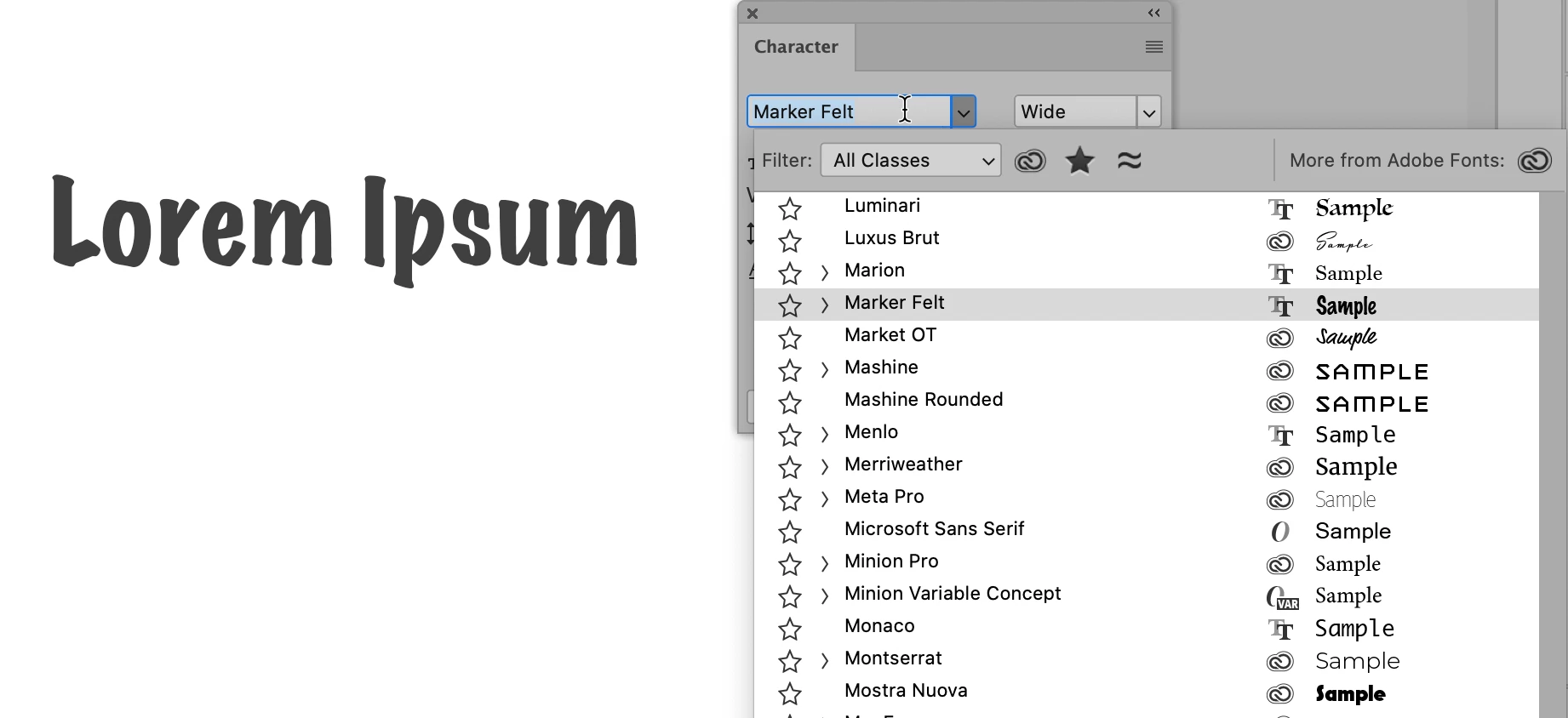
  • Type tool
  • Select the correct Type layer
  • Do not make a selection or go into Edit mode. Doing so highlights your selection and it's easier to see if you skip this step.
  • Highlight the typeface in the panel, then use the up / down arrows on your keyboard to scroll quickly through the list.


~ Jane


1 reply

jane-e
Community Expert
jane-eCommunity ExpertCorrect answer
Community Expert
August 2, 2021

@stevespismo asked on 29 July:

how do I change the match font 'sample' text preview in Photoshop?

How can I match a font if I'm stuck with a preview consisting of "Sample"


Hi Steve,

In addition to showing the typeface on the word "Sample", Photoshop will also show your typeface on your text in the layout.

  • Type tool
  • Select the correct Type layer
  • Do not make a selection or go into Edit mode. Doing so highlights your selection and it's easier to see if you skip this step.
  • Highlight the typeface in the panel, then use the up / down arrows on your keyboard to scroll quickly through the list.


~ Jane