How do I cleanly remove these parts of an image?
I have an image of a joystick.. I only want to select the grey area so I can overlay an image.. custom modded joystick. I want to duplicate the layer to leave the original, then in the second layer I want to cleanly get rid of the black areas (buttons, joysticks, and joystick sides, and also get rid of the colored buttons and have a transparent background.
I can then easily select the grey area and past into that area.
I tried multiple ways, but they're not working. How the heck do I learn to use the elliptical marquee tool? I draw a circle and it's never the right size.. how do resize that circle to be exactly the size in the image? Will grids help me easier?
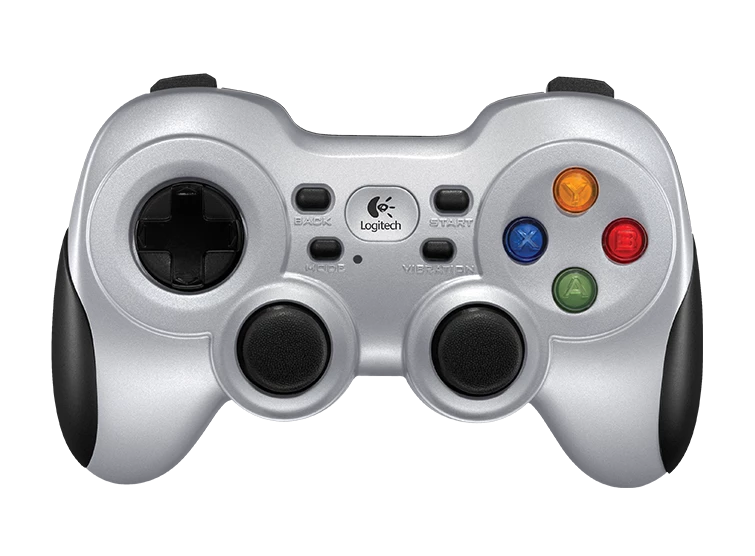
It needs to be perfect, but I'm getting bad edges especially on the colored buttons because of the rasterization pixels.
 AdChoices