Known Participant
September 14, 2021
Answered

How do I close the workspace window in Mac?

  • September 14, 2021
  • 2 replies
  • 3059 views

In the past entering command-w would close everything but now it only closes the file I'm working on. How do I get back to my desktop without having to additionally click the red button at the top left of the workspace window?
This topic has been closed for replies.
Correct answer CShubert

Ok, Command +H will hide Photoshop and you will be back at your desktop.... try that and let us know.


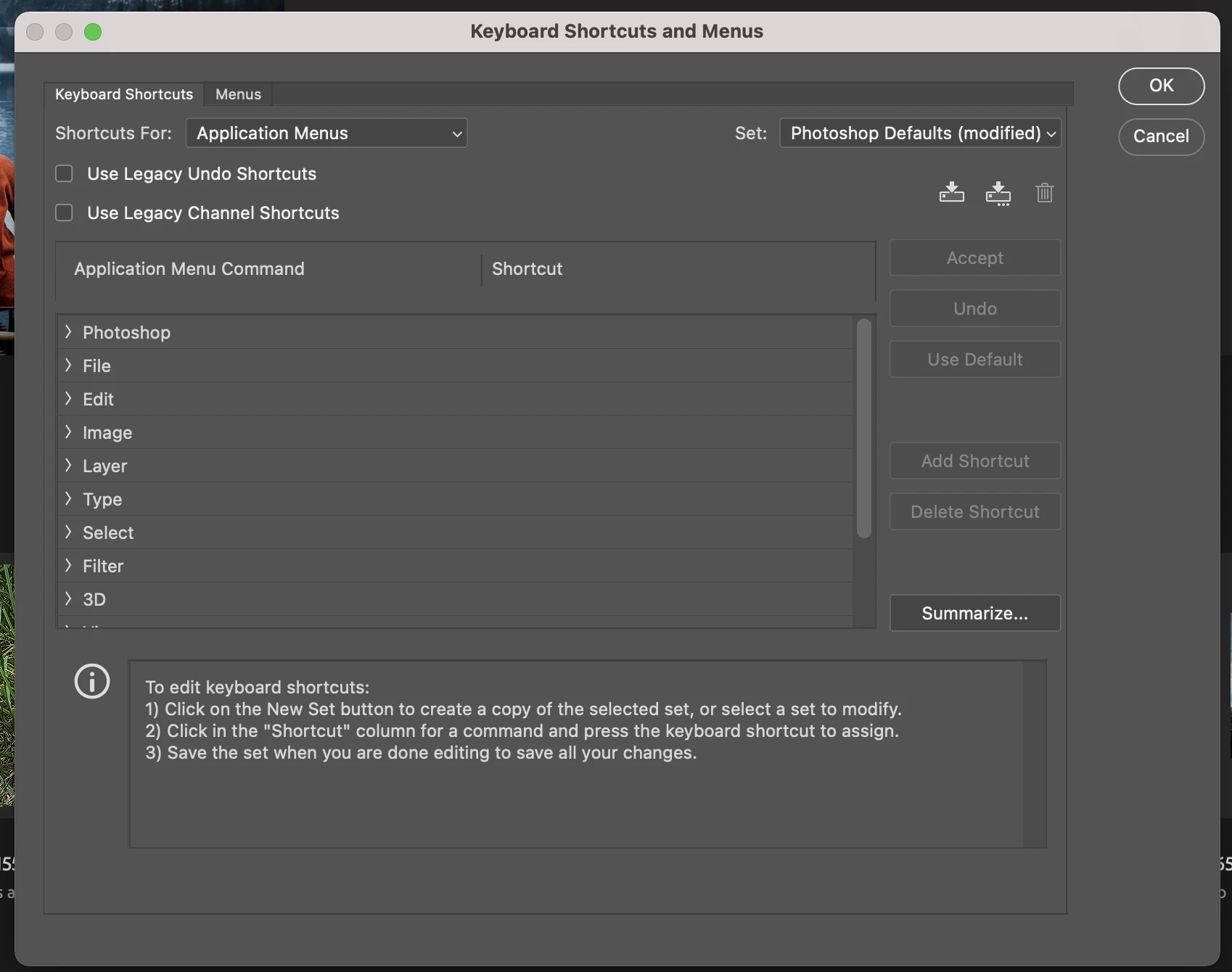
The first time you try this it will ask you if you want to use this shortcut to hide Photoshop, you can say yes and that should be it.  You can also create your own shortcut if you wanted here:


2 replies

CShubert
Community Manager
Community Manager
September 14, 2021

Hi Woody16B8,

Are you trying to close as in quit the entire application, or are you trying to minimize?  Command + W does close the file you are working on and returns the home page, but are you looking for some other function?

Here is the entire list of shortcuts in case you want to file this away for future needs:

https://helpx.adobe.com/photoshop/using/default-keyboard-shortcuts.html


Let me know if I missed your goal and will be happy to help further.

Woody16B8Author
Known Participant
September 14, 2021

I don't want to go back to my home screen, I want to return to my desktop with a keyboard command.

CShubert
Community Manager
CShubertCommunity ManagerCorrect answer
Community Manager
September 14, 2021

Ok, Command +H will hide Photoshop and you will be back at your desktop.... try that and let us know.


The first time you try this it will ask you if you want to use this shortcut to hide Photoshop, you can say yes and that should be it.  You can also create your own shortcut if you wanted here:


Legend
September 14, 2021

Turn off the application frame.

Woody16B8Author
Known Participant
September 14, 2021

Okay, how do I do that?