70127876
Participant
December 11, 2016
Answered

how do i create a border on photoshop

  • December 11, 2016
  • 2 replies
  • 4834 views

just wondering how I add a 10mm border to a new document

any help would be greatly apprecited

    This topic has been closed for replies.
    Correct answer Barb Binder

    Here is an easy technique:

    1. Make a new layer, call it Border
    2. Select > All
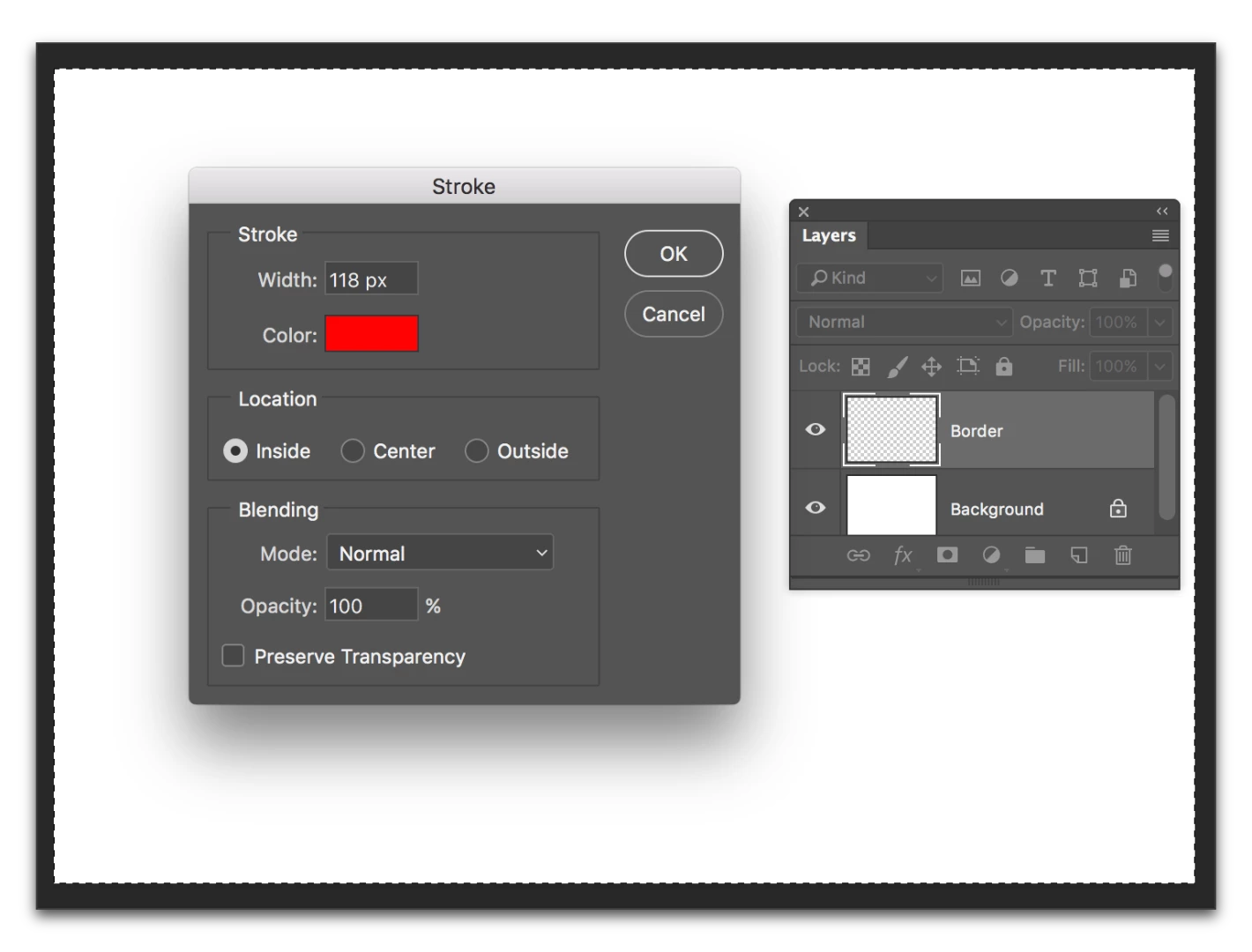
    3. Edit > Stroke
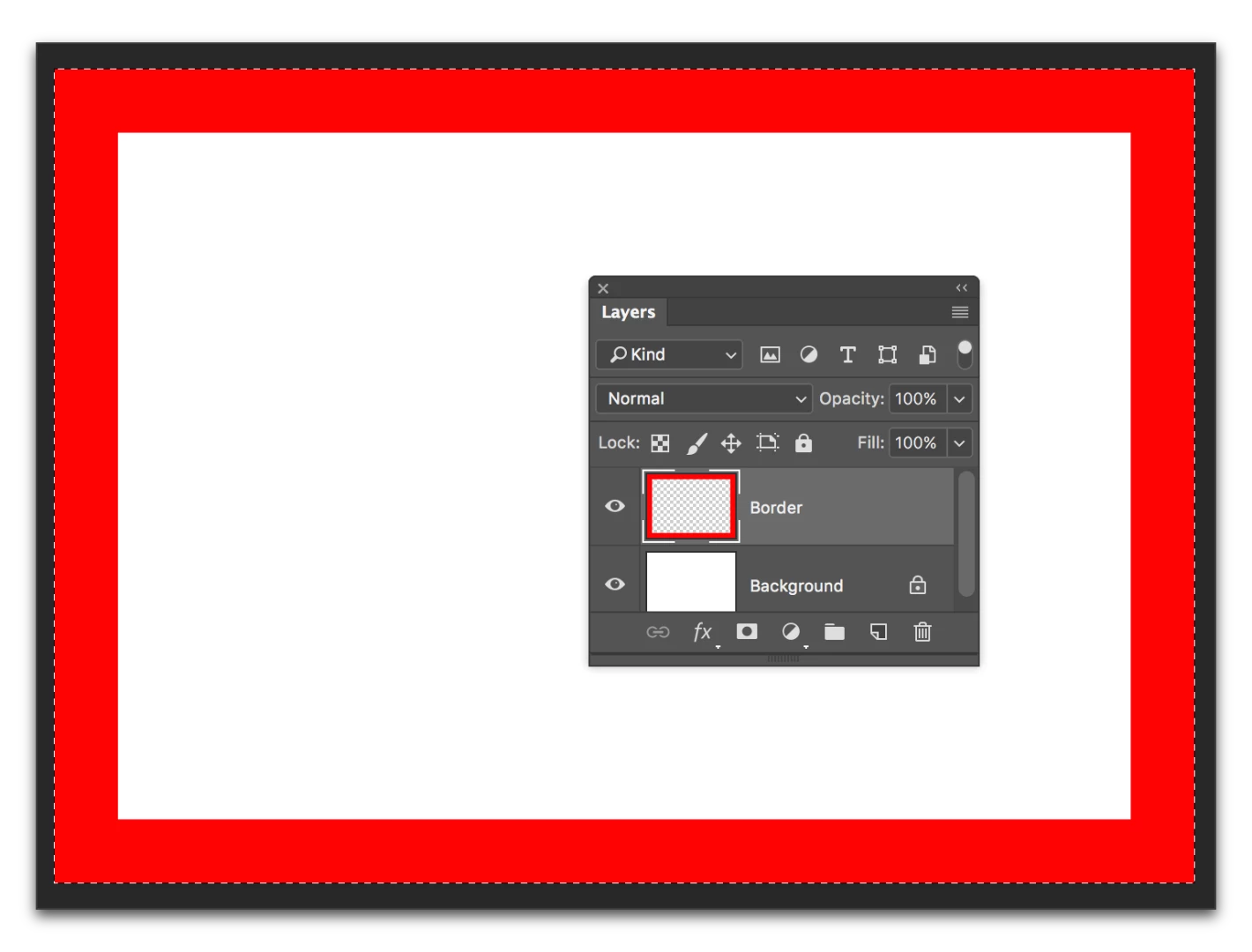
    4. Set the stroke to 10mm, pick a color and activate Inside

    2 replies

    josephlavine
    Community Expert
    Community Expert
    December 16, 2016

    I'm a fan of command keys, so...

    Here is an easy technique:

    1. Make a new layer, call it Border  (Command + Shift + N)
    2. Select > All  (Command + A)
    3. Edit > Stroke (Right Click inside selection)
    4. Set the stroke to 10mm, pick a color and activate Inside
    Barb Binder
    Community Expert
    Barb BinderCommunity ExpertCorrect answer
    Community Expert
    December 11, 2016

    Here is an easy technique:

    1. Make a new layer, call it Border
    2. Select > All
    3. Edit > Stroke
    4. Set the stroke to 10mm, pick a color and activate Inside

    ~Barb at Rocky Mountain Training
    Derek Cross
    Community Expert
    Community Expert
    December 11, 2016

    Barbara – aren't there also some supplied Actions that produce frames?

    Barb Binder
    Community Expert
    Community Expert
    December 11, 2016

    Hey Derek. Yes, there is a wood frame in Window > Actions > Default Actions, but unless the OP knows how to use Actions, it may be too much to modify the frame to the desired width.

    ~Barb at Rocky Mountain Training