
Answered
How do I create a gradient rectangle going from white to transparent (left to right)?
How do I create a gradient rectangle going from white to transparent (left to right)?

How do I create a gradient rectangle going from white to transparent (left to right)?
Hi
Click on the rectangle shape tool :

At the top of the screen click on fill and then set it to gradient
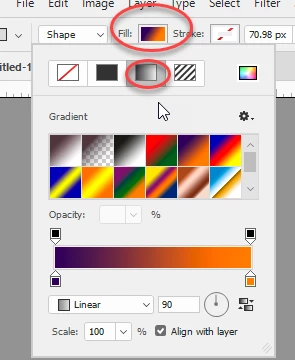
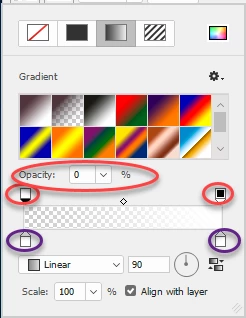
Click on the little squares - the bottom squares (circled in purple) set the color and the top squares (circled in red) the opacity
Go to the canvas and click and drag to draw the rectangle
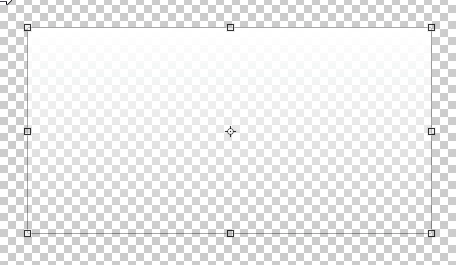
You can alter the gradient by highlighting the shape layer in the layers panel then clicking on the gradient in the properties panel
Dave
Already have an account? Login
Enter your E-mail address. We'll send you an e-mail with instructions to reset your password.
 AdChoices