Participant
May 23, 2018
Answered

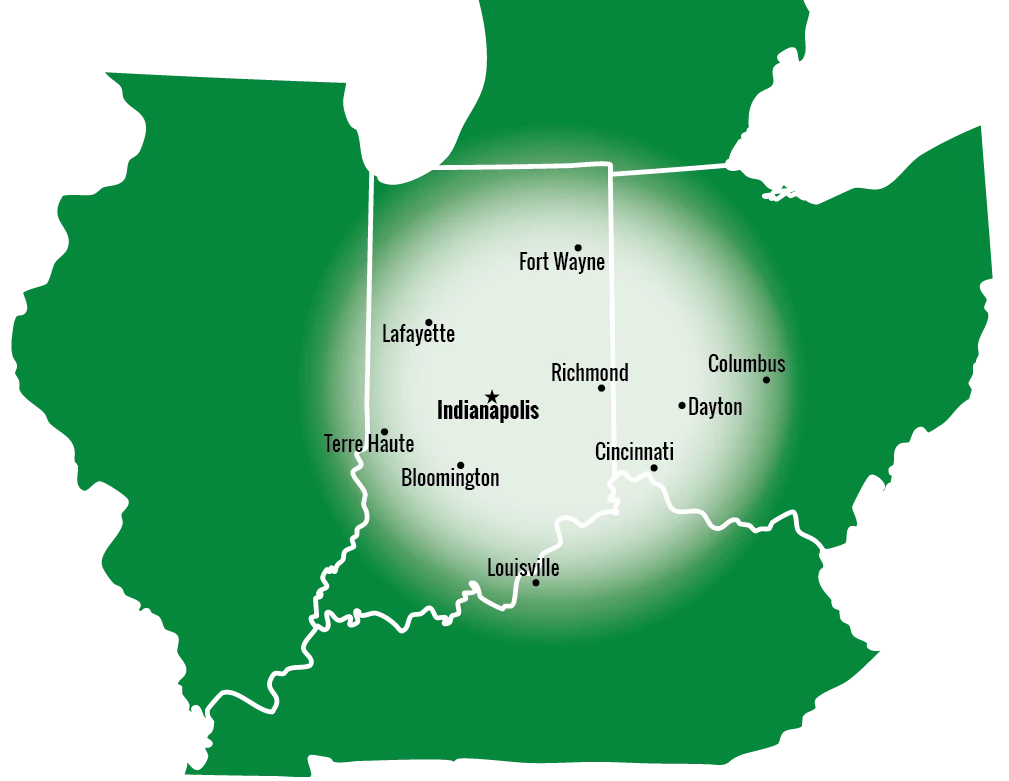
How do I create this circle on this map

  • May 23, 2018
  • 2 replies
  • 300 views

Does anyone know the name of this circle so I can recreate it using Photoshop?

Or, Can anyone step me through the steps I would need to take using Photoshop?

I have the map, I just need to create the circle.

Any help will be appreciated.

Thanks !!
This topic has been closed for replies.
Correct answer c.pfaffenbichler

• Select the Ellipse Tool (a secondary of the Rectangle Tool, so click that and select the Ellipse Tool from the pop-up menu if necessary)

• set it to »Path« in the Options Bar

• shift-click and drag to create a circular Path

• set the Foreground Color to white

• Layer > New Fill Layer > Gradient

2 replies

c.pfaffenbichler
Community Expert
Community Expert
May 23, 2018

c.pfaffenbichler
Community Expert
c.pfaffenbichlerCommunity ExpertCorrect answer
Community Expert
May 23, 2018

• Select the Ellipse Tool (a secondary of the Rectangle Tool, so click that and select the Ellipse Tool from the pop-up menu if necessary)

• set it to »Path« in the Options Bar

• shift-click and drag to create a circular Path

• set the Foreground Color to white

• Layer > New Fill Layer > Gradient