Answered
How do I export a file to PDF?
I've got a large Photoshop project that I want to export to .pdf to send to the printers.
How do I export to PDF?
I'm not seeing PDF as one of the possible formats when using File/Export
Thanks in advance.

I've got a large Photoshop project that I want to export to .pdf to send to the printers.
How do I export to PDF?
I'm not seeing PDF as one of the possible formats when using File/Export
Thanks in advance.
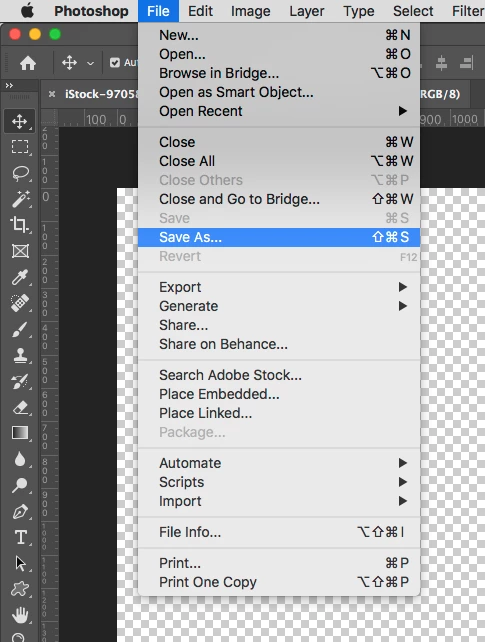
Choose File > Save As....
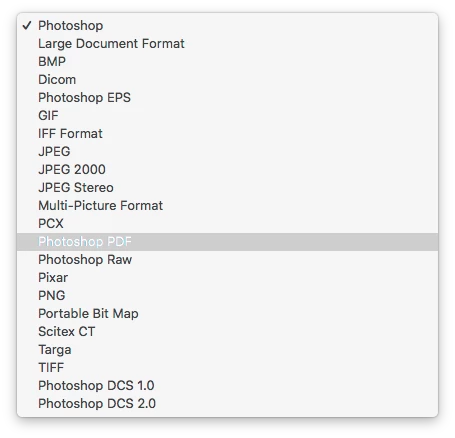
Set the Format Pop-Up Menu to Photoshop PDF.
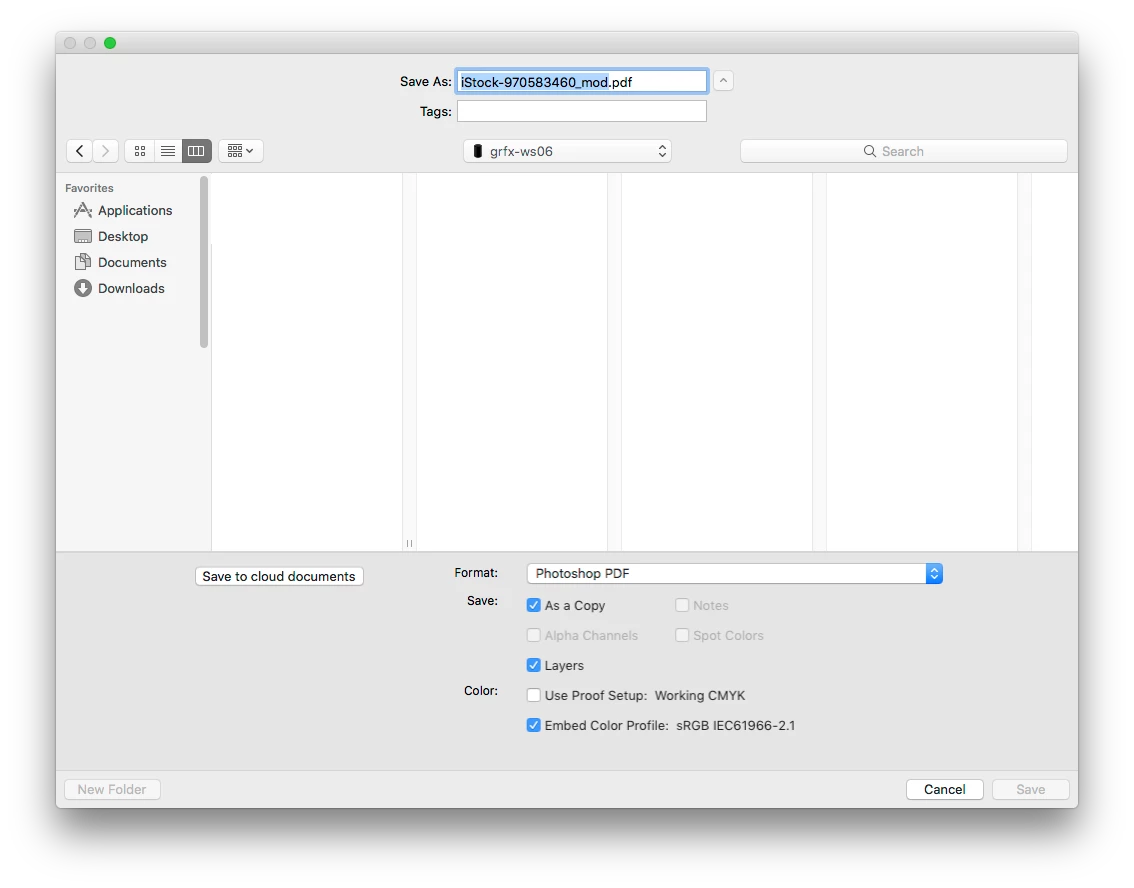
Set the other options as needed. As mentioned earlier, "As a Copy" is a good idea.
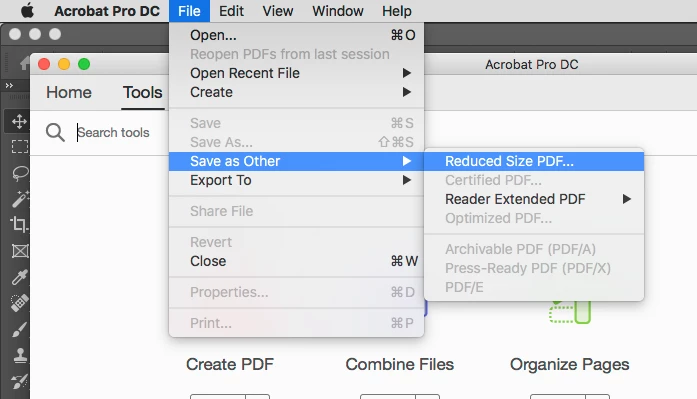
Sometimes I open the resulting PDF file in Adobe Acrobat and use the Reduce PDF Option to get to a smaller file size.
(File > Save As Other > Reduced Size PDF...).
Already have an account? Login
Enter your E-mail address. We'll send you an e-mail with instructions to reset your password.
 AdChoices