
Known Participant
October 17, 2018
Answered

How do I fix the layer Color Blend Mode?

  • October 17, 2018
  • 2 replies
  • 925 views

I love  how we can have a preview of each blend mode before chosing which blend mode to use, but the color one seems off. For  example I have a color layer of green over a colored image. It should show the whole image green, but instead it shows another color. Another thing I notice are lines. See attachment.
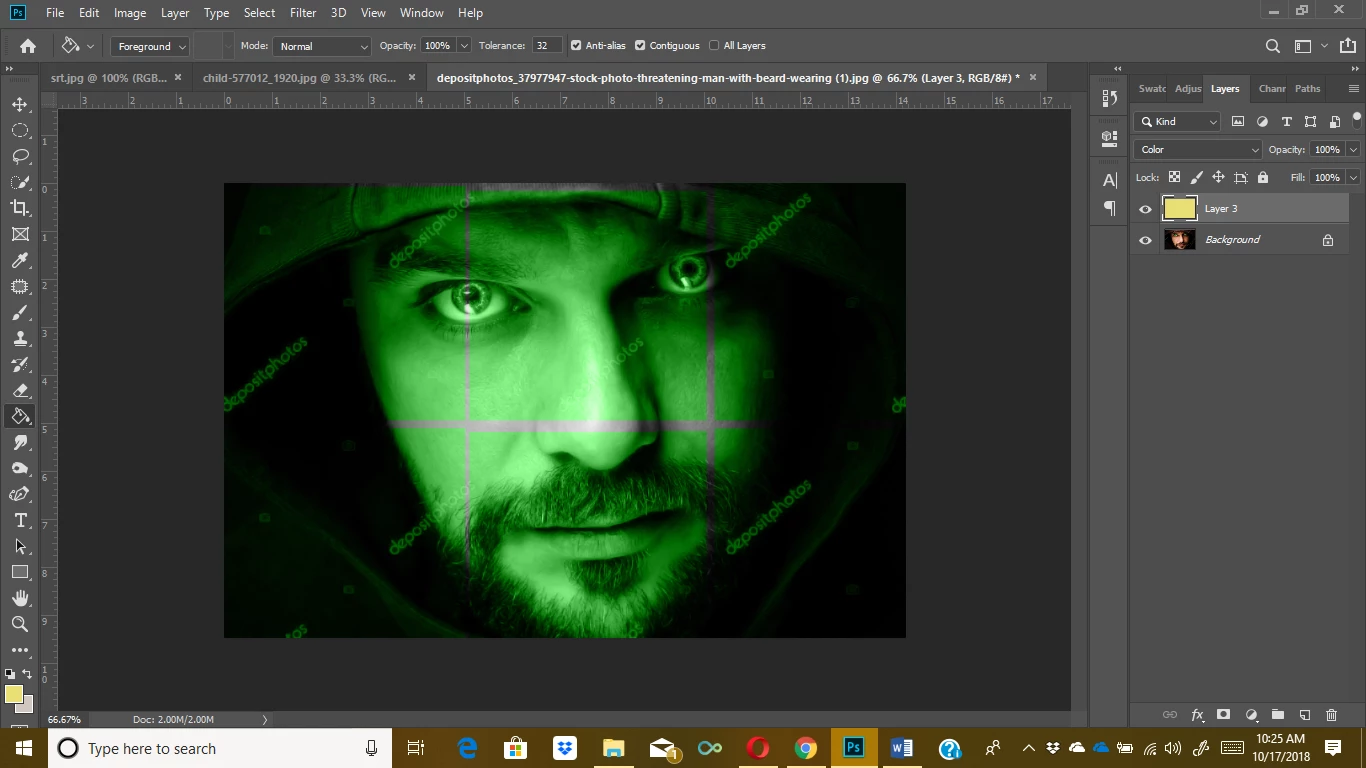
This topic has been closed for replies.
Correct answer Jeff Arola

Most likely you need to go to Edit>Preferences>Performance and check Legacy Compositing and restart photoshop.

2 replies

Muqqarib Hassan
Inspiring
October 17, 2018

Hi, Go to Photoshop > Preferences > Performance > Legacy Compositing.

Thanks.

Jeff Arola
Community Expert
Jeff ArolaCommunity ExpertCorrect answer
Community Expert
October 17, 2018

Most likely you need to go to Edit>Preferences>Performance and check Legacy Compositing and restart photoshop.

Known Participant
October 17, 2018

Hey, guys! Thanks! I bet Adobe unchecked that before the update LOL It worked.

Muqqarib Hassan
Inspiring
October 17, 2018

welcome!