Answered


This topic has been closed for replies.
Go to File > New and create a document of the print size required, for example 8.5 X 11 at resolution 300 ppi.
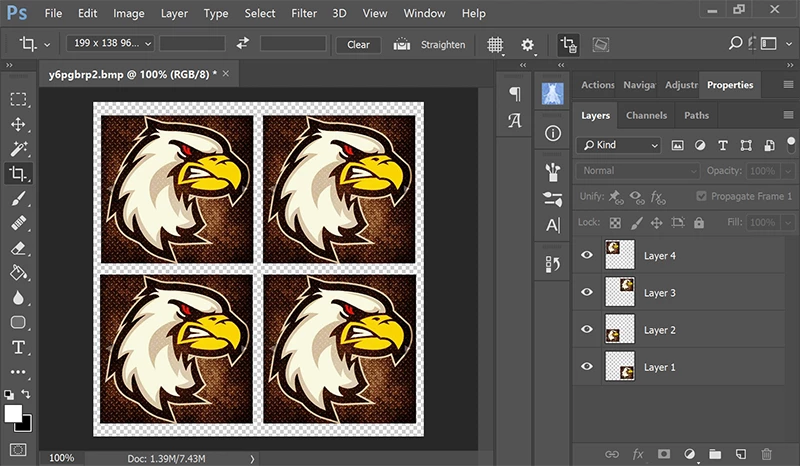
Bring your image into the new document and hit Ctrl+T to transform and scale to fit 1/4 of the canvas. When done hit Enter.
Select layer and hit Ctrl+J to duplicate it.
Move 2nd layer as required.
Repeat with 3rd & 4th layers. See screenshot.
Sign up
Already have an account? Login
To post, reply, or follow discussions, please sign in with your Adobe ID.
Sign inSign in to Adobe Community
To post, reply, or follow discussions, please sign in with your Adobe ID.
Sign inEnter your E-mail address. We'll send you an e-mail with instructions to reset your password.
 AdChoices