

Answered
How do I get 'shift key' to constrain proportion when resizing in Photoshop?
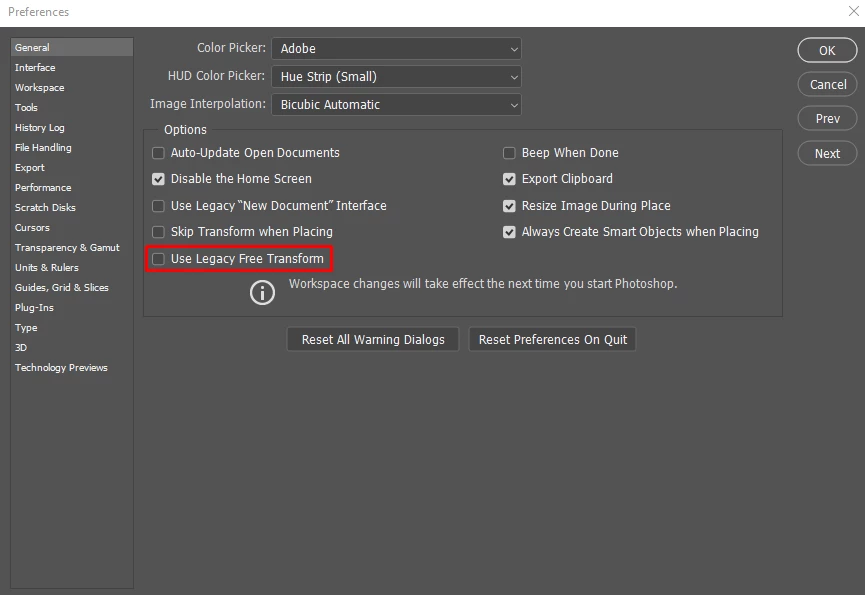
For some reason, Photoshop has changed the old standby 'shift key' when transforming re-sizing of an object and somehow now it is opposite with no 'shift key' meaning constrain proportion... How do I get it back to what I would call 'normal' behavior? I've looked in preferences and see nothing under tools that clearly states 'shift key' to constrain... I know I'm missing it and after spending too much time now, searching in preferences, I throw my hands up and stop my work and come here for help. I've come here for this same help before and was answered but a search for this topic brings up nothing... I'm fit to be tied, someone please help me... TIA, Ken
Message was edited by: Sahil Chawla
 AdChoices