
Participating Frequently
February 19, 2018
Answered

How do I keyframe animate in 3D?

  • February 19, 2018
  • 2 replies
  • 567 views

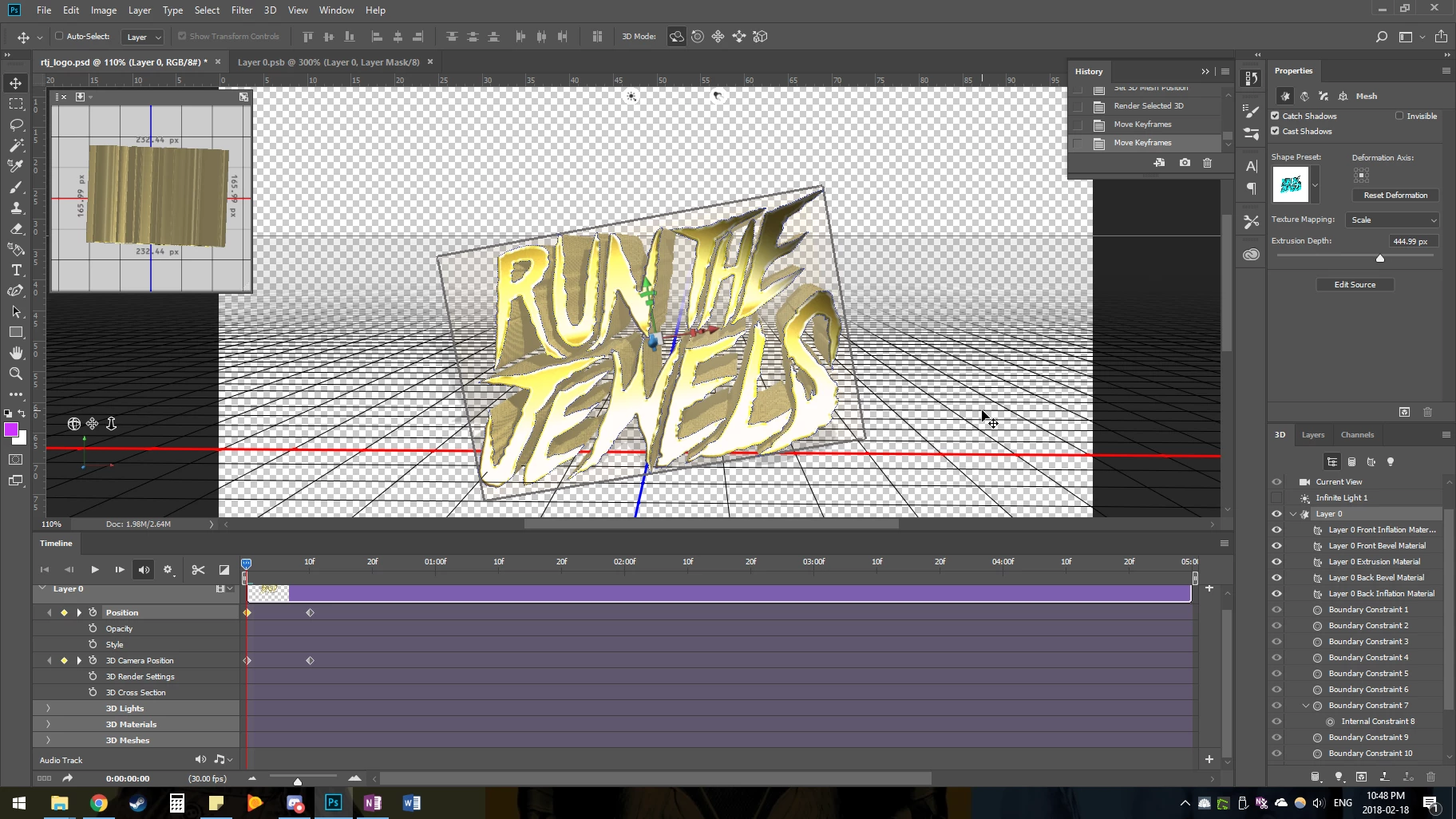
I have some extruded text that I want to rotate around like an old screensaver. The problem I'm having is that I can't seem to make keyframes do anything. I change the mesh position at 1:00f and put a key and then 0:01f is changed. I'm probably missing something obvious, all my previous animation experience is frame by frame.
This topic has been closed for replies.
Correct answer davescm

Hi

From your screenshot it looks like you are key-framing the wrong item.

To move the model around you need to key-frame the mesh. Click on the arrow in the timeline where it says 3D meshes and expand it.

Switch on the key-frame (clock symbol) for your mesh. Move the model to add a key-frame, advance the time line and move the model again to a second key-frame ....etc.

Save before running (this should not be necessary but sometimes when keyframing multiple objects I do this to check the keyframes have all taken.

Dave

2 replies

davescm
Community Expert
davescmCommunity ExpertCorrect answer
Community Expert
February 19, 2018

Hi

From your screenshot it looks like you are key-framing the wrong item.

To move the model around you need to key-frame the mesh. Click on the arrow in the timeline where it says 3D meshes and expand it.

Switch on the key-frame (clock symbol) for your mesh. Move the model to add a key-frame, advance the time line and move the model again to a second key-frame ....etc.

Save before running (this should not be necessary but sometimes when keyframing multiple objects I do this to check the keyframes have all taken.

Dave

Participating Frequently
February 19, 2018

Thanks, Dave.

Trevor.Dennis
Community Expert
Community Expert
February 19, 2018

If anyone can answer this, it will be our davescm

Good luck