Participating Frequently
September 22, 2024
Answered

How do i make workspace smaller?

  • September 22, 2024
  • 3 replies
  • 1609 views

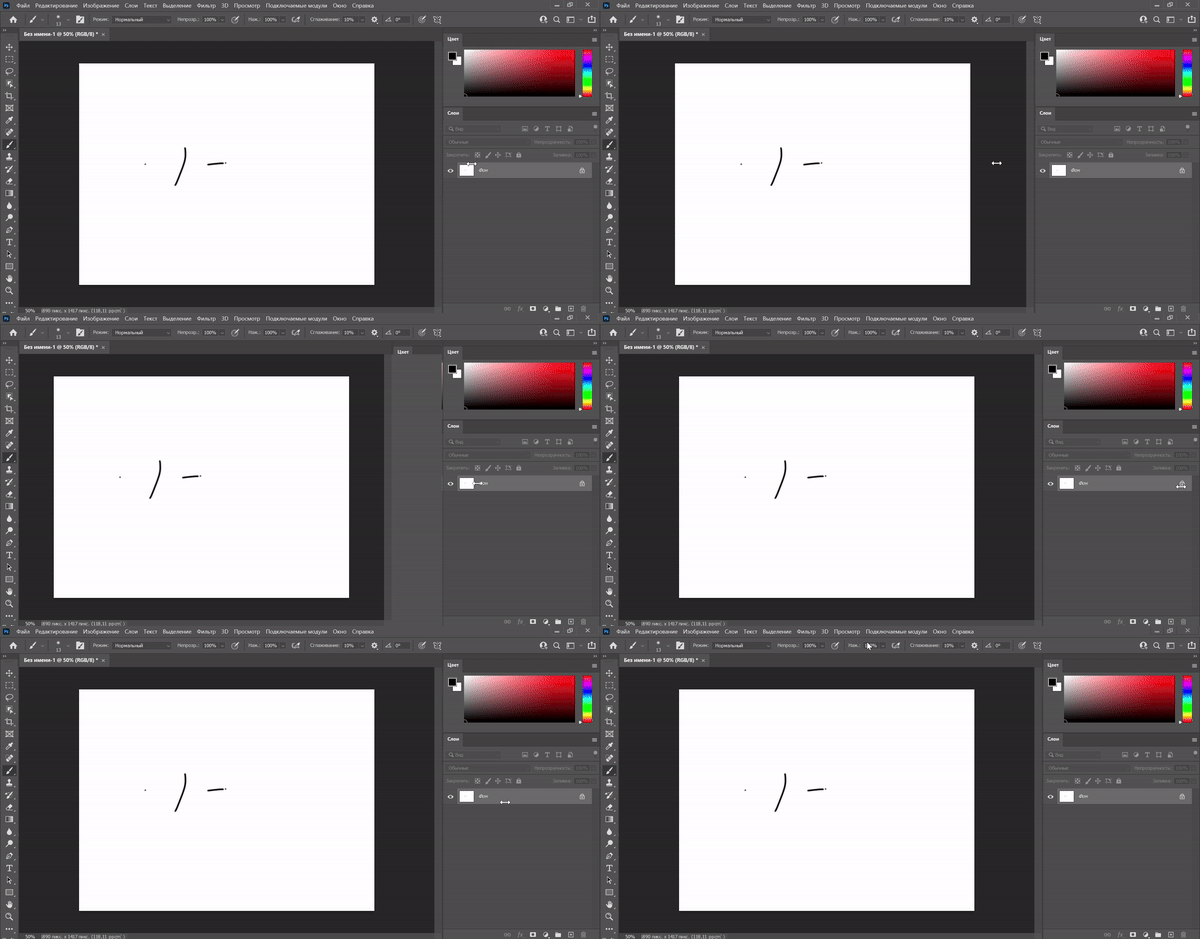
So i just moved to photoshop from a different program, and the workspace window takes TOO MUCH of the space, and my canvas is not centered because of it, which is really annoying. Is there any way i can make it smaller? I currently use photoshop 2021, i also tried most recent version, and there is the same problem
This topic has been closed for replies.
Correct answer Jeff Arola

What language is Photoshop?


Some languages do not allow the panels to go as narrow as Photoshop set to English.

3 replies

D Fosse
Community Expert
Community Expert
September 23, 2024

Try to drag the panel out of the dock, resize it, and re-dock it.


If still no go, reset preferences.

Jeff Arola
Community Expert
Jeff ArolaCommunity ExpertCorrect answer
Community Expert
September 23, 2024

What language is Photoshop?


Some languages do not allow the panels to go as narrow as Photoshop set to English.

Participating Frequently
September 23, 2024

Thank you SO MUCH!! Changing PS to English helped, and i wanted to change language anyway, so this is even better

mglush
Community Expert
Community Expert
September 23, 2024

Yes! It all depends on how you set your workspace window. First  would suggest trying the different workspaces that are offered under the Window menu. Then drag the outside edge of the window to the size you want it to be, then you can adust the panels. Close the panels you don't use and add the ones you do use to the "Icon" panel. Click on them to open them when you need them and they will pop open, and then close them when you don't. This will save on space. I usually have the Adustments, and Layers panel nested together in the main panel. See below. Then once you get your layout set, choose Window>Workspace>Create New Workspace.


Let us know if that helps or if yoiu have any other questions.

Michelle

Participating Frequently
September 23, 2024

I still cant make the workspace smaller, and i think i figured out whats causing this, it is the layers panel, arguably the most important thing to have in the workspace. I can change workspace size to the size i want if layers panel is not active, but when i click on layers panel, it resizes to the annoying big size. Is this fixable? I`ve seen that other people had the small workspace and active layers panel, but it doesnt work for me

Participating Frequently
September 23, 2024

 I attached gif in the wrong place, sorry, here it is