|
Maddiex wrote:
I love Photoshop Layers and actions and use them widely, but for now just want to know if there is a quick automatic function somewhere to print specifically four 6x4" pictures or two 8x12" pictures (which have been correctly sized, or not) on an A4 page from Photoshop CC.
|
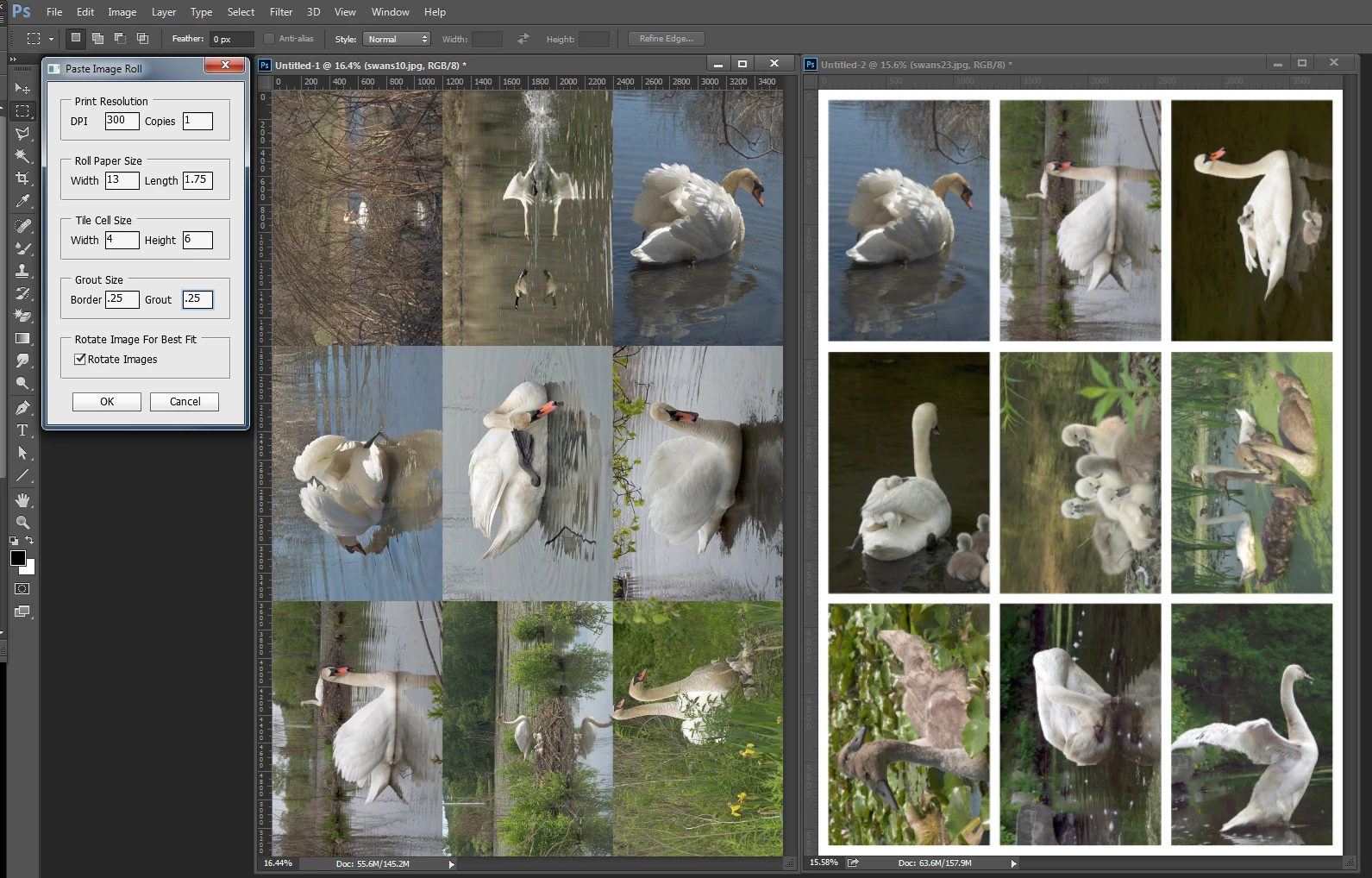
Though I wrote the PasteImageRoll script for printing a large number of images on roll paper. There is no reason it can not be used for cut paper. Image do not need to be size sized or rotated. The script will handle that. Scripting is much more powerful them Actions. The script will calculate the number or of columns of image that will fit on the width of paper you set and will not run if the number of image you select will not fit the length of paper you set is left on the roll of paper. So if you have 13" x 19" cut paper it like 19" left on your 100 foot 13'' wide roll paper. So if set 300 DPI, 1 copy of pictures 13" wide Paper , 1.75 feet left, 4" wide 6" high, .25" border .25" grout and rotate for best fit. You can select any 9 image in a folder and the will size the fit the 4"x6" tiles. If the image do not have a portrait or landscape 3:2 aspect ratio the sized images will be centered virtual crops. The image are not cropped they are masked. You can manually tweak the crop by moving the image before printing. If you omit the borders and grout the document create will be 12"x18" with the 13"x19" http://www.mouseprints.net/old/dpr/PasteImageRoll.jsx
 AdChoices