amyvk2000
Participant
November 20, 2016
Question

How do I save an edited gif?

  • November 20, 2016
  • 3 replies
  • 1055 views

I was editing a gif image and tried to save it as a normal picture. I tried 'save for web', as I do usual. But when I did it this time and tried to open the image in my fiels, it looked like this!
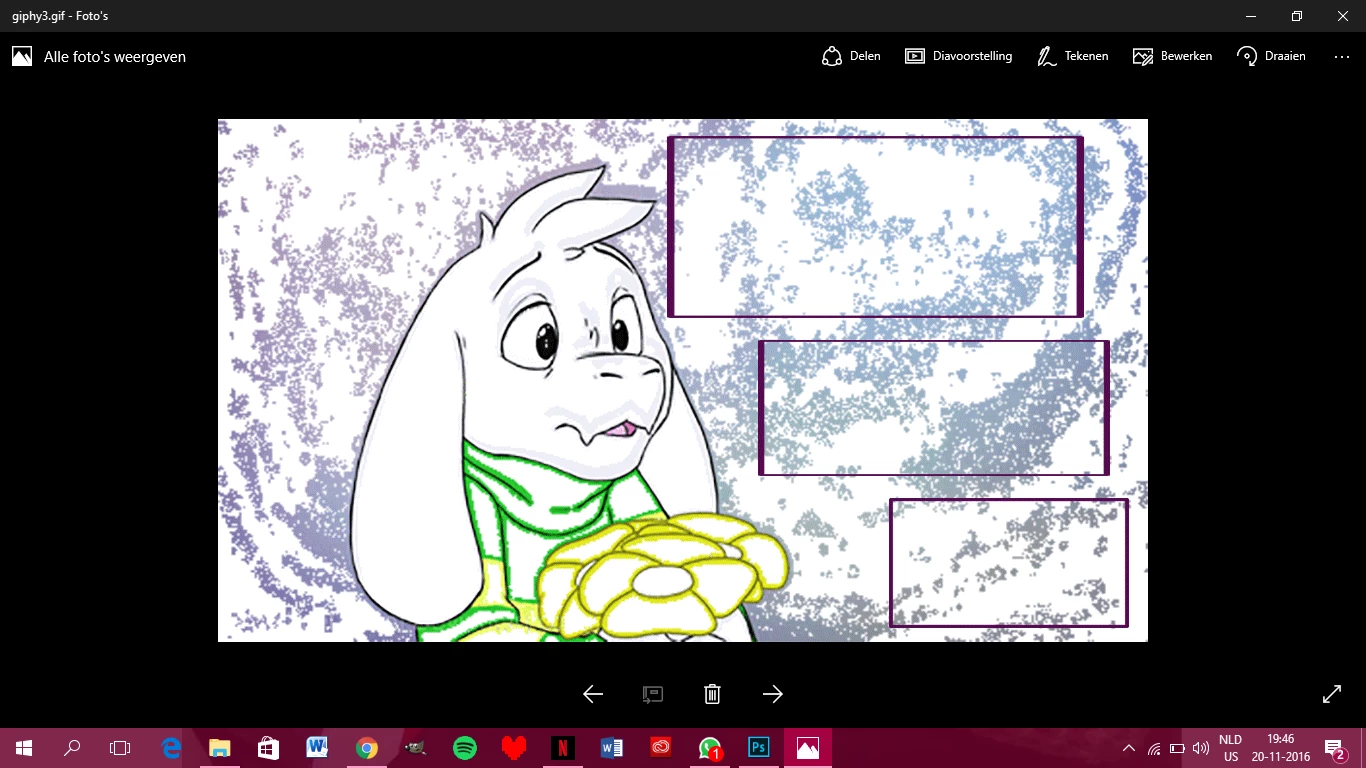
It did move like a gif is supposed to do, but the original looks like this;
 

I want to save it with the original colors as a gif image. Can anyone tell me how to do that?

PS, I am a beginner, use Photoshop CC and my English is not very well

This topic has been closed for replies.

3 replies

Inspiring
November 21, 2016

This GIF file is corrupted. Probably it was converted by some application and has been damaged. Here is this image with correct constructions. http://absolutedream.deviantart.com/art/Stopping-to-smell-the-flowers-617305437

davescm
Community Expert
Community Expert
November 21, 2016

The file has been optimised so that each frame only contains the changes over the last frame, as opposed to all information in every frame.

There are a couple of things you can do.

1. If you need a full frame by frame editable copy you can use an older version of Photoshop and a workaround. This works in CS6 but does not work in CC2015.5 or CC2017 (I don't have earlier CC versions installed to test)

In CS6

Go to File _ Import -Video Frames to Layers

In the dialogue enter *gif* in the File Name and set File type to Video  then click on Open

Your gif video file will appear and you can click on it

In the dialogue that opens ensure "Range to Import" is set to "From Beginning to End" and "Make Frame Animation" is checked

Press OK

Your file will open as a traditional frame by frame animation and will play and can be edited as normal

2. If you are just after stills from the video (to be saved e.g. as jpeg still images)

Open in CC.

Go to the layers panel.

Use the eye symbol to turn on the frame you need and also turn on every layer below that frame.

So if you want frame 14 as a still - the layers panel looks like this :

You can then export as a jpeg

If you need to the still, just use copy merged and paste the composite into a new layer first

Below still of frame 76 using the technique above :

Hope that helps - please ensure you have the copyright holders permission to edit the file.

Dave

Trevor.Dennis
Community Expert
Community Expert
November 20, 2016

I'm getting the same thing.  It downloads and plays OK, but becomes very corrupted when open in Photoshop.  I only have CC 2017 to try it with, and I can't think what is happening with this file.

Inspiring
November 20, 2016

What version of the Photoshop are you using?