

soakingtexas
Participant
February 17, 2024
Question

How do I select and mask and image as seen in the Black and White View Mode?

  • February 17, 2024
  • 1 reply
  • 1209 views

As seen from left to right (or top to bottom depending on your display):

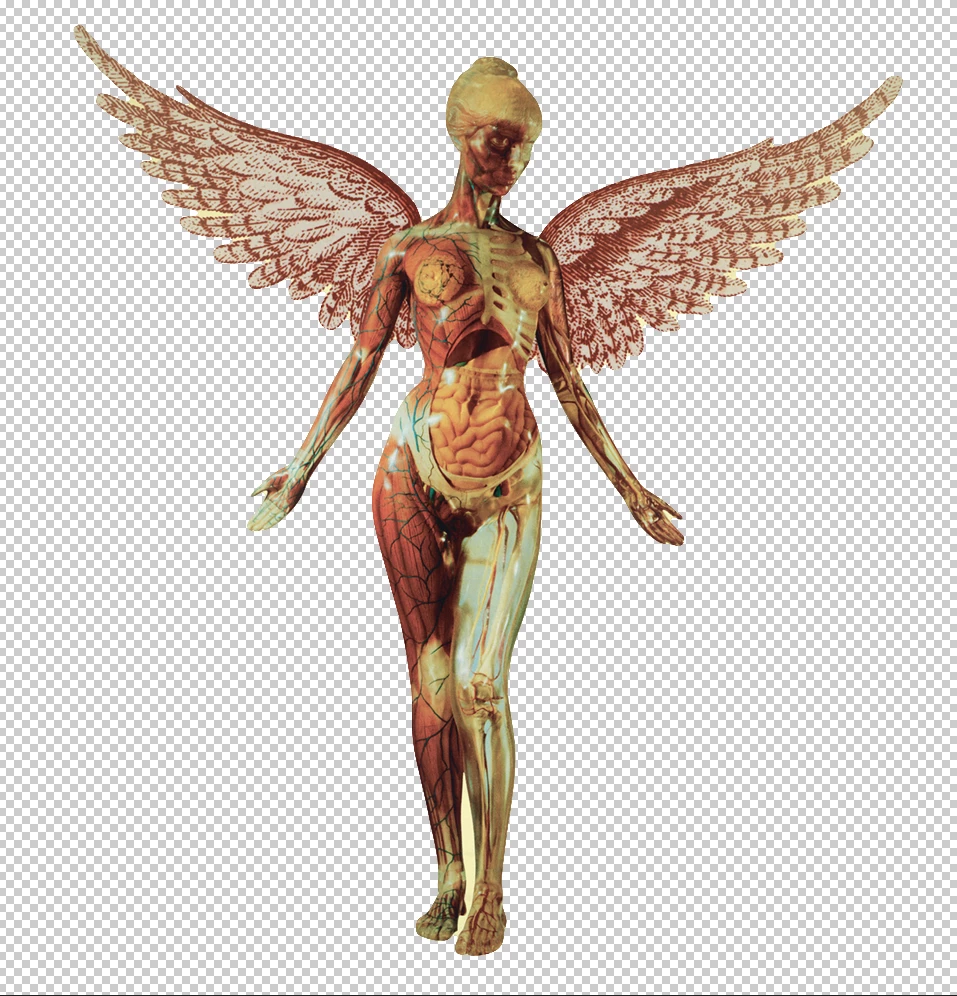
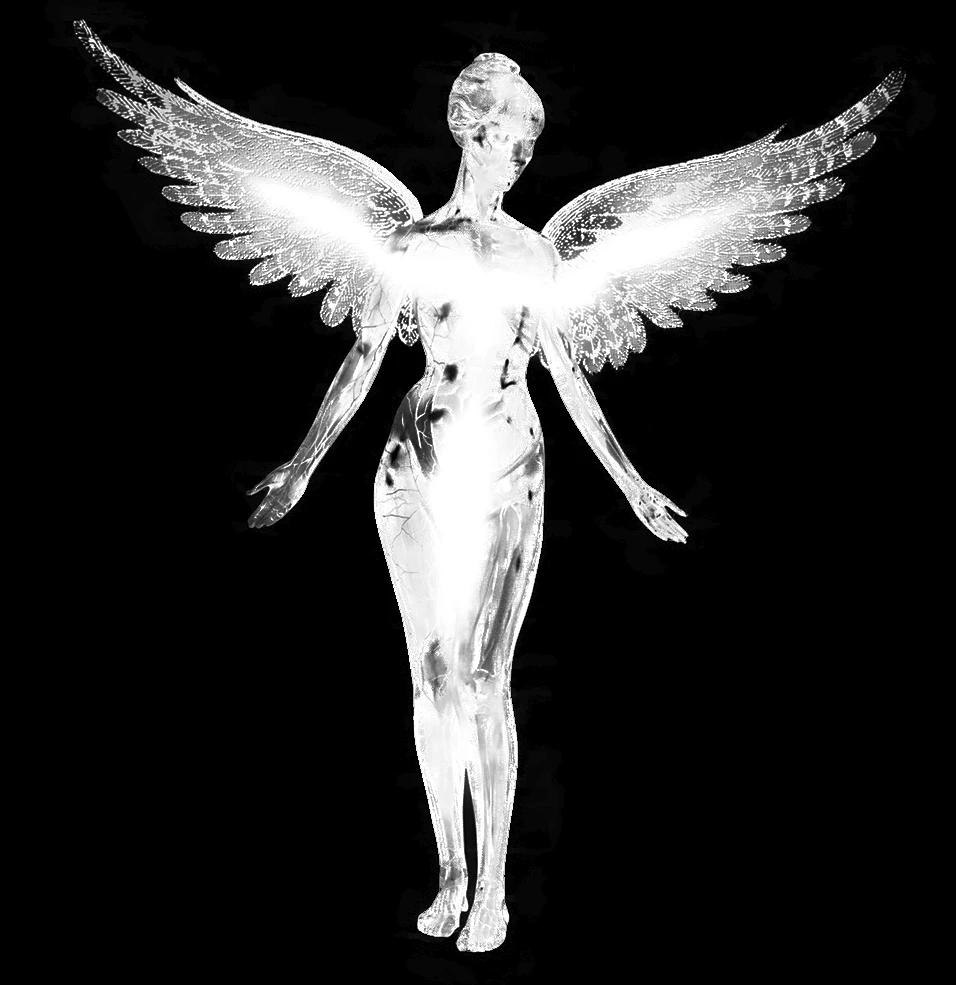
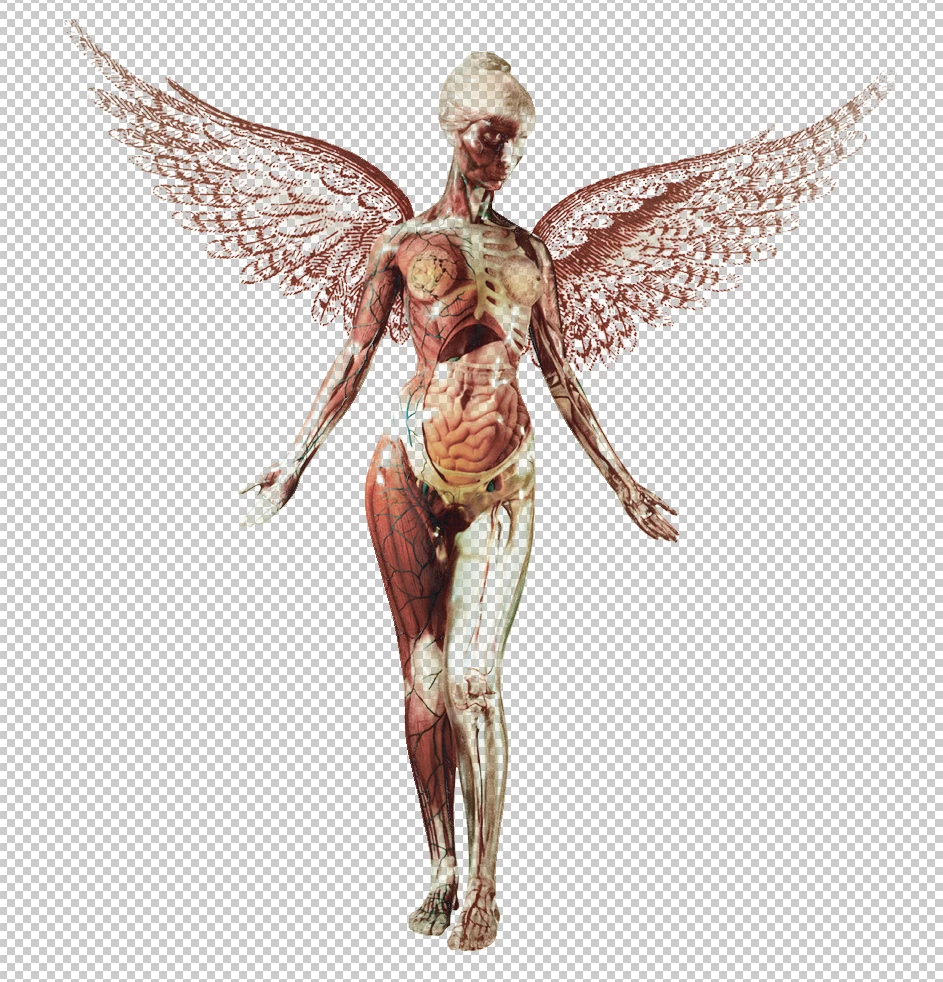
1st picture is the baseline image I am working on; 2nd picture is how the asset looks when I select and mask on "Black & White (K)" View Mode (that's how I would like the final asset to end up as, all black and white); but finally, 3rd picture is the overall end product I get, awful looking and with annoying colours that did not show when I was in the select and mask isolation mode B&W View Mode. Then my question remains...


Is there any way to get the original asset to look like the 2nd picture does? I do not understand why the end product looks coloured. Can I select and mask the way View Mode shows me?
This topic has been closed for replies.

1 reply

Myra Ferguson
Community Expert
Community Expert
February 17, 2024

The first picture is the image. The second picture is a mask (where there's white the image will show and where it's black, the image will be hidden--think of it like where you shine a light. You can see in the light but not where it's dark). The third image is the original image with the mask applied. 


If you want to use the mask as the image, you can set Select and Mask to output to a Layer Mask where you can copy the layer mask and make it an actual image layer. Here's how:

  1. Make your selection and go to Select and Mask to output to a Layer Mask
  2. When you click OK, you'll see the image thumbnail with the black and white version to the right of it in the Layers panel as a layer mask.
  3. Click on the layer mask (its thumbnail will be highlighted with white as opposed to the image thumbnail).
  4. Do either of the following:
    • Go the Channels panel (Window > Channels), turn off the eyeballs for all channels, and turn it on for the layer mask
    • Or use Alt (Windows) / Option (macOS) + click on the layer mask to access the layer mask.
  5. Select all (Select > Select All or Ctrl (Windows) / Command (macOS) + A) to select the black and white pixels of the layer mask and Copy (Edit > Copy or Ctrl (Windows) / Command (macOS) + C) it.
  6. Do either of the folling based on what you did in step #4:
    • If you're in Channels, switch the visibility to what it was previously and go back to the Layers panel
    • Or if you're in the Layers panel, Alt (Windows) / Option (macOS) + click on the layer mask again.
  7. Create a new layer and paste (Ctrl (Windows) / Command (macOS) + V).