
We Run Hollywood!
Known Participant
September 25, 2024
Answered

How do I select and remove the "white" area in this image?

  • September 25, 2024
  • 1 reply
  • 2307 views

Hey Everyone!


I'm trying to make a clean selection of this Emmy statue. What would be the easiest way to select and remove the "white" colored area from the sphere that the woman is holding? 


Can somebody also tell me what the absolute cleanest method of doing this would be? Would it be to sit down, and slowly and meticulously draw selections using the Pen Tool to remove the white areas?


Please list all of the different methods that could hypothetically be used to accomplish this.


Thank You to Everyone and have a Blessed Day!
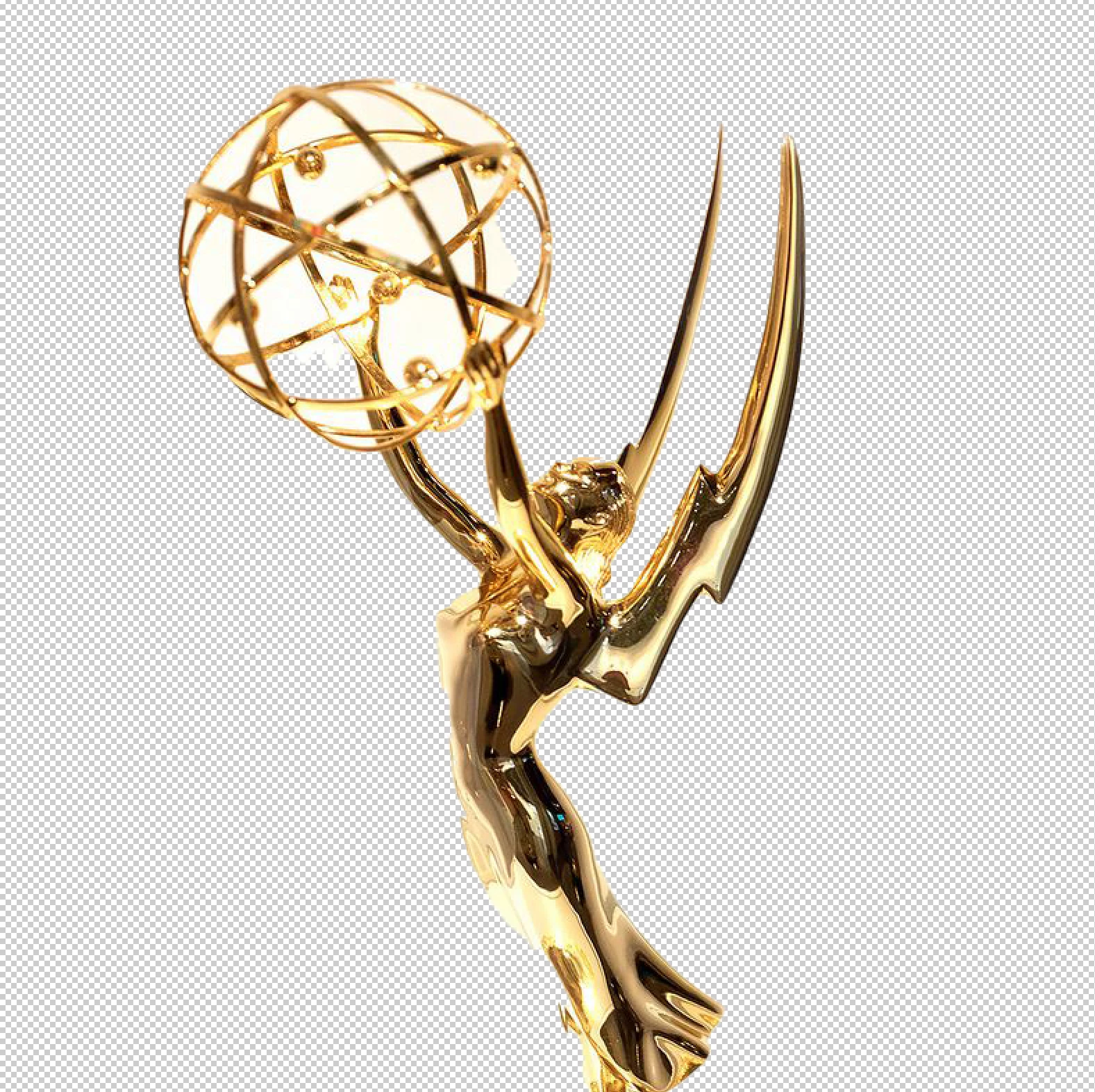
 

This topic has been closed for replies.
Correct answer mglush

There are several ways you can do it! With the Magic wand tool, click on one of the areas of white, and then choose Select>Similar. This should select the other white. Then hold down the Alt key and click on the Layer Mask icon at the bottom of the Layers Panel. (Holding down alt will hide what you have selected, and reveal everything else.) I recommend using a Layer Mask and not delete so you can make adjustments if necessary. 

Let us know if you have any quetions!

Michelle

1 reply

mglush
Community Expert
mglushCommunity ExpertCorrect answer
Community Expert
September 25, 2024

There are several ways you can do it! With the Magic wand tool, click on one of the areas of white, and then choose Select>Similar. This should select the other white. Then hold down the Alt key and click on the Layer Mask icon at the bottom of the Layers Panel. (Holding down alt will hide what you have selected, and reveal everything else.) I recommend using a Layer Mask and not delete so you can make adjustments if necessary. 

Let us know if you have any quetions!

Michelle

We Run Hollywood!
Known Participant
September 26, 2024

Michelle,


Thank you for providing this response to me! Have a wonderful day!

mglush
Community Expert
Community Expert
September 26, 2024

I am glad to hear it worked!