Inspiring
February 22, 2022
Question

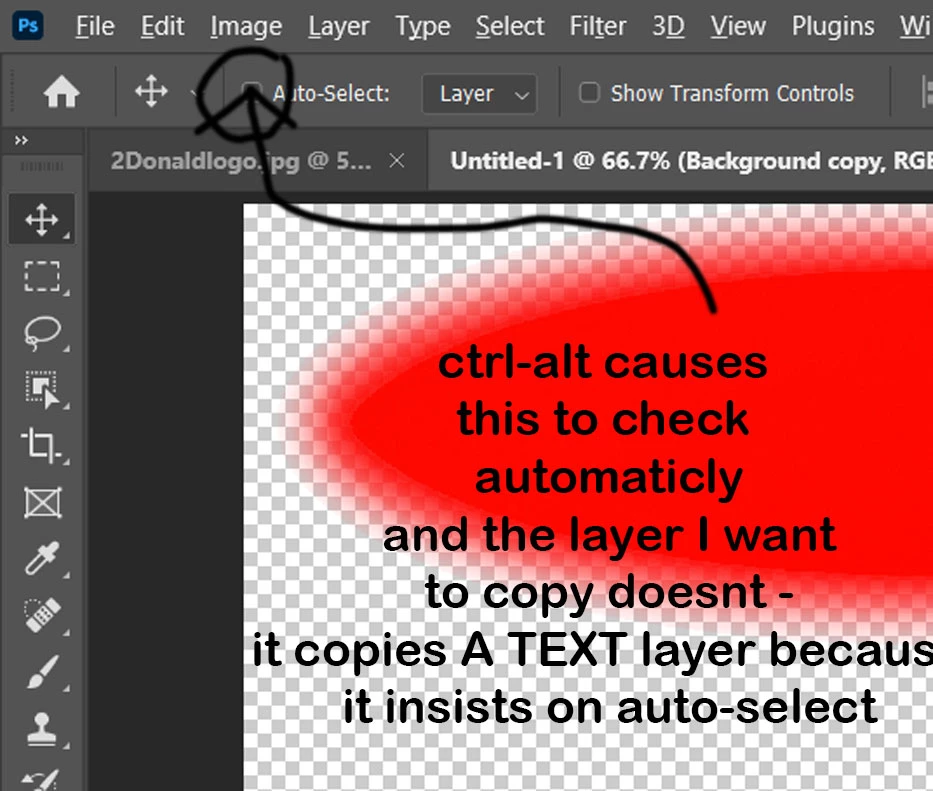
How do I stop auto select from auto checking when I press ALT CTRL

  • February 22, 2022
  • 2 replies
  • 226 views

I have text in my document. I press v to get the move tool I right click on a layer to select  I press alt ctrl to drag and copy a layer and it selects the text and copies the text.   The auto select box checks itself when I press alt ctrl.    how do I tell photoshop that I do not want that box to be checked  


This topic has been closed for replies.

2 replies

Bojan Živković11378569
Community Expert
Community Expert
February 22, 2022

Alt + drag, you do not need to hold down and Ctrl to copy (duplicate) with Move tool active.


You can use older version, install it using CC Desktop app. Before that try suggestion above, if still does not work as expected you can also try to reset preferences what is general advice for all things weird but in this case I think you are just holding one key more or key which is not required for copy command to be activated.

DMurrayAuthor
Inspiring
February 22, 2022

I see if I select the select tool and press ctrl + alt then the autoselect does not activate the autoselect.  Soemthing is wrong here with this when the move tool and the shortcut for copy are working against each other - hopefully I can use a older version of photoshop. do they let us do this still ?