

bartonlew
Legend
December 4, 2019
Answered

how do I target the content affected by an adjustment layer to a new one?

  • December 4, 2019
  • 1 reply
  • 771 views

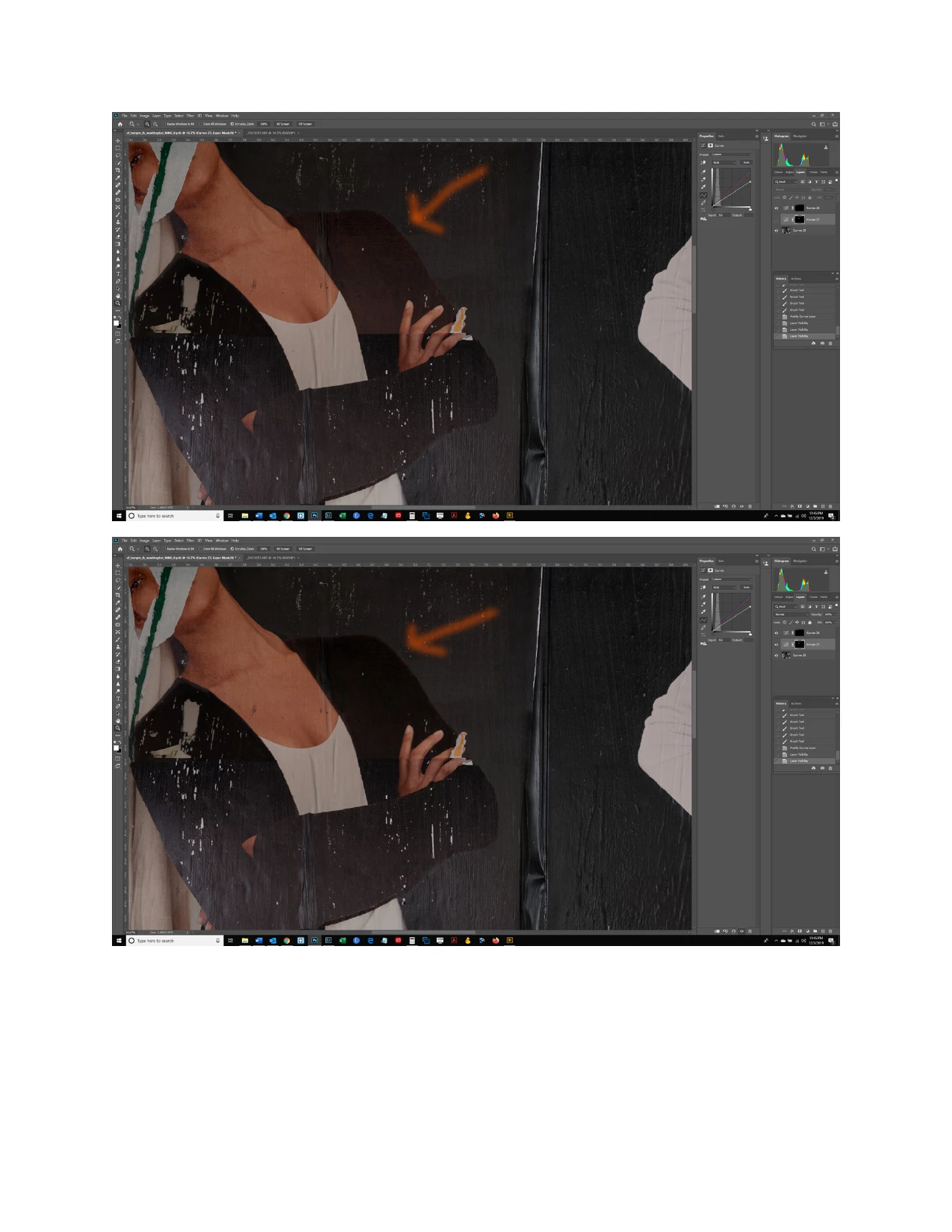
This seems very basic but I don't know the answer so here goes:  I created a Curves adjustment layer but did not make the content its own layer as I wanted to feather in the affected area, not have it created as a selection using the Quick Selection tool.  However, I now want to add a Hue/Saturation Layer to that same content.  Is there some way to do this without using the brush tool to affect the same area all over again?  The orange arrow is poitning to the shoulder area that I want to affect.  Thanks.
 

This topic has been closed for replies.
Correct answer Chuck Uebele

Hold alt/opt then click and drag the curves adjustment layer mask to the Hue/Saturation layer in the layer panel. You can also put the two adjustment layers in a group and add the curves layer mask to the group - one mask for both.

1 reply

Chuck Uebele
Community Expert
Chuck UebeleCommunity ExpertCorrect answer
Community Expert
December 4, 2019

Hold alt/opt then click and drag the curves adjustment layer mask to the Hue/Saturation layer in the layer panel. You can also put the two adjustment layers in a group and add the curves layer mask to the group - one mask for both.

bartonlew
bartonlewAuthor
Legend
December 5, 2019

That's great thank you.