
Answered
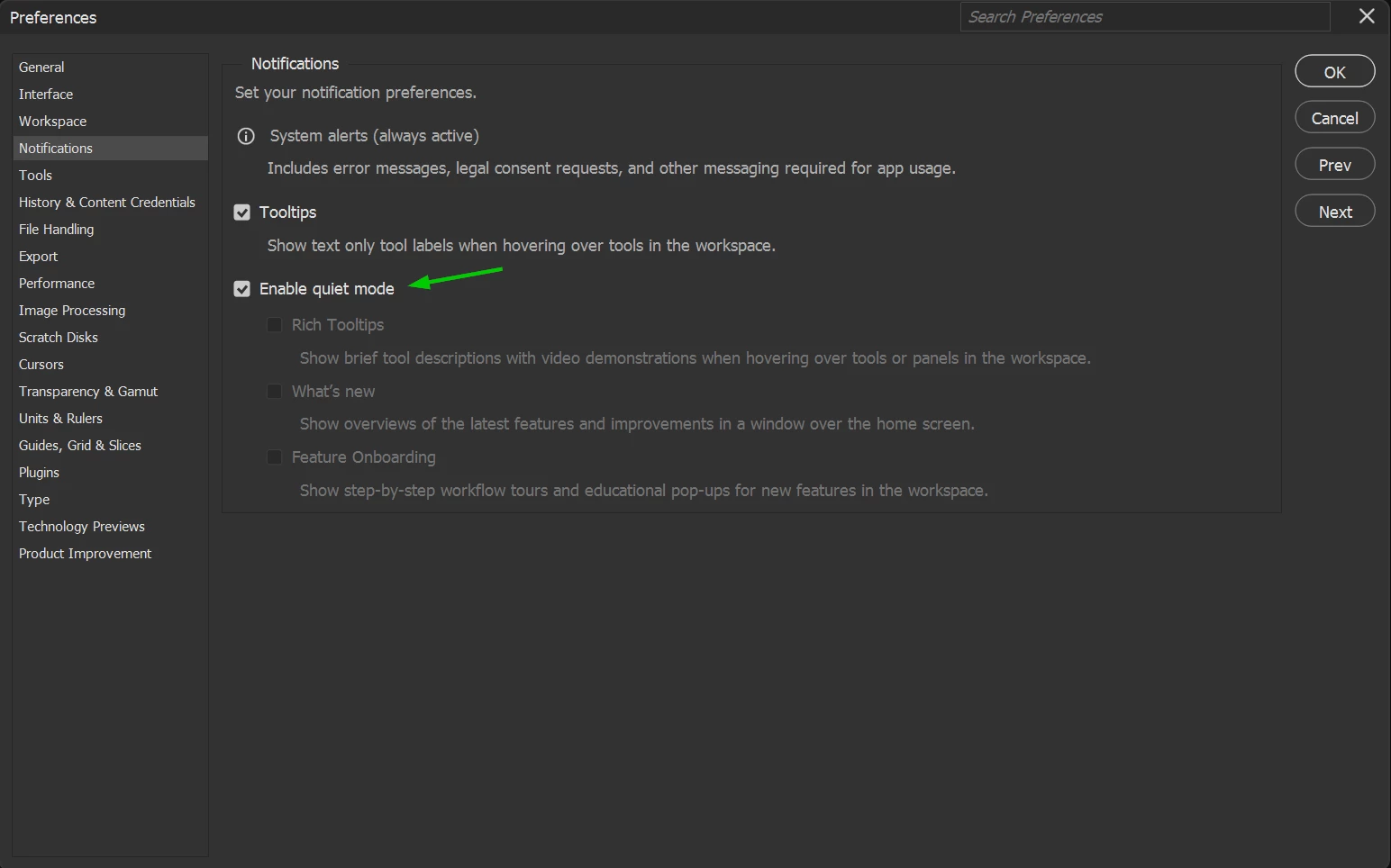
How do I turn off the "Explore Starter Tutorials in Photoshop" highlight off?
This image shows the highlight as it appears when I am in the program, and what happens when I exit the program but leave it open. :
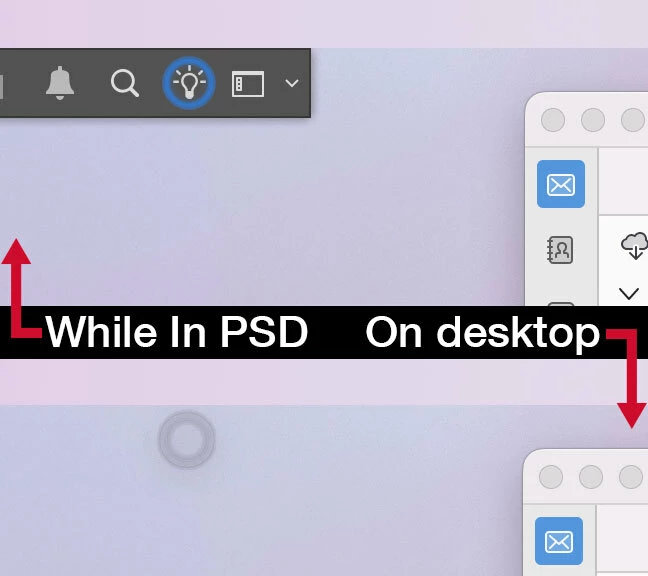
I am worried about screen burn in.
How do you turn this highlighted effect off? Is there a way to edit that whole bar? I’ve used this program for 25 years and I don’t need this, if I need to Explore Tutorials I can find them.
 AdChoices