

How do you fix pixelation after saving
So I've been doing photoshop for my own uses and as a hobby etc; my entire life and I know a lot but theres still a lot I don't know. This question has been the culprit of my insanity literally MY ENTIRE Ps life lol
So how do you fix this?
(What I see in Ps program ->
(What the photo saves to -> 
(just incase your eyes aren't as good as mine I'll point out some examples so you can see what's happening below)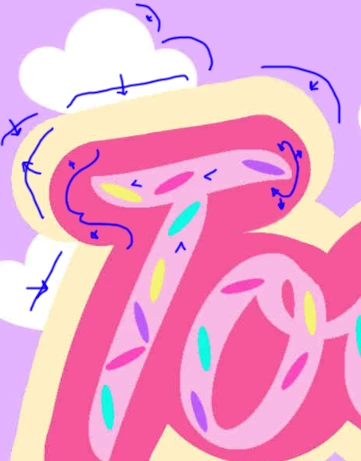
As you can see the top of the T and that cloud are becoming one through the color bleed and pixelation but in my first image (In the Ps Program) Everything seems fine like it's coming together. Everything looks smooth sharp and nice (this was a quick project or it'd be a little higher quality than this) *However* once I save and go to post the color bleeds everywhere, pixelates and tones out strangely in odd places... ._. How do you fix this?!
All layers have been merged and yes this is a from scratch built image no stretching prior made images to scale etc;
 AdChoices