
Answered
How do you put part of a layer behind another?
In photoshop, I am making a logo. I want the tips of each "S" in this image to go behind each other, But I don't want the entire S behind the other. How can I do this?
In photoshop, I am making a logo. I want the tips of each "S" in this image to go behind each other, But I don't want the entire S behind the other. How can I do this?
Add a layer mask by clicking on the mask icon in the layers panel. The ctrl/cmd click on the layer icon to make a selection:
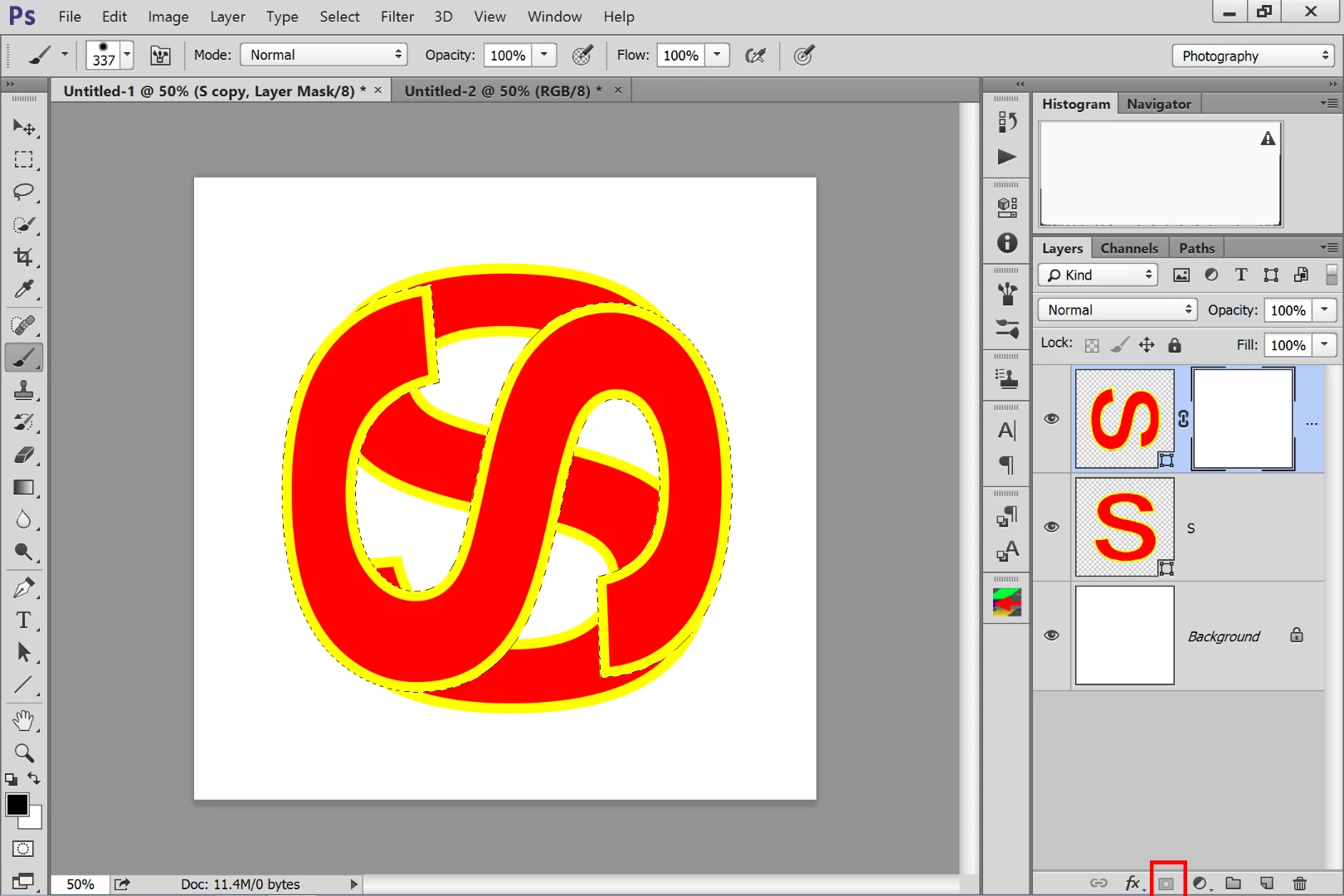
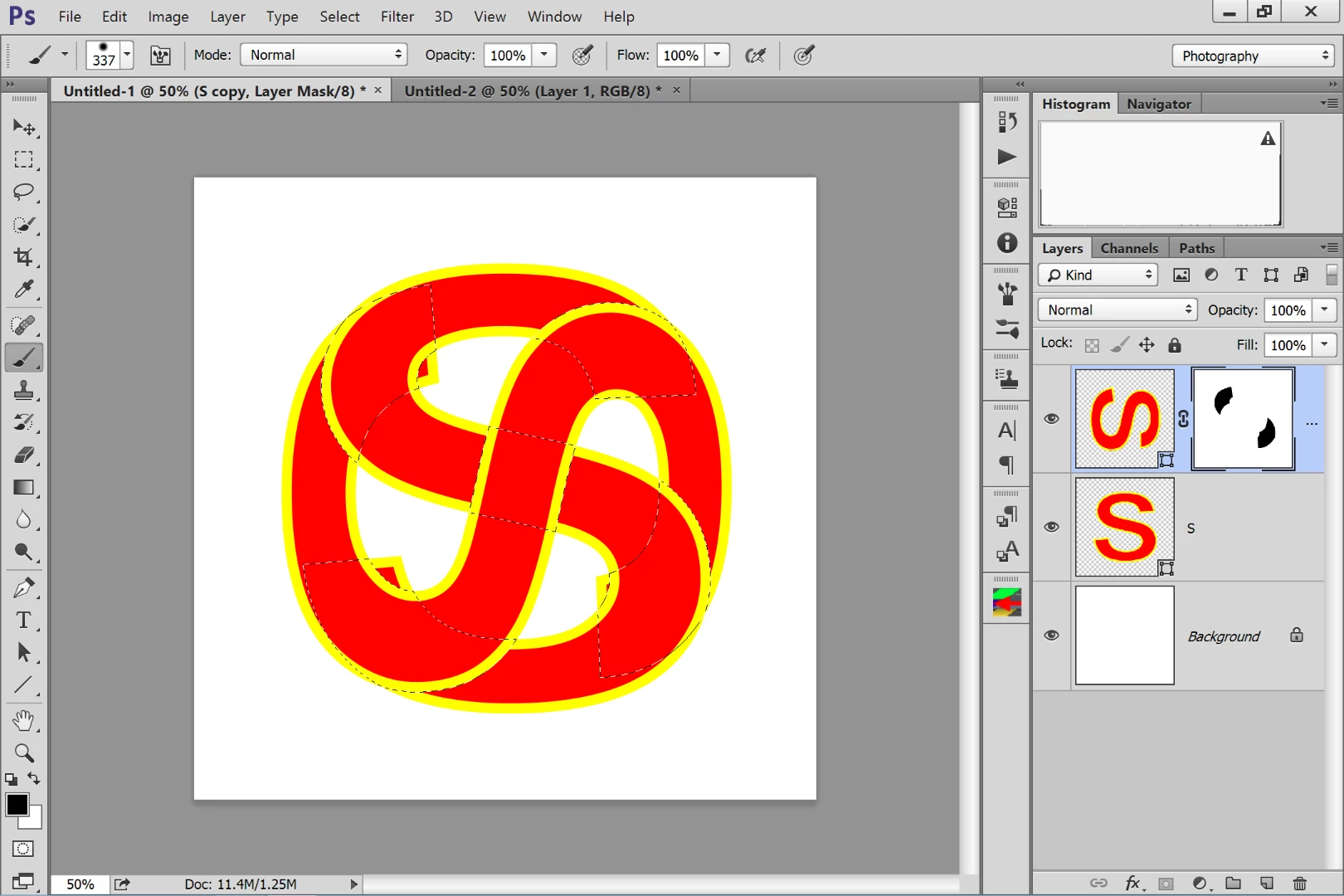
Press ctrl/cmd-alt/opt-shift and click on the other layer's icon. This will limit the selection to just those areas were the two shape over lap. Select the layer mask, and with a black paint brush paint out the areas you don't want.
Already have an account? Login
Enter your E-mail address. We'll send you an e-mail with instructions to reset your password.
 AdChoices