Inspiring
March 22, 2018
Answered

How do you type modifier key symbols in Photoshop?

  • March 22, 2018
  • 1 reply
  • 6638 views

I'm interested in being able to type the modifier key symbols in Photoshop, such as: ⌘ ⇧ ⌥ ⌃

How to do?

Thanks

    This topic has been closed for replies.
    Correct answer Jeff Arola

    You could use the Glyphs panel in photoshop.

    Window>Glyphs

    Then try a font like Lucida Grande.

    Click on your document to create a type layer, then double click on the symbols in the Glyphs panel to insert the characters in your type.
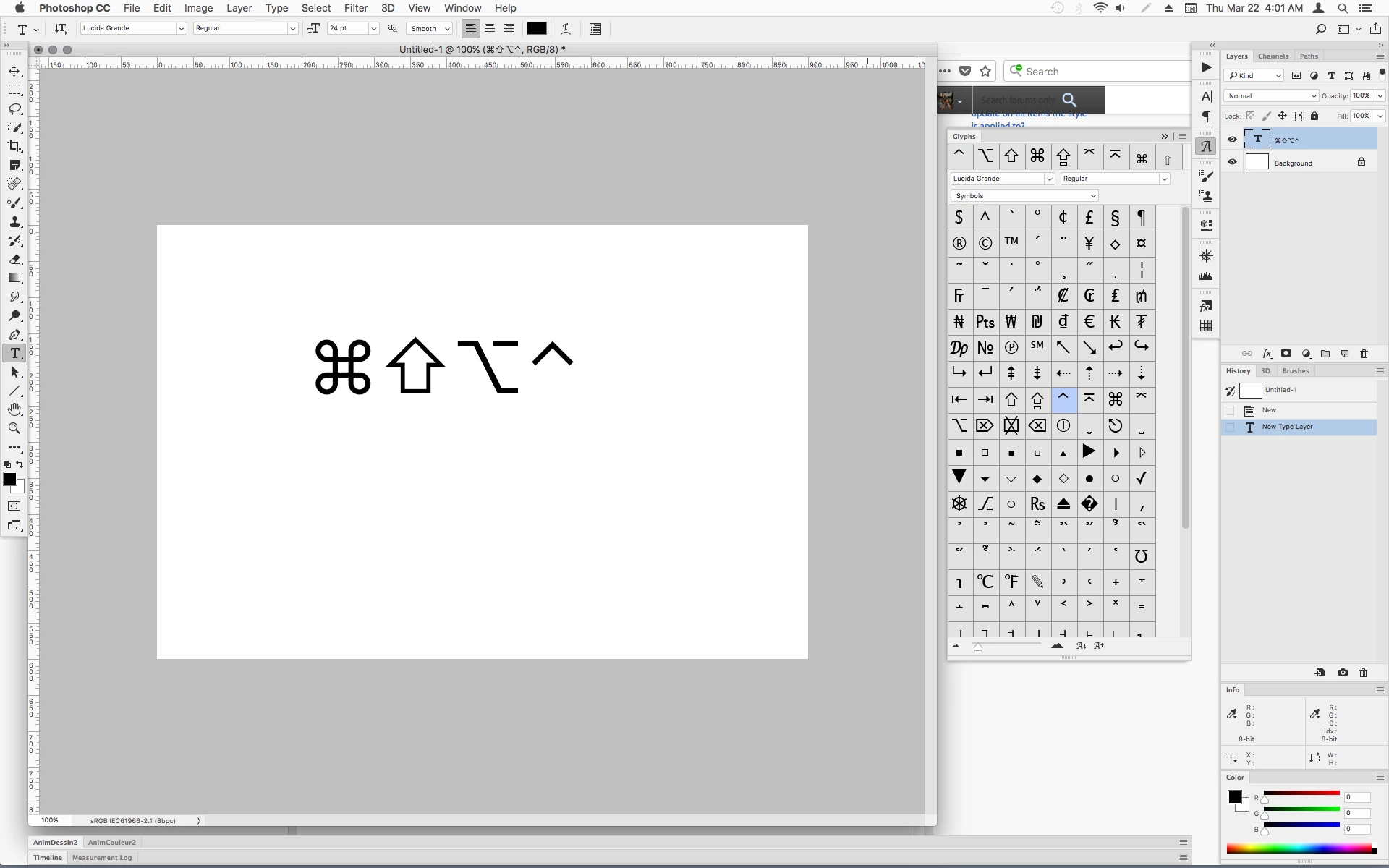
    Glyphs panel in Photoshop

    1 reply

    Trevor.Dennis
    Community Expert
    Community Expert
    March 22, 2018

    Windows or Mac?

    Windows Alt codes.  That is you hold down the Alt key and type 0151 which gives you the em dash —

    0176 degrees symbol °

    etc

    Symbol Codes | ALT Codes for Windows

    way_phatAuthor
    Inspiring
    March 22, 2018

    Sorry, I should have said, I'm on a Mac. El Capitan and High Sierra. Latest PS CC.

    Thank you

    Jeff Arola
    Community Expert
    Jeff ArolaCommunity ExpertCorrect answer
    Community Expert
    March 22, 2018

    You could use the Glyphs panel in photoshop.

    Window>Glyphs

    Then try a font like Lucida Grande.

    Click on your document to create a type layer, then double click on the symbols in the Glyphs panel to insert the characters in your type.

    Glyphs panel in Photoshop