How does one turn off the genAI update nags in Photoshop?
Hi everyone—this is my first Community post, so my apologies if do anything outside of etiquette.
This evening, I sat down to work, and in short order the following popup appeared, right in the middle of drawing: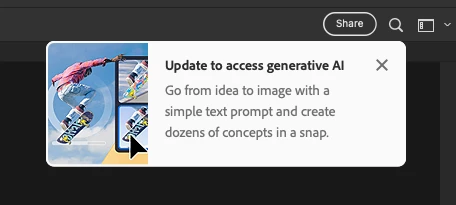
I'm not here to litigate the content of the popup, though it is relevant to say that this is not a feature I presently or will ever need, nor am I inclined to update at this time. However, the popup appears A) whenever I open a file, and B) on a timer that seems... very short, to be diplomatic about it. Sometimes they're fewer than five minutes apart!
I'm paying for this software, I'm in the middle of trying to do my job, and Adobe even grants us access to older versions of PS. Thus, particularly to the latter point, I trust there is of course a way to shut these off without updating, right? Worringly, I can't seem to find one. Any insight anyone could provide would be greatly appreciated—these ads have no business interrupting the user in the middle of their workflow.
I'm running PS v24.2.0 on macOS Ventura 13.5.1.
 AdChoices