
jaimeclaure
Known Participant
January 16, 2017
Question

HOW FIX AND SOFTEN A SHADE?

  • January 16, 2017
  • 3 replies
  • 980 views

Good morning!

I am trying to FIX and smudge a shade/shadow, could tell me a good technique to do so.

I attached two screenshots, the red graph has the shade/shadow that should be corrected like the beige graphic
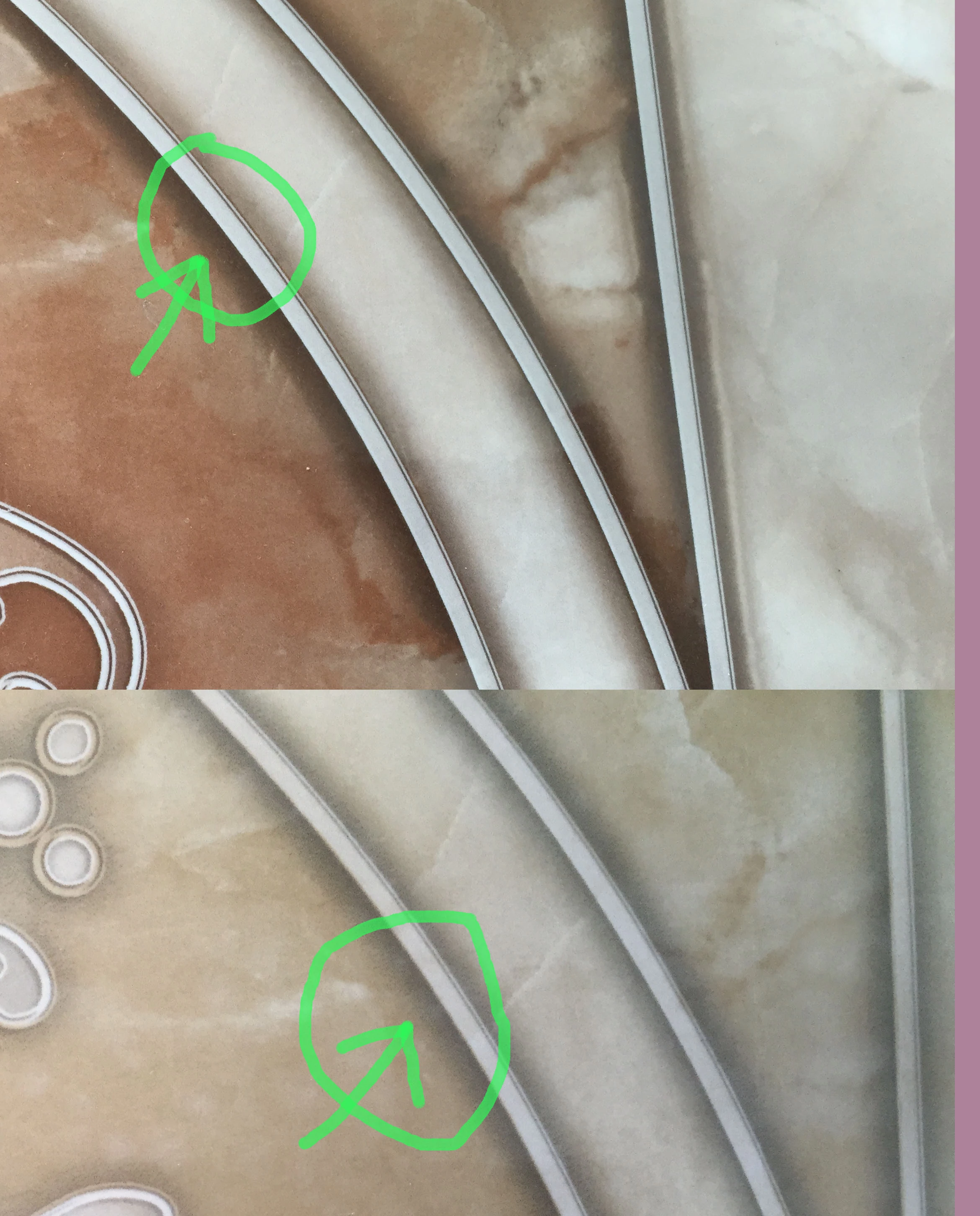
Those shaded in the red graph edges must be corrected similarly like this in beige graphics
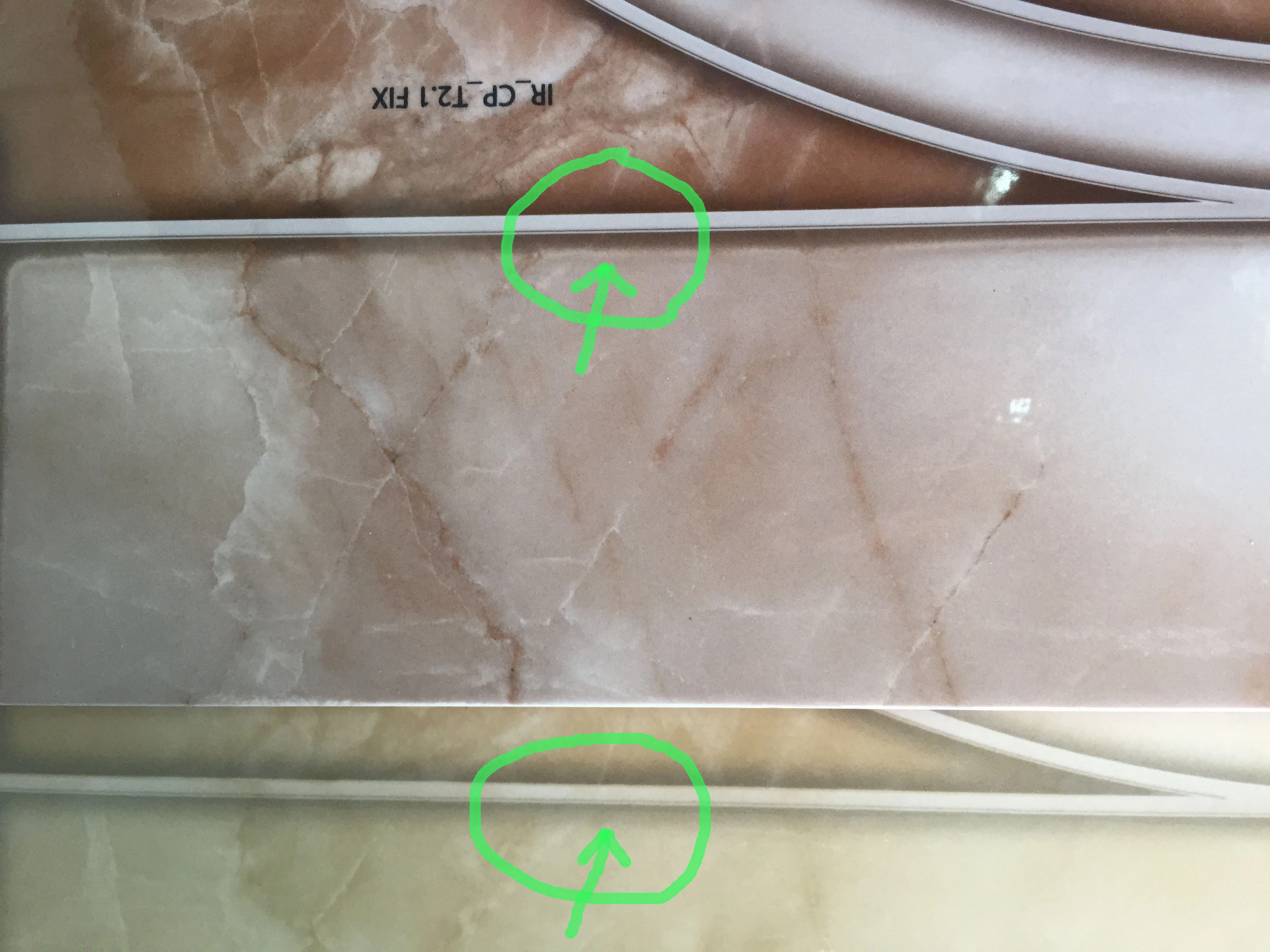
Thank you!, hope you can help me

This topic has been closed for replies.

3 replies

jaimeclaure
Known Participant
January 17, 2017

graphic attached:  https://we.tl/mp1QQUTUSJ

jaimeclaure
Known Participant
January 17, 2017

Maybe if I can upload and share file could you help me?

Trevor.Dennis
Community Expert
Community Expert
January 16, 2017

I am not sure how this thread got so far down the page unanswered!

Make a selection of the marble.  The Pen tool would be best, but use the Lasso tool if you are more comfortable with it.

If you used the Pen tool, make the path a selection (Red arrow) and copy to a new layer.

Make the path a selection again, and add a layer mask to the copied layer (Green arrow).

Unlink the layer mask by clicking on the chain icon (Cyan arrow)  Note it is already turned off in my screen shot.

Use Free Transform (Ctrl t) and drag up the copied marble so that the current shadow is hidden behind the layer mask.

\

Add a new layer, and paint a full hard black brush stroke across the screen.  Touch down at one end.  Hold down the shift key and touch down at the other end.

Repeat the previous steps to add a layer mask to the bush stroke, and unlink the layer mask

Make sure you have the layer, and not the layer mask selected (of the black line layer), and apply Gaussian blur.  I used a value of 10.

Reduce the layer opacity to suite.  Mine is set to 25%

Move the black line up or down to position it where you want it. (Note:  with the layer mask unlinked, the line will only show below the grey bezel.

I think you only asked about the lighter coloured marble.  The reddish marble above the bezel is more complicated, but I'll post this and cover that in a new post.  Note I have not worked out how to do it yet :-(

Nancy OShea
Community Expert
Community Expert
January 16, 2017

I understood the question differently.  How to make red marble shadows look like beige marble shadows?  Maybe that's why it went unanswered for so long.

Nancy

Nancy O'Shea— Product User & Community Expert
Trevor.Dennis
Community Expert
Community Expert
January 16, 2017

Nancy OShea wrote:

I understood the question differently. How to make red marble shadows look like beige marble shadows? Maybe that's why it went unanswered for so long.

Nancy

Nancy you are probably right.  I spent an hour on the phone part way through my second post which 'might' cover the red marble shadow for the OP.  I have to go do my shift at Citizens Advice now, and am unlikely to be back at my computer for another ten hours, so over to someone else (if Jaime gets back to us).