Known Participant
December 29, 2020
Answered

How is this done?

  • December 29, 2020
  • 7 replies
  • 826 views

Hellow everyone.

Someone know how is possible to turn this:
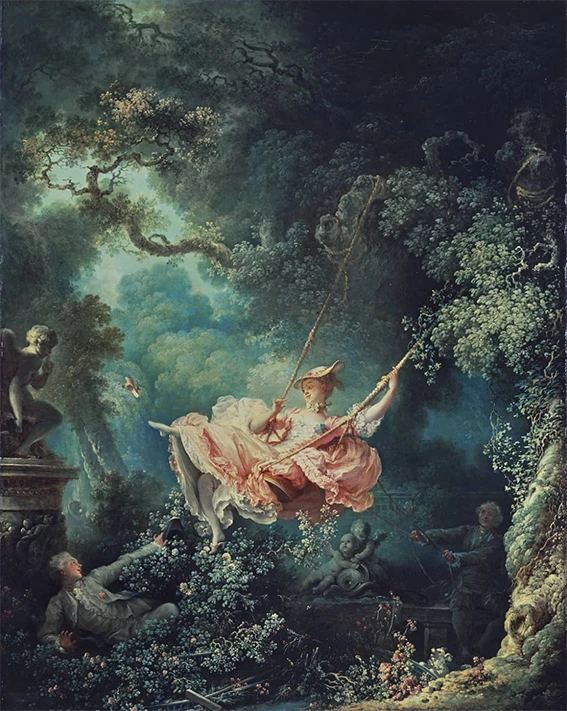
Into this:
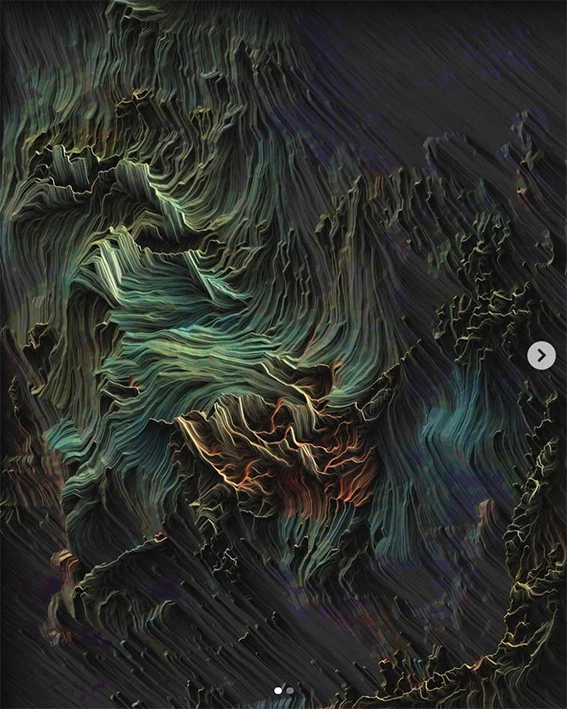
Is it possible just with photoshop effects or other software is needed ?

Thanks in advance for the help.

This topic has been closed for replies.
Correct answer davescm

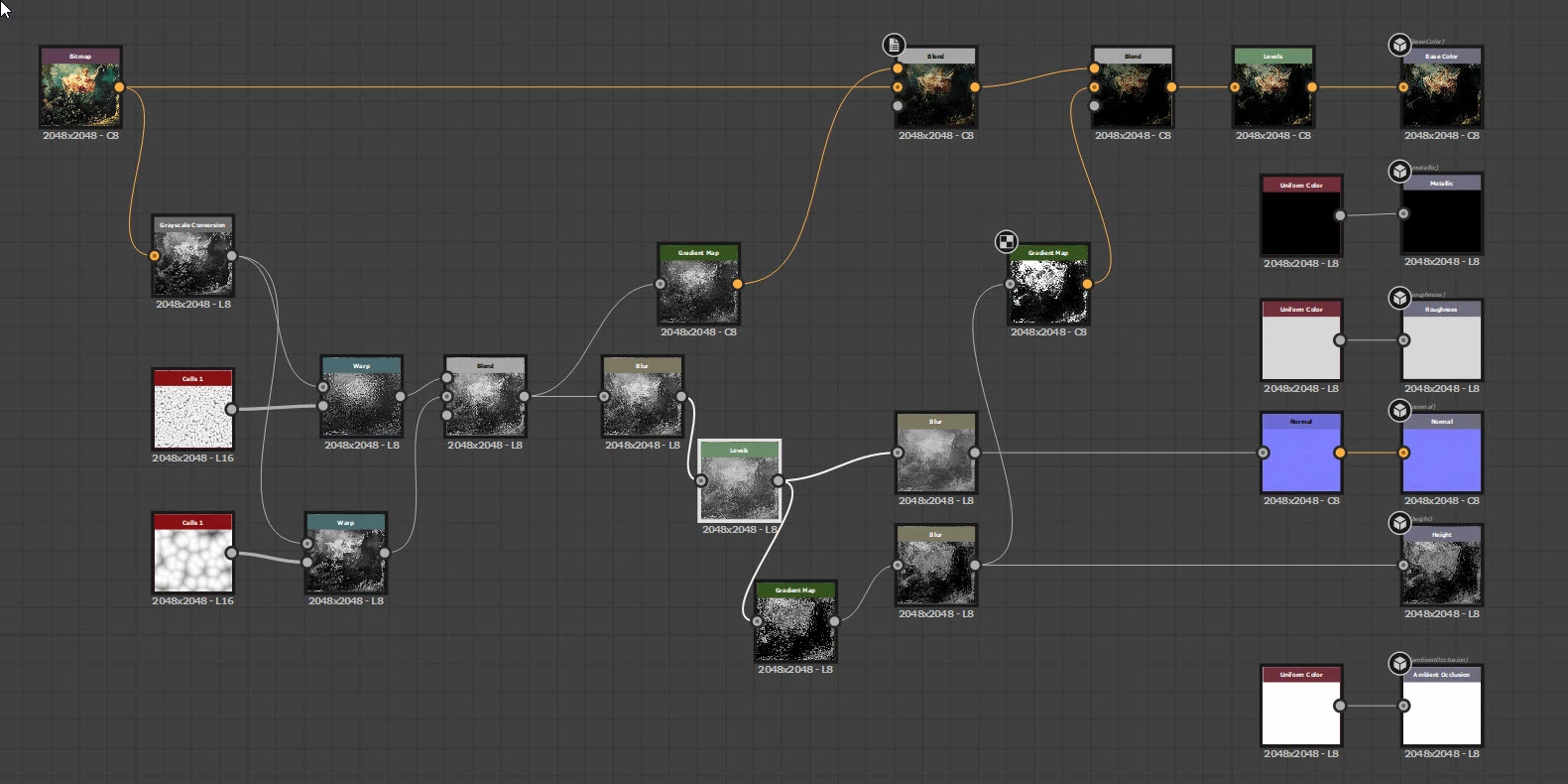
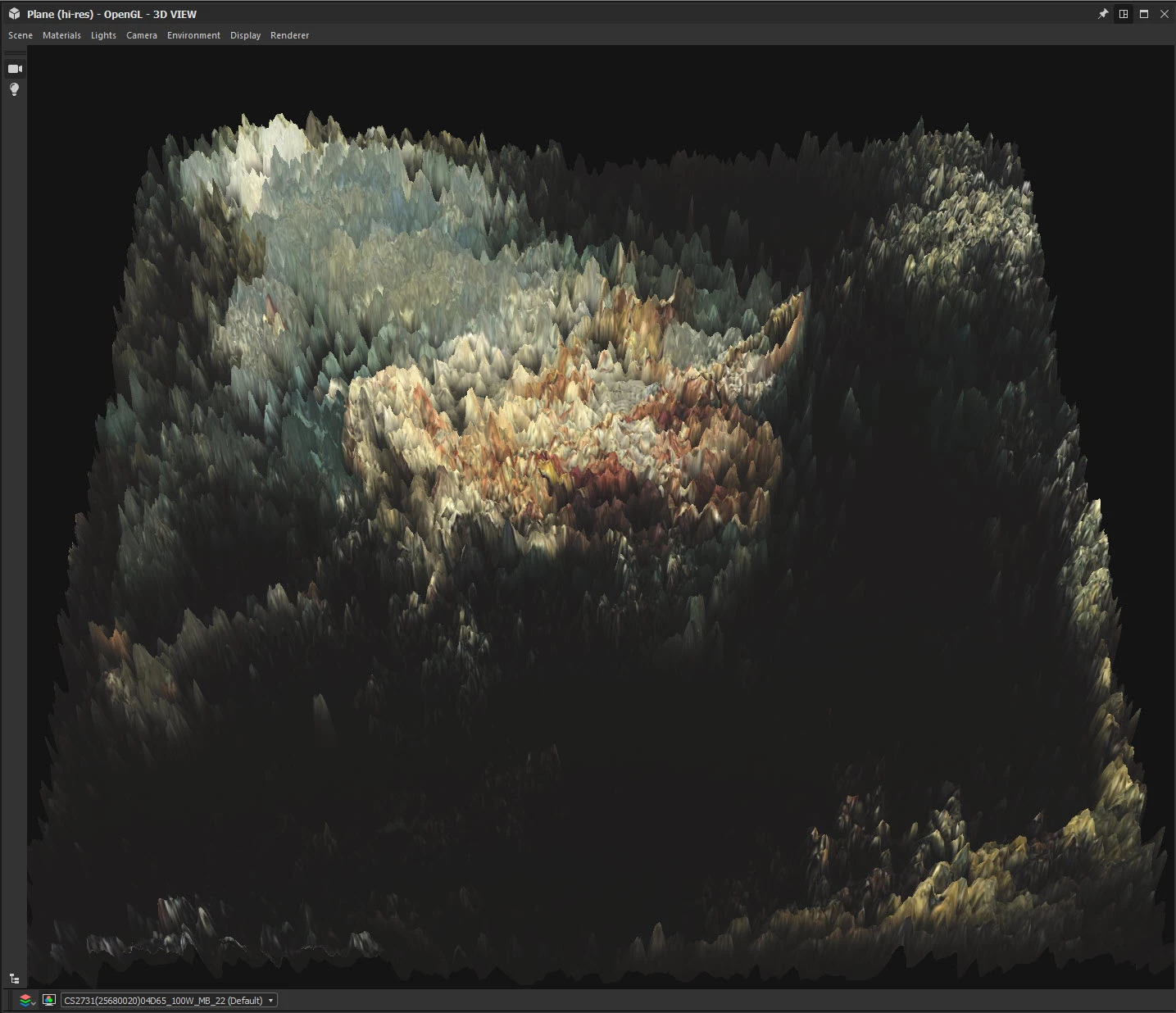
Not the same, but seeing the image had me wondering what might be achieved by feeding the image through a few nodes in a 3D material application - this is Adobe Substance Designer:


Dave

7 replies

Participating Frequently
December 31, 2020

I used liquify, as someone else suggested, and copied it to an alpha channel. Then with Render Lighting Effects on the original I used the alpha channel as a texture map. Not the same but an interesting effect nonetheless.

Ro Hackett
Inspiring
December 31, 2020

https://www.visualatelier8.com/interviews/matteo-mauro


There is talk of computer coding and replicating repeat engraving lines 😮🤔 🤔

davescm
Community Expert
davescmCommunity ExpertCorrect answer
Community Expert
December 31, 2020

Not the same, but seeing the image had me wondering what might be achieved by feeding the image through a few nodes in a 3D material application - this is Adobe Substance Designer:


Dave

jane-e
Community Expert
Community Expert
December 31, 2020

Very nice, Dave — it looks like a geode! 😊

~ Jane

davescm
Community Expert
Community Expert
December 31, 2020

Probably more like a migraine 🙂

Dave

Ro Hackett
Inspiring
December 31, 2020

That is insane and beautiful ... please first tell us where you found it?

A combination of filters or plugins i'd say

Also maybe the artist is not going to give away their secrets 😂😓

Known Participant
December 31, 2020

Hello @Ro Hackett 

the name of the artist is Matteo Mauro.

c.pfaffenbichler
Community Expert
Community Expert
December 31, 2020

Looks a little like this Filter … maybe. 

http://www.redfieldplugins.com/filterFractalius.htm

didiermazier
Community Expert
Community Expert
December 31, 2020

Try Liquify filter with a few tries

Here not the same but you get the point

Leslie Moak Murray
Community Expert
Community Expert
December 30, 2020

If it was done in Photoshop, it might be a filter. It looks a little like "Wave Distortion" maybe. You might be able to learn more by googling "Photoshop Filters Abstract Effects" or something along those lines (select "Images")