linusn61824275
Participant
March 17, 2019
Answered

How to achieve effect - what is it called?

  • March 17, 2019
  • 4 replies
  • 545 views

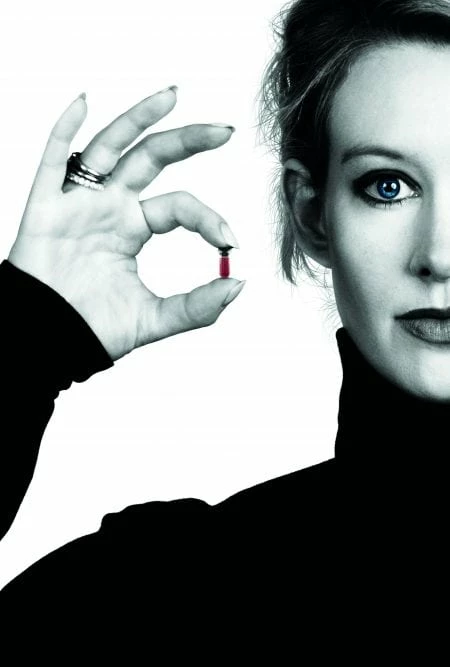
I'd like to know if anyone could point me in the right direction with this one. I want to change the colors of a photography so it matches the one below. I know how to create the eye (blue) and pill (red) highlight but I'm having a hard time going from at full-color photo to the black/green/white-tint the rest of the photo has, I don't even know what the effect is called?

Any help (filters I should be looking at, tutorials, name of the effect, etc) are much appreciated!
    This topic has been closed for replies.
    Correct answer c.pfaffenbichler

    Please post (a lores or section) the image you want to edit thusly.

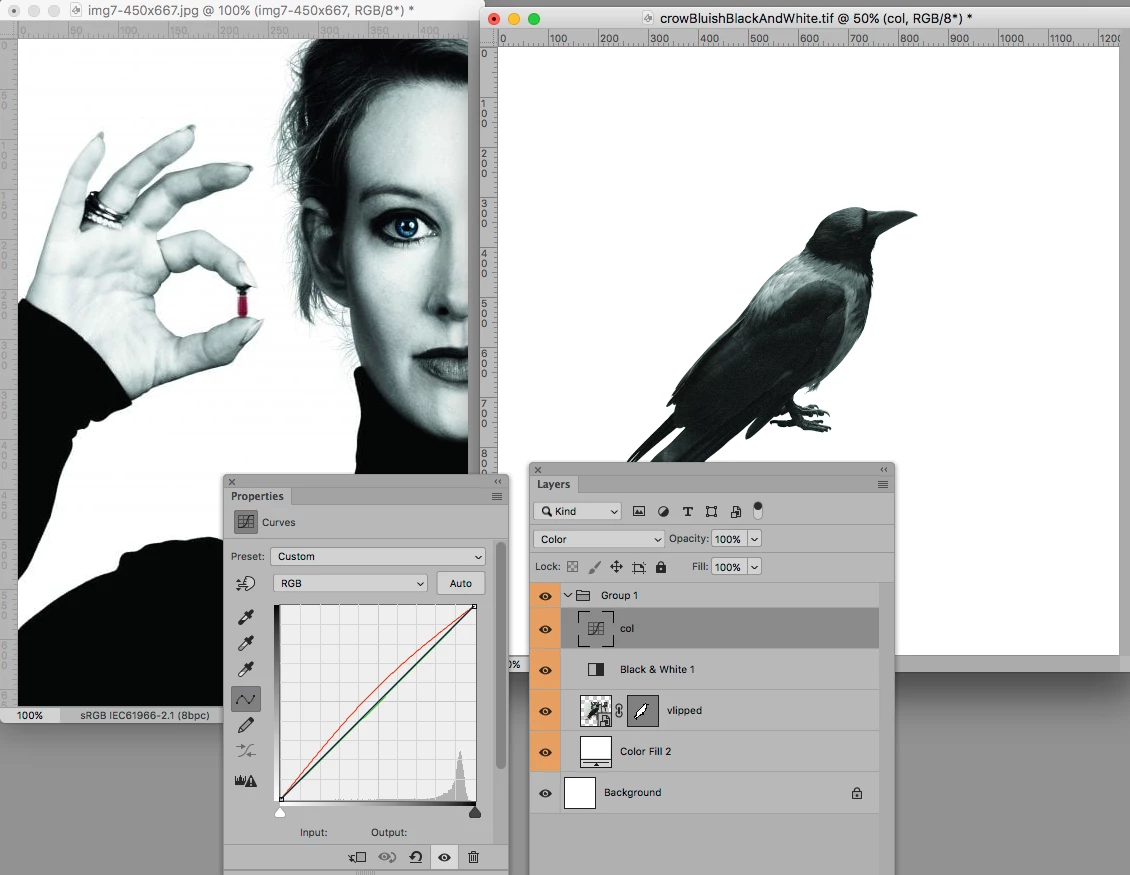
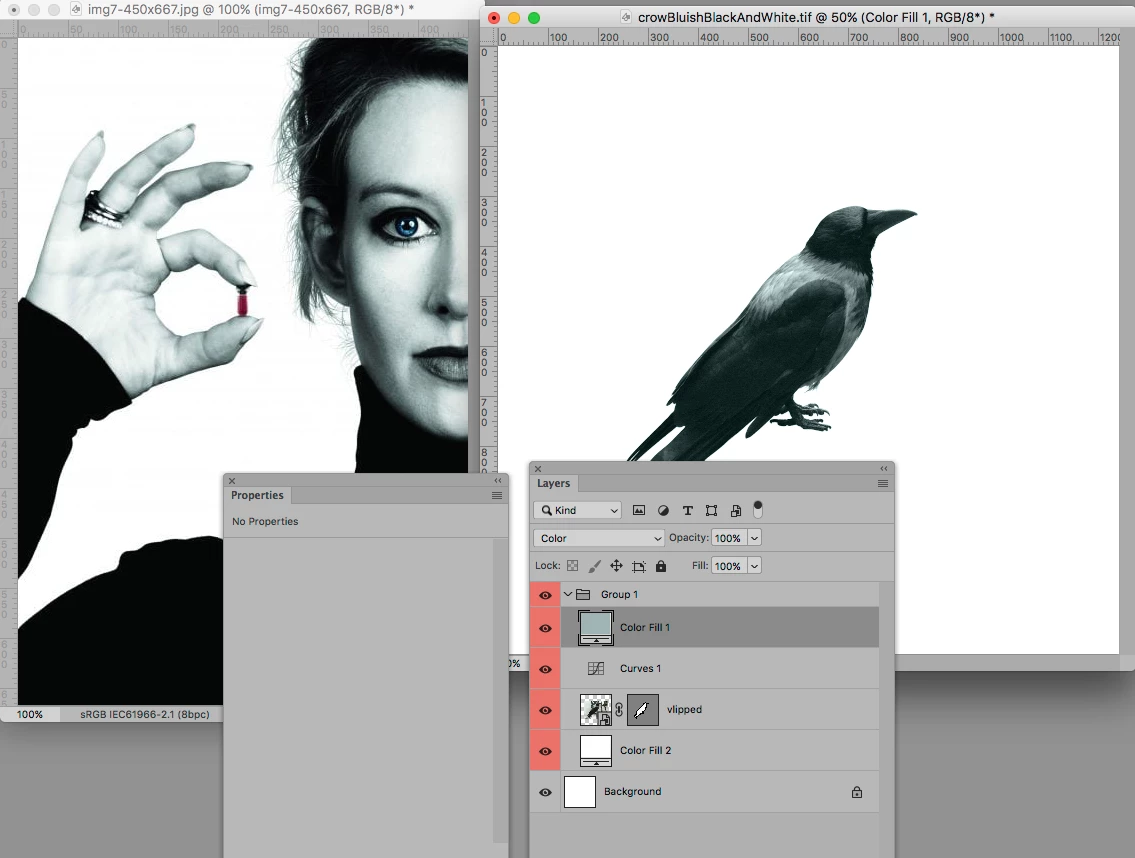
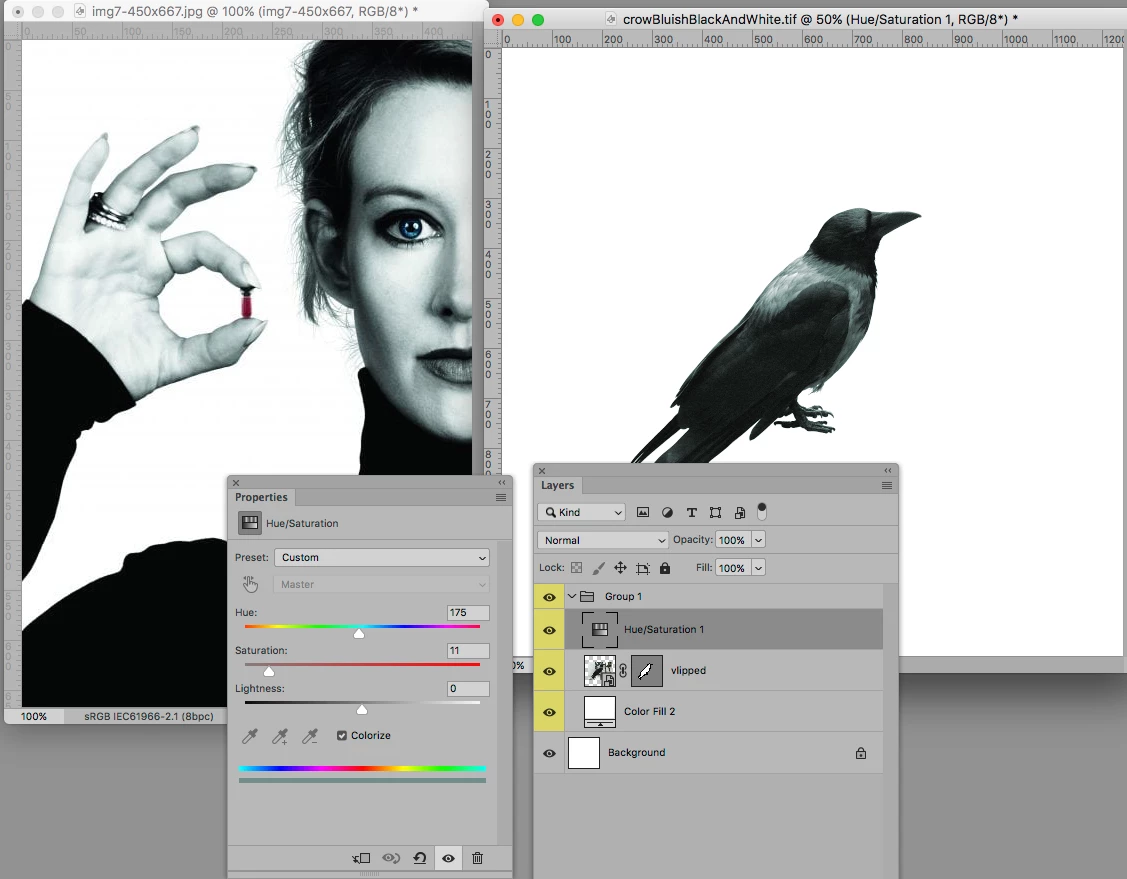
    I would call the effect »desaturation with a color tint«.

    So using

    • a Hue/Saturation Adjustment Layer or

    • a Black & White Adjustment Layer with a Curves Layer set to Blend Mode Color or

    • a Sold Color Layer set to Blend Mode Color  with an underlying Curves Layer to edit the contrast or

    • …

    should provide options.

    Edit:

    4 replies

    Norman Sanders
    Legend
    March 17, 2019

    Your sample is a duotone of the notorious Elizabeth Holmes, the black-turtlenecked Steve Jobs wannabe guilty recently of a Silicon Valley nine billion dollar fraud that touched on the lives of some of the most famous people in the country. Googled her name and came up with this similar color image (note ears showing and lighting changed slightly). The book is a real page-turner by the Wall Street Journal reporter who uncovered the scam, is on the NY Times Best Seller list and is titled"Bad Blood." I couldn't put it down.

    linusn61824275
    Participant
    March 17, 2019

    I know. I found the image whilst reading an article about her and Theranos and her interactions with the ad agency. Might have to have a look at that book, several ppl I know have recommended it. I looked at parts of her TED-talk too but didn't watch all of it since 1. I know what she was saying is a scam 2. Her voice is really strenuous to listen to.

    Norman Sanders
    Legend
    March 17, 2019

    Great. Give the duotone a try. The curves need very little Curve tweaking. I think the original photograph had a blue rather then a green value. If you need instruction and are starting with a color image:

    Choose Image > Mode and choose Grayscale

    Then choose Image > Mode > Duotone

    Clicking on the Curve or Color box will give you the option to make choices and and adjustments.

    An alert: the tonal scale and contrast of the basic image can have a profound effect on the result so take special note of those elements in the color photograph of Holmes for a guide.

    If you are creating the duotone image for offset lithography and are satisfied with the two color rendition:

    Choose Image > Mode > Multichannel (note 2 channels in the Channels panel).

    Choose File > Save As... and in the Format field choose Photoshop DCS 2.0

    The file resolution in the printing size should be 1-1/2 to 2 times the intended halftone fineness.

    Good luck.

    davescm
    Community Expert
    Community Expert
    March 17, 2019

    Hi

    You can do that with a gradient map adjustment layer. This maps the brightness levels in your image to the colour chosen in your gradient.

    If you first use a black and white adjustment layer you can mix the two adjustments by using the opacity of the gradient map adjustment to get the effect you want.

    Dave

    c.pfaffenbichler
    Community Expert
    c.pfaffenbichlerCommunity ExpertCorrect answer
    Community Expert
    March 17, 2019

    Please post (a lores or section) the image you want to edit thusly.

    I would call the effect »desaturation with a color tint«.

    So using

    • a Hue/Saturation Adjustment Layer or

    • a Black & White Adjustment Layer with a Curves Layer set to Blend Mode Color or

    • a Sold Color Layer set to Blend Mode Color  with an underlying Curves Layer to edit the contrast or

    • …

    should provide options.

    Edit:

    Anna Lander
    Inspiring
    March 17, 2019

    Create a Correction Layer (the b/w circle at the Layers Panel's bottom) and choose Hue/Saturation adjustment. Turn On the Colorize option. set the needed color. Draw the black areas in the Correction Layer's mask for the colored elements (eyes and a pill).

    Enjoi!

    For more specific recommendations would be good to see the original colorful photo.