Participant
October 26, 2018
Answered

How to activate Function Keys for Photoshop on touch bar of new MacBook Pro?

  • October 26, 2018
  • 2 replies
  • 1684 views

I have a new MacBook Pro with touch bar. How do I activate the Function keys on the touch bar to work with Photoshop? And have them by default always available? I have all my personal shortcuts, as well as the Photoshop commands (like for Fill or Feather...) and am unable to use them. HELP!!!!!!!
This topic has been closed for replies.
Correct answer Conrad_C

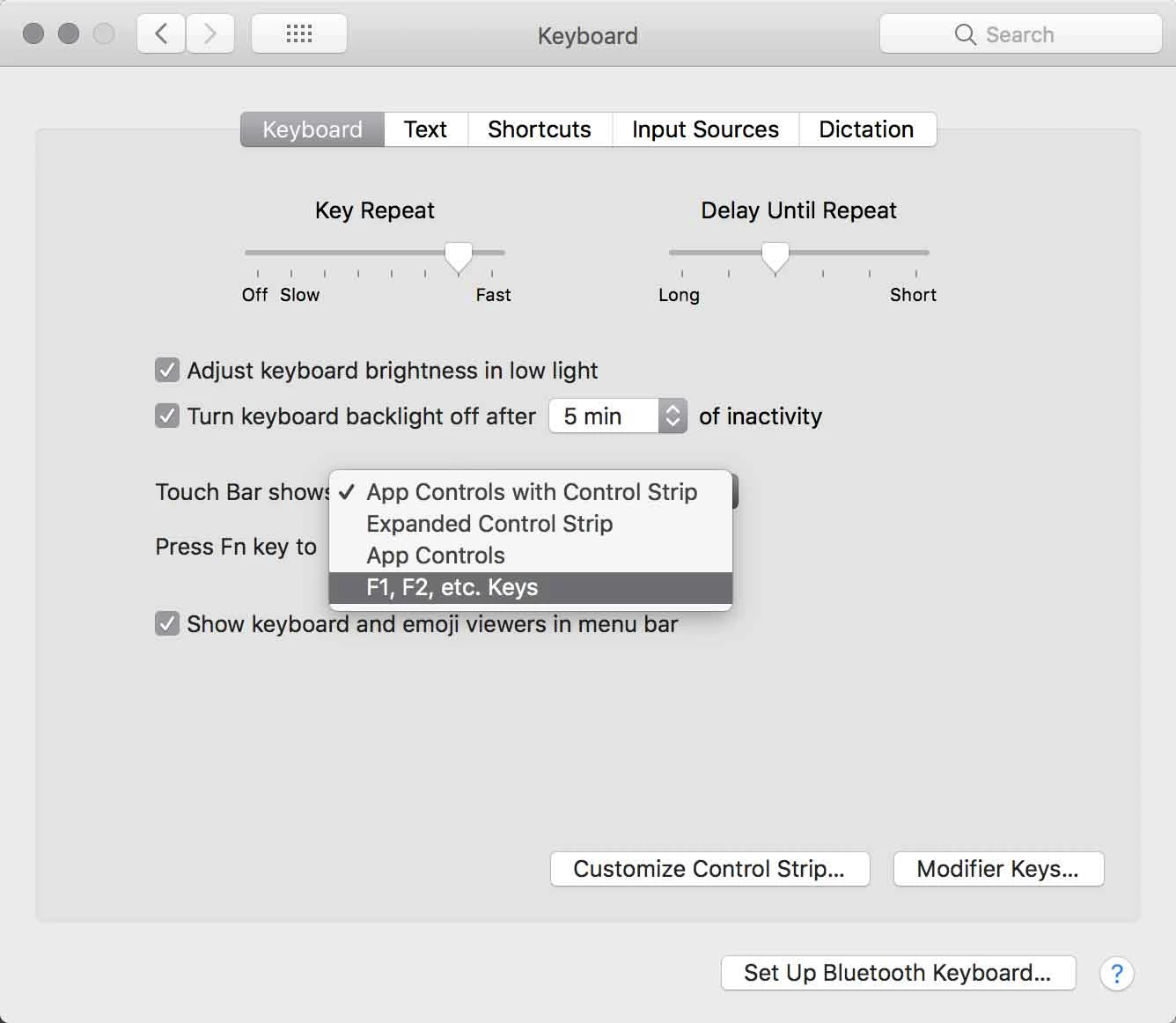
To permanently display function keys on the Touch Bar, change the "Touch Bar shows" option in the Keyboard panel in macOS System Preferences:

You can always temporarily toggle what the Touch Bar displays by pressing the fn key.

2 replies

Conrad_C
Community Expert
Conrad_CCommunity ExpertCorrect answer
Community Expert
October 26, 2018

To permanently display function keys on the Touch Bar, change the "Touch Bar shows" option in the Keyboard panel in macOS System Preferences:

You can always temporarily toggle what the Touch Bar displays by pressing the fn key.

Bob_Hallam
Legend
October 26, 2018

Choose View / Customize Touch Bar and add what you want there, or press the fn key to bring up the old function keys

ICC programmer and developer, Photographer, artist and color management expert, Print standards and process expert.