d0v3
Participating Frequently
May 10, 2023
Question

How to add a pen patch to a mask on a picture ?

  • May 10, 2023
  • 1 reply
  • 637 views

Hello,

I'm clipping a picture using a mask. I've start to use the brush tool but now i would like refine the clipping with the pen tool.

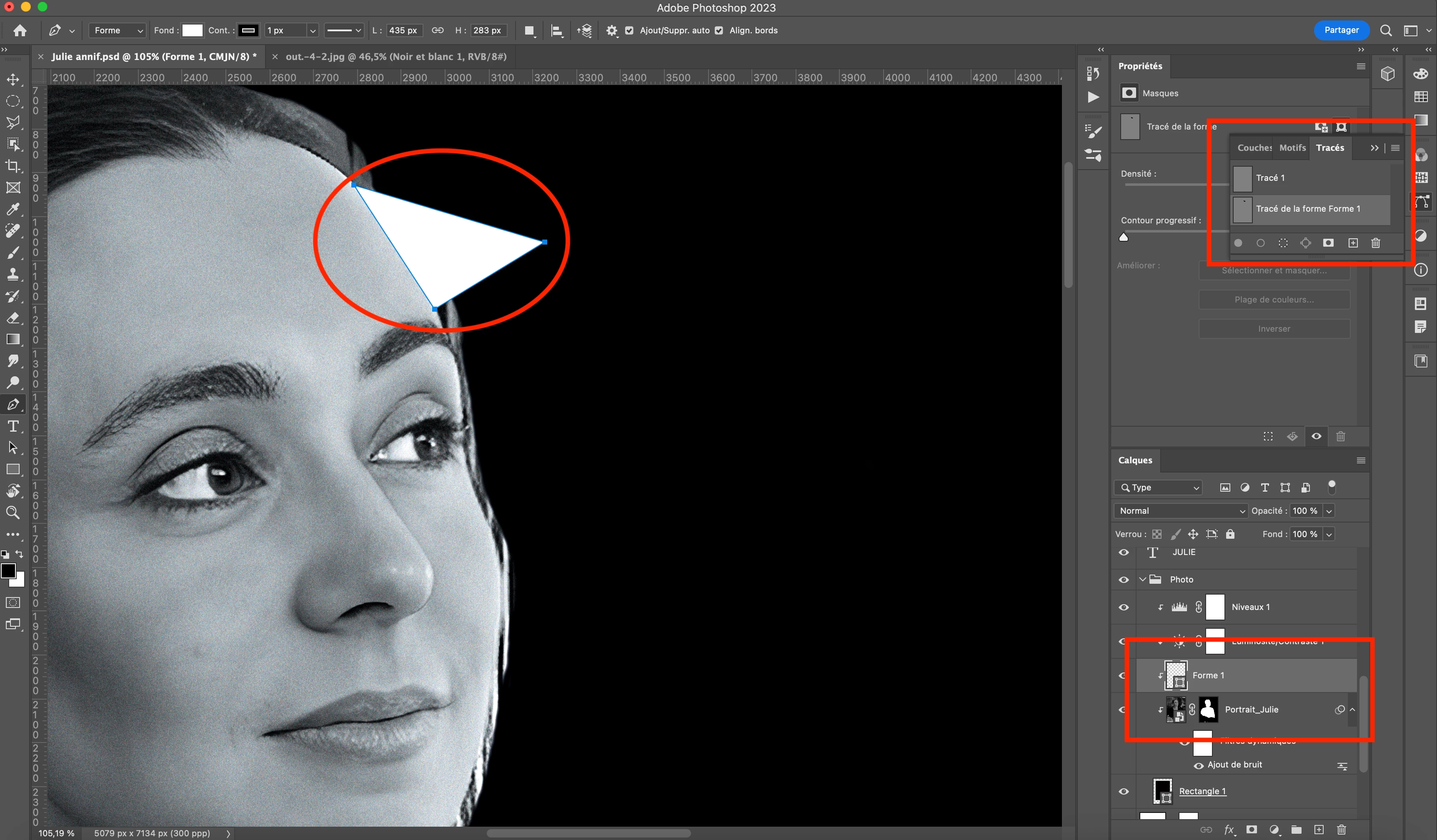
But when i take the pen tool and i click on the existing mask, a shape is instantly creating and i can't modify the exiting mask with a patch (i can only do it with brush, but it's not accurate).

How to do it please ?


Thank you very much


This topic has been closed for replies.

1 reply

Semaphoric
Community Expert
Community Expert
May 10, 2023

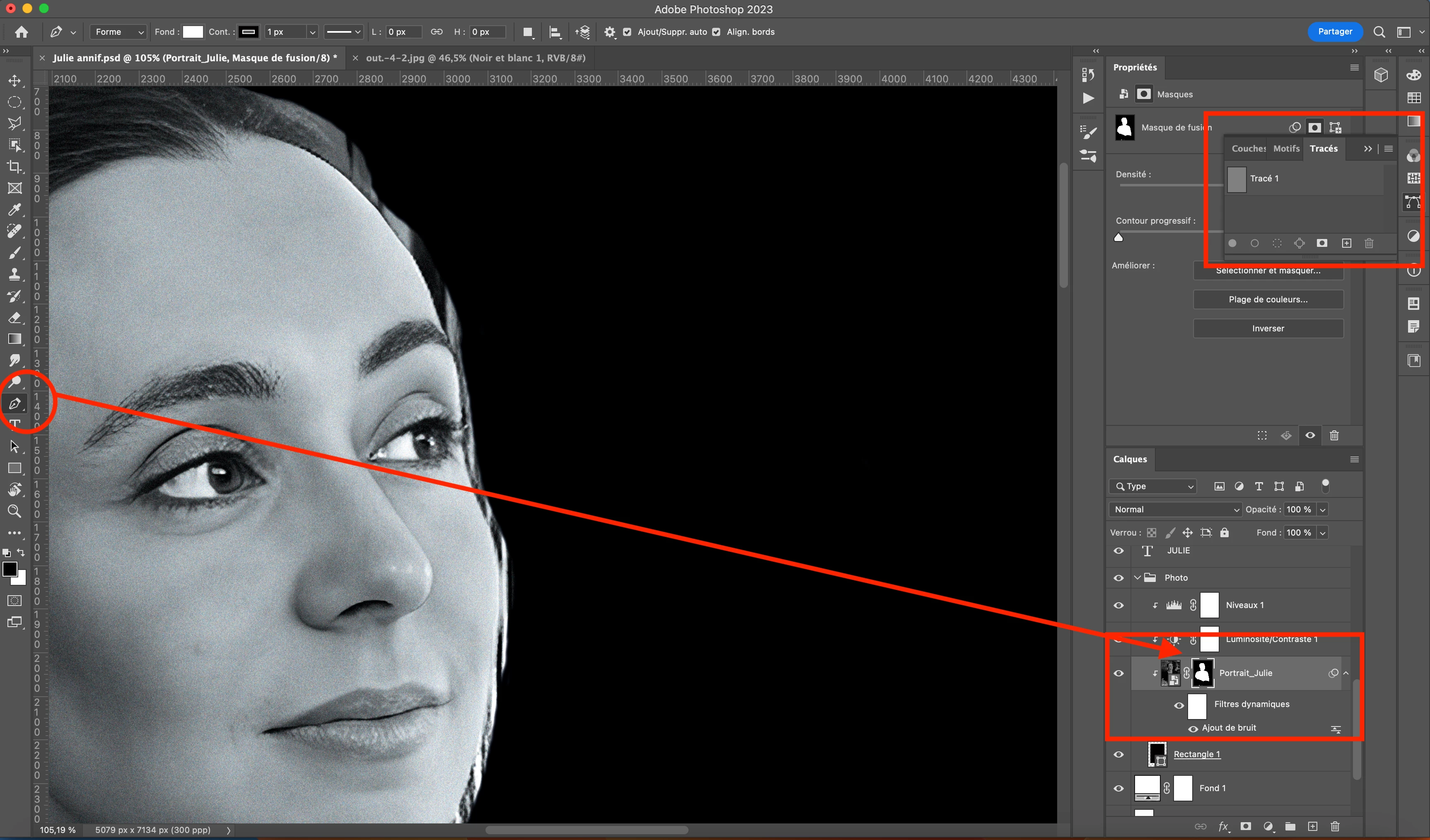
You will need to add a separate Vector Mask, along with the Layer Mask. First, make sure your Pen is set to produce Paths, not Shapes, in the options. Then look in Layer > Vector Mask. 


If you wanted the path to be part of the Layer Mask, you could fill it (or use the Pixels option when drawing) with white.

d0v3
d0v3Author
Participating Frequently
May 10, 2023

Thank you for your answer !


😕😕 I'm trying but i think i don't understand... There is always a shape, even if i add a new mask on the current picture and i select patch with the pen tool... 😞


Sorry, could you send a picture please ?


Thank you very much.

Semaphoric
Community Expert
Community Expert
May 10, 2023

You want this:

Not this:

From your screenshots, I would guess you want "Track", not "Forme".