
Inspiring
October 22, 2021
Question

How to add anchor points to shape layers

  • October 22, 2021
  • 5 replies
  • 461 views

Hi forum.


Is there a method to add anchor points to a shape layer without using the pen tool to add them? In Illustrator there is a method by choosing the path and then adding more points, and the points are distributed evenly on the path.

This is from Illustrator, which gives option to add more anchor points on the path.
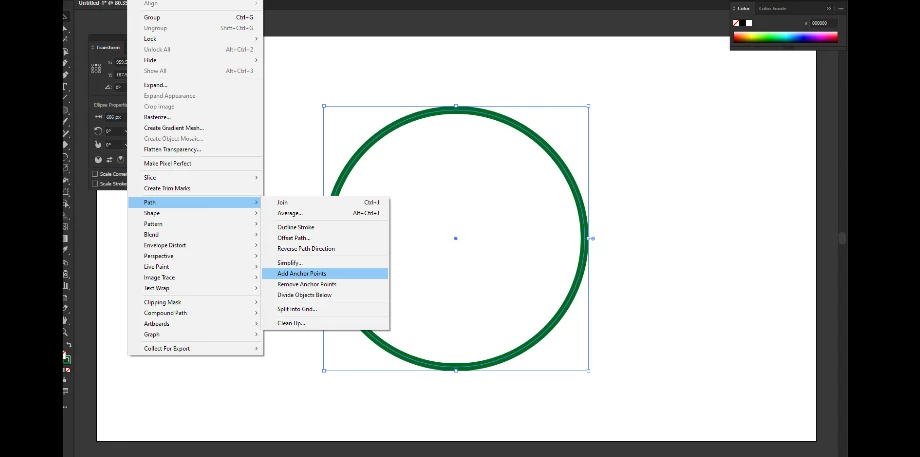


Than you.


This topic has been closed for replies.

5 replies

Eugenio.NYC
Participating Frequently
October 22, 2021

Another option is, create the shape in Illustrator and copy paste the path to Photoshop


Bojan Živković11378569
Community Expert
Community Expert
October 22, 2021

Short answer is NO, there isn't such nor similar feature. Illustrator have much more options to work with paths. Other than obvious, Photoshop does not offer additional or hidden options to work with vector objects.

Trevor.Dennis
Community Expert
Community Expert
October 22, 2021

I guess there will always signifficant advatanges to editing shapes with Illustrator over Photoshop.  No matter how many bells and whistles they add to Photoshop.  That's just the nature of the two applications.

Chuck Uebele
Community Expert
Community Expert
October 22, 2021

Other than what Eugenio mentioned, there is no way to add points without using the pen tool.

Eugenio.NYC
Participating Frequently
October 22, 2021

Make a selection and on the path panel, hold down the option key (alt PC) and click on the make work path icon

not symmetrical but works