February 2, 2020
Question

How to add fill colour to one layer

  • February 2, 2020
  • 1 reply
  • 253 views

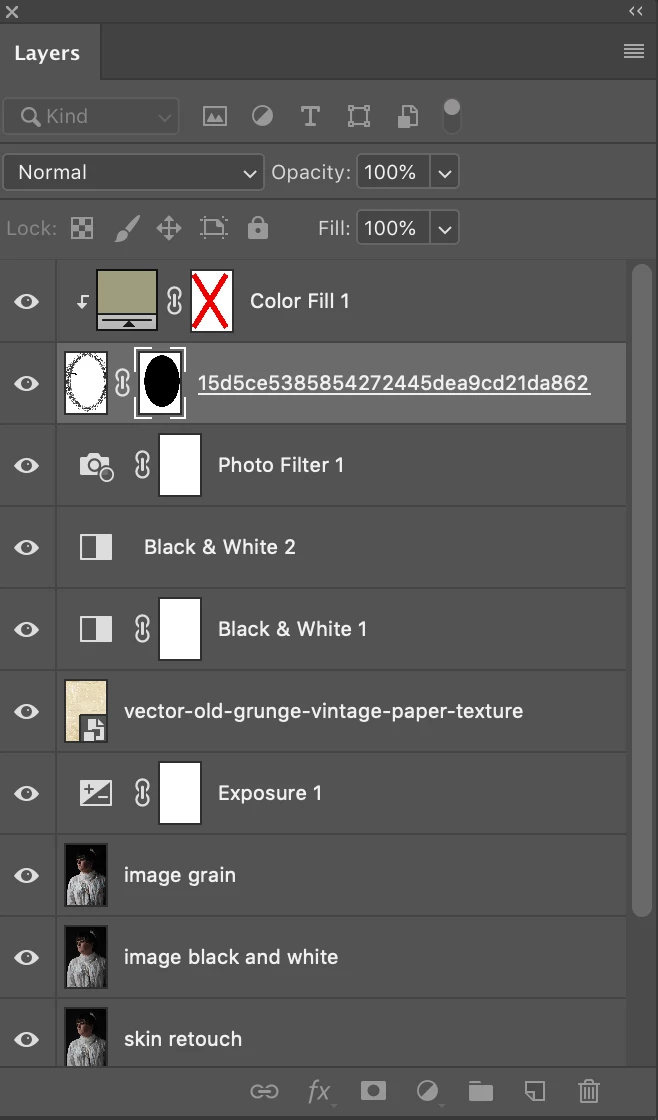
I was wondering how to recreate this layer. I had done it before but can't remember how to and I have already flattened the file and saved over it. So can't see history 🙊

could someone possibly help me to recreate it thanks 


I had added a colour fill but I don't know how to just keep it to one layer and how to put the cross on the fill layer 


This topic has been closed for replies.

1 reply

February 2, 2020

Hi

Are you talking about the clipped color fill layer, if so just Alt click between the two layers or right click and select Create Clipping Mask

For the cross just shift click on the mask

February 2, 2020

Hi,

thank you so much for your help I was able to fix it 


February 2, 2020

You're welcome 🙂