
Participating Frequently
June 5, 2023
Question

How to add rounded corners to frame

  • June 5, 2023
  • 4 replies
  • 24086 views

Can someone help please?

I created a frame and I would like to add rounded corners to it so that it will fit perfectly inside youtubes new rounded thumbnails.
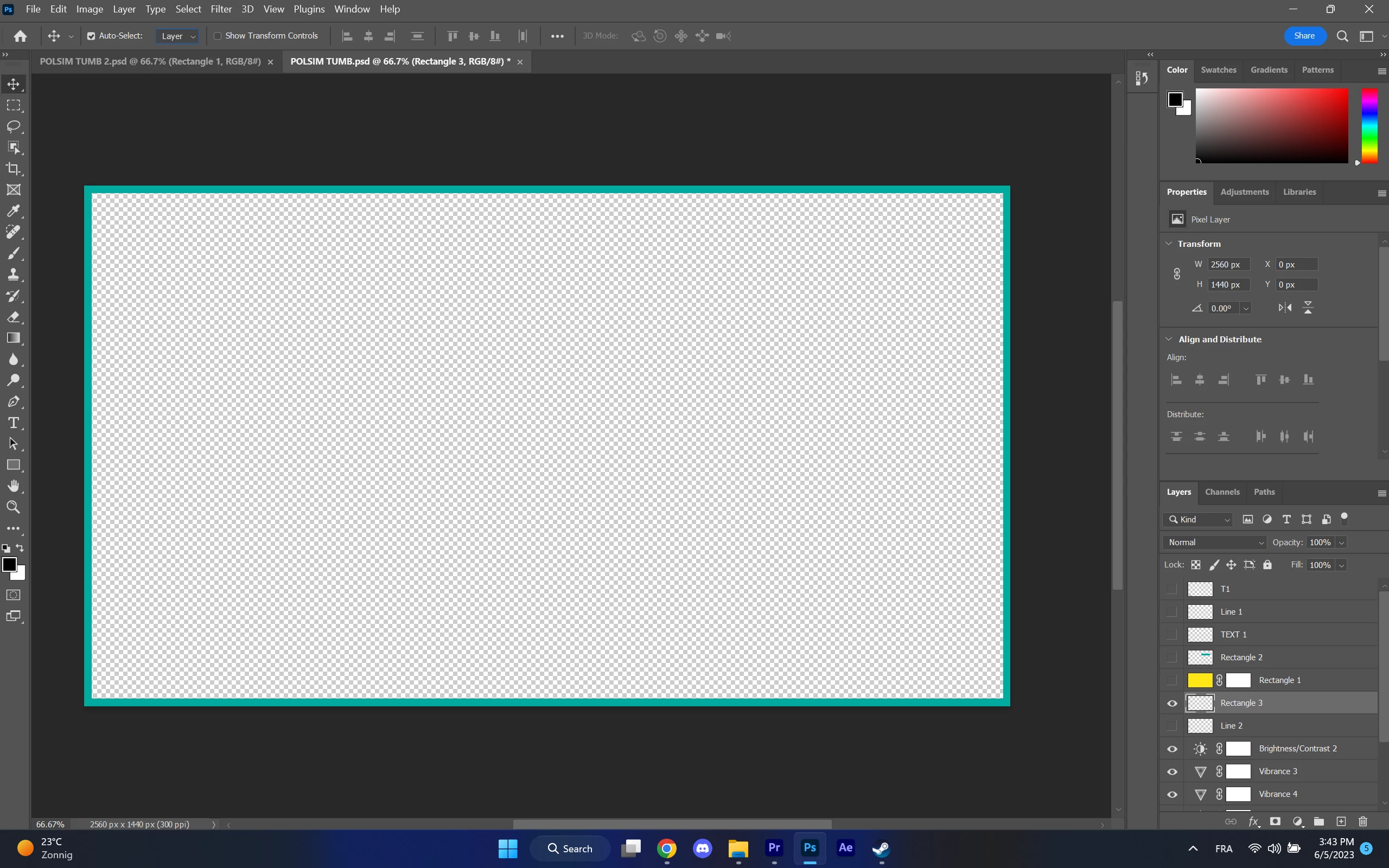
 

Usually there is an option at properties to add rounded corners to a rectangle but for some reason there isn't and I don't know how to do it.

4 replies

Known Participant
September 21, 2023

Make a rounded border with the pen or rectangle and fill everything inside of it. The outside should be transparent.

Jumpenjax
Community Expert
Community Expert
June 5, 2023

When you draw the object you should have four dots in each corner pull them in. If you need to adjust after you go to the properties panel and adjust from there.

Lee- Graphic Designer, Print Specialist, Photographer
J E L
Community Expert
Community Expert
June 5, 2023

@stan5D3E If the method @Conrad_C suggested doesn't work for you, here is a YouTube video that goes into detail about how to create rounded corners for YouTube thumbnails. https://www.youtube.com/watch?v=9o6oHkxJs4Q. Let us know if that helps.

Conrad_C
Community Expert
Community Expert
June 5, 2023

The reason you don’t see rounded corner options is that for the layer selected in your screen shot, the Properties panel says Pixel Layer. Rounded corner options are available only for vector shape layers and paths. Draw it with the Rectangle tool in Shape mode and you will get rounded corner controls in the Properties panel, along with Fill and Stroke controls.

stan5D3EAuthor
Participating Frequently
June 5, 2023

When I create the shape, I have the option to round the corners but in order to create a frame I add a mask and remove the middle part of the shape. As soon as I do that, the option disappears.

jane-e
Community Expert
Community Expert
June 5, 2023

@stan5D3E 

When the option disappears, Photoshop is letting you know that you've converted the Shape Layer to a Pixel Layer and no longer have Shape options.


Jane