Participant
January 1, 2024
Question

How to cancel the double click bar reset to 0

  • January 1, 2024
  • 1 reply
  • 387 views

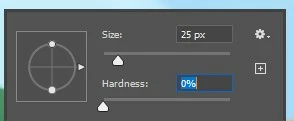
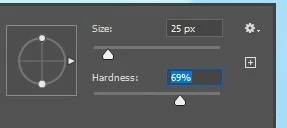
Since a few updates ago, when I double click a scaling bar in most things it will reset to 0. Usually what I'm trying to do is move it by a point or so to where I need it to be, but instead it's reset and I have no idea where it was specifically. How do I return it to the way it was before, there's no reason for it to go to 0 either way. 
  

This topic has been closed for replies.

1 reply

c.pfaffenbichler
Community Expert
Community Expert
January 3, 2024

Sorry, maybe I misunderstand – why do you double-click to change the value? 

Wouldn’t the (shift) up- and down-arrow-keys be more convenient? 

Participant
January 3, 2024

Why would it be more convenient?
You still need to click the number window to activate it (just shift+arrows in the brushes selects multiple brushes, and in things like adjustment layers it does nothing).  So it's using 2 things where one was enough.  Also it's increments of 1(10 with shift) and not convenient to find the grade of color balance etc that you need. 

Also I don't double click on purpose, but when you click and click on a spot close enough to where the slider is, it registers it as pressing the slider 2 times. 

c.pfaffenbichler
Community Expert
Community Expert
January 3, 2024


quote

You still need to click the number window to activate it

tab can also do that. 


quote

but when you click and click on a spot close enough to where the slider is, it registers it as pressing the slider 2 times. 

Just to make sure: Are you clicking twice or not?