Known Participant
October 4, 2018
Question

How to change content of all selected Text layers

  • October 4, 2018
  • 2 replies
  • 808 views

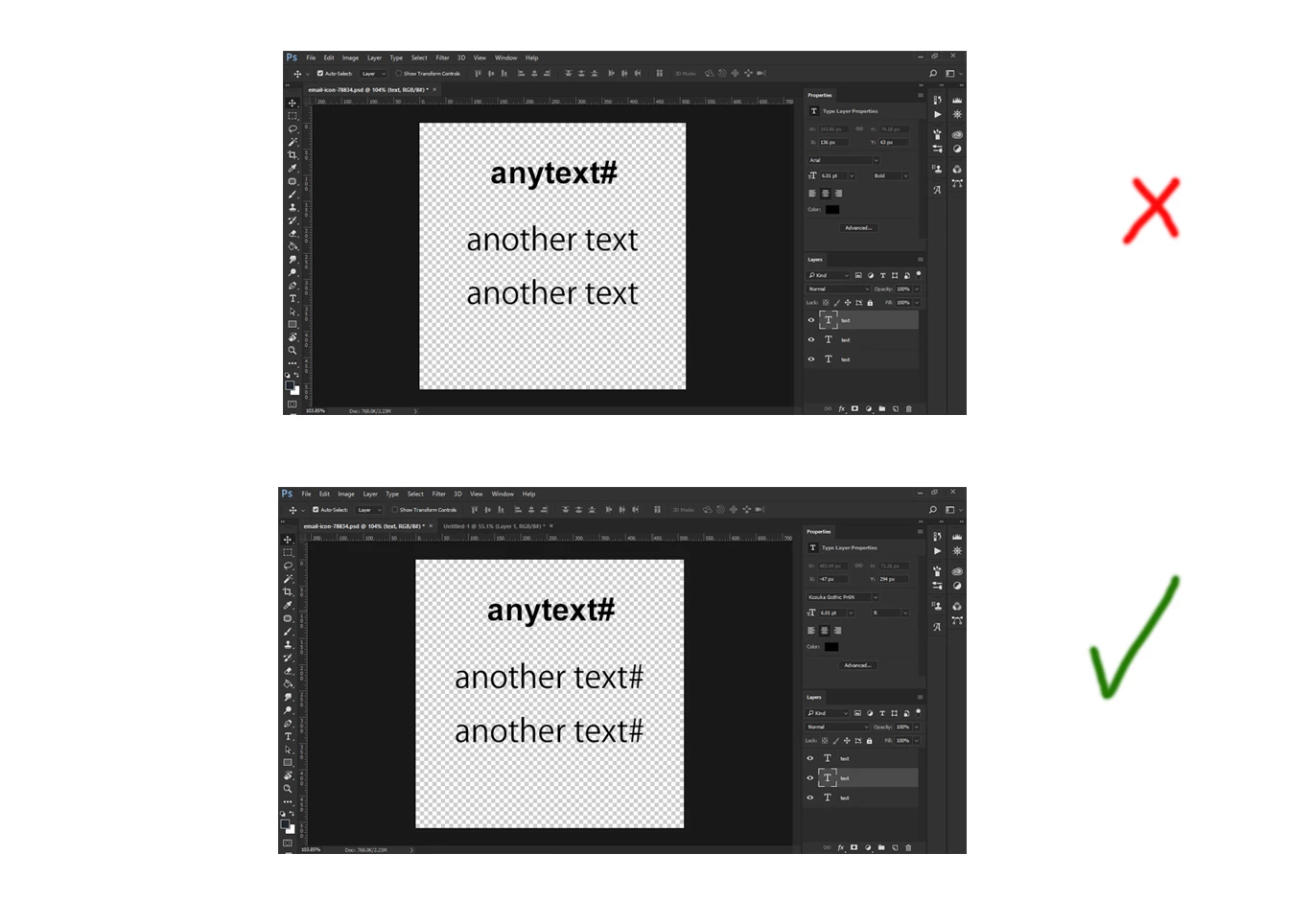
i need to change the content of all selected Text  layers the same this image ..i`m wrote the code but i can`t make chance on all text layers

if (app.documents.length > 0) mainScript();     


function mainScript() {   

    try{   

        var myLayerName = activeDocument.activeLayer.name;           

        var myLayerText = app.activeDocument.activeLayer;   

        myLayerText.name = myLayerName + '#';   

        myLayerText.kind = LayerKind.TEXT;   

        myLayerText.textItem.contents = myLayerText.textItem.contents + myLayerName;   

    }catch (errStr){   

        alert(errStr);   

    }   

}   
This topic has been closed for replies.

2 replies

SuperMerlin
Inspiring
October 4, 2018

This script should work for you...

https://raw.githubusercontent.com/Paul-Riggott/PS-Scripts/master/Layer%20Name%20Edit.jsx

If you are using Photoshop newer than CS6 change this line:

var myBrush = g.newBrush(g.BrushType.SOLID_COLOR, [0.99, 0.99, 0.99, 1]);

to

var myBrush = g.newBrush(g.BrushType.SOLID_COLOR, [0.5, 0.5, 0.5, 1]);

or just remove this line.

Geppetto Luis
Legend
October 4, 2018

var myDoc = app.activeDocument;

var myNumber = myDoc.layers.length;

for (var i = 0; i < myNumber ; i++) {

var myName = myDoc.layers.name;

if (myNumber - i < 10) {

myDoc.layers.name =  "" + myName + " #";

}

if (myNumber - i >= 10 && i<100) {

myDoc.layers.name = "" + myName + " # #";

}

if (myNumber - i >= 100) {

myDoc.layers.name = String (myNumber - i ) + "" + myName;

}

}

See if this is good for you.

Inspiring
October 4, 2018

You will have to loop inside selected layers, not all first level layers.

Besides, a test has to be performed on current layer kind to ensure it's a text layer, because the OP would like to modify layers's content, not name.

I would try to post a script if I knew how to loop inside selected layers...