Kenneth Chui
Participant
September 7, 2016
Answered

How to change font size of menu in photoshop cc

  • September 7, 2016
  • 2 replies
  • 21260 views

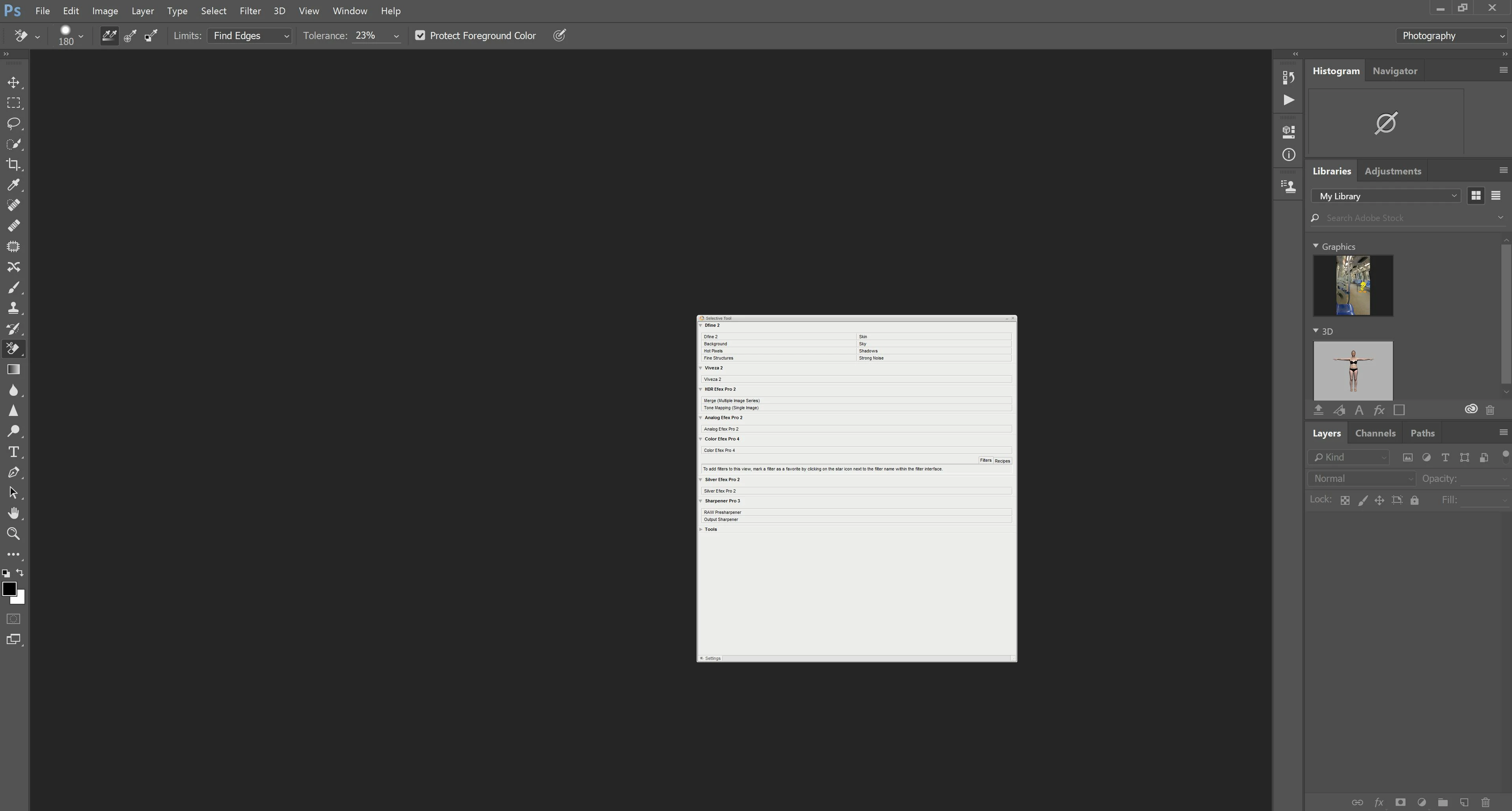
Hi, Just got a Dell Inspiron 15 note book, screen resolution is set to 3840 X 2160.

How to I change the font size of the Menus in the Workspace to make it readable?

I have tried changing the Text size but it isn't working.

Thank you in advance
    This topic has been closed for replies.
    Correct answer Barb Binder

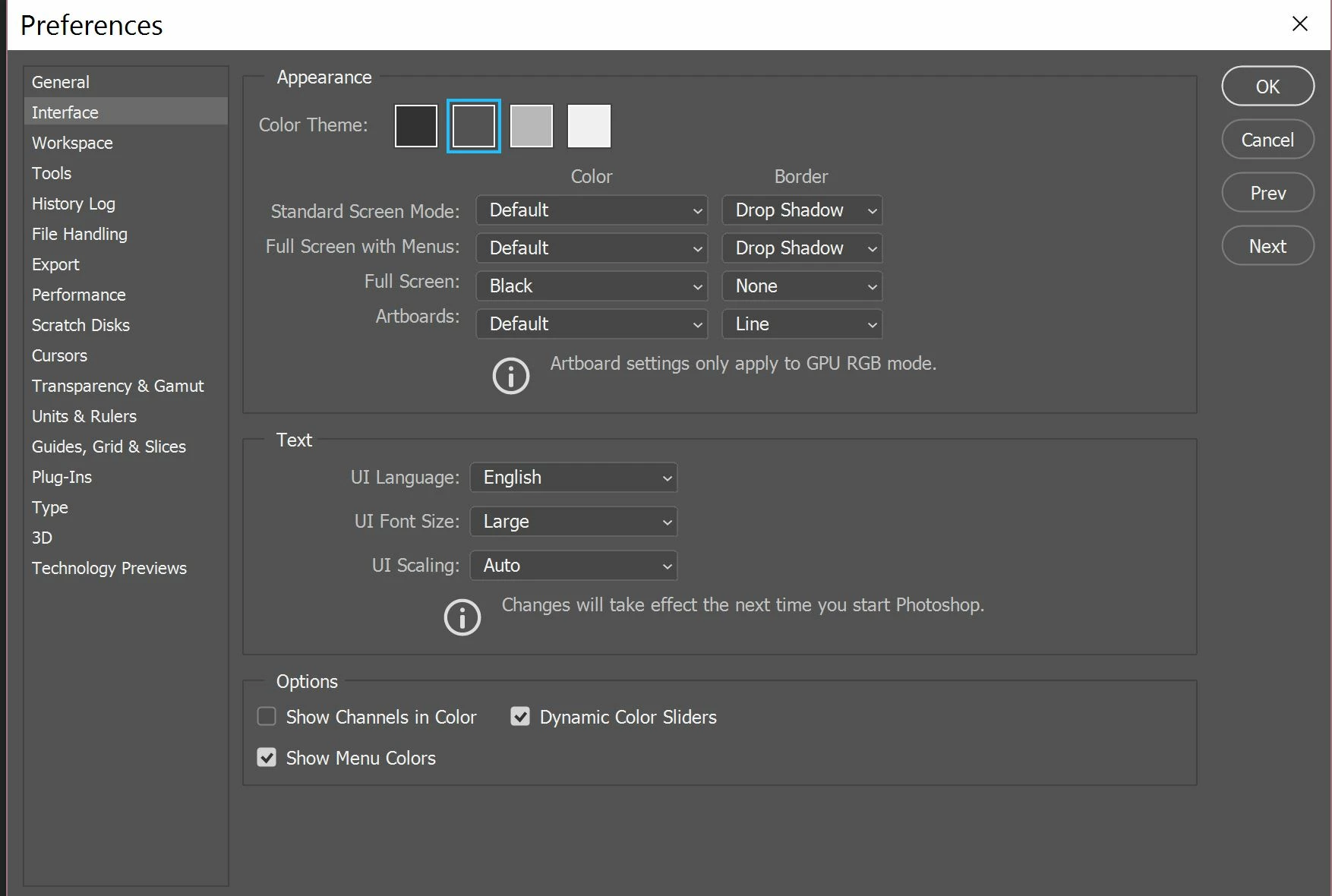
    Did you restart Photoshop?

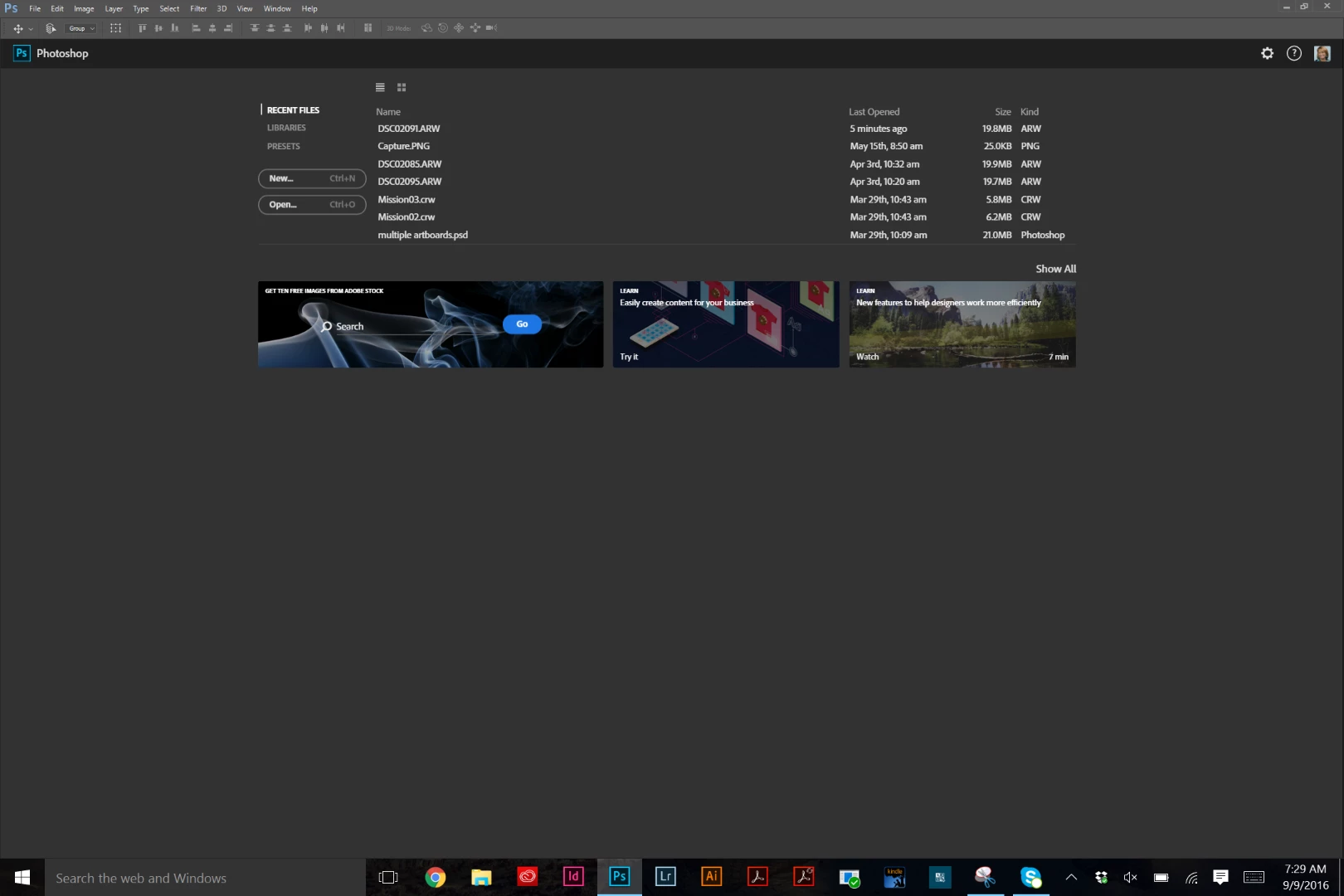
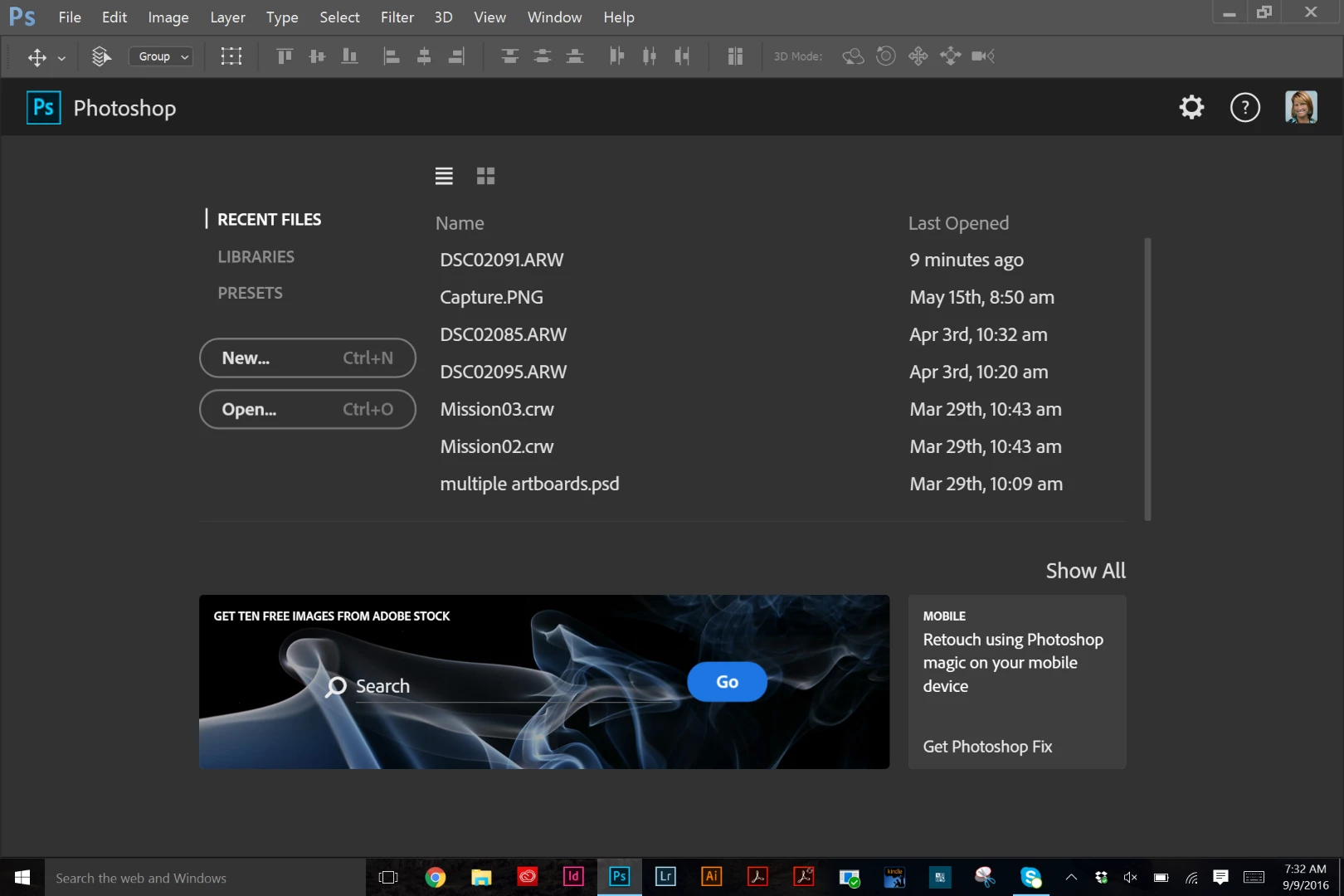
    This is the difference between 100% and 200% on my Surface Pro:

    2 replies

    sw84747806
    Participant
    February 5, 2018

    I am having the opposite problem. The interface at 100% in Photoshop is so large that there is no space for the image that I am attempting to edit.

    Any suggestions?

    Jojo Guingona
    Participant
    February 8, 2018

    I'm having the same issue.  It all happened after I updated my PS CC 2018 a few days ago.  No big deal, just a minor annoyance. 

    Barb Binder
    Community Expert
    Community Expert
    September 7, 2016

    Same dialog box, but change the UI (User Interface) Scaling to 200%.

    ~Barb at Rocky Mountain Training
    Kenneth Chui
    Participant
    September 9, 2016

    Thanks, but the UI remains the same, the wordings are almost illegible.

    Barb Binder
    Community Expert
    Barb BinderCommunity ExpertCorrect answer
    Community Expert
    September 9, 2016

    Did you restart Photoshop?

    This is the difference between 100% and 200% on my Surface Pro:

    ~Barb at Rocky Mountain Training