
Participant
October 30, 2019
Answered

How to change from Video Timeline to Frame Animation

  • October 30, 2019
  • 1 reply
  • 2098 views

Every time that i open the Timeline window on Photoshop it instantly opens onto the Video Timeline option
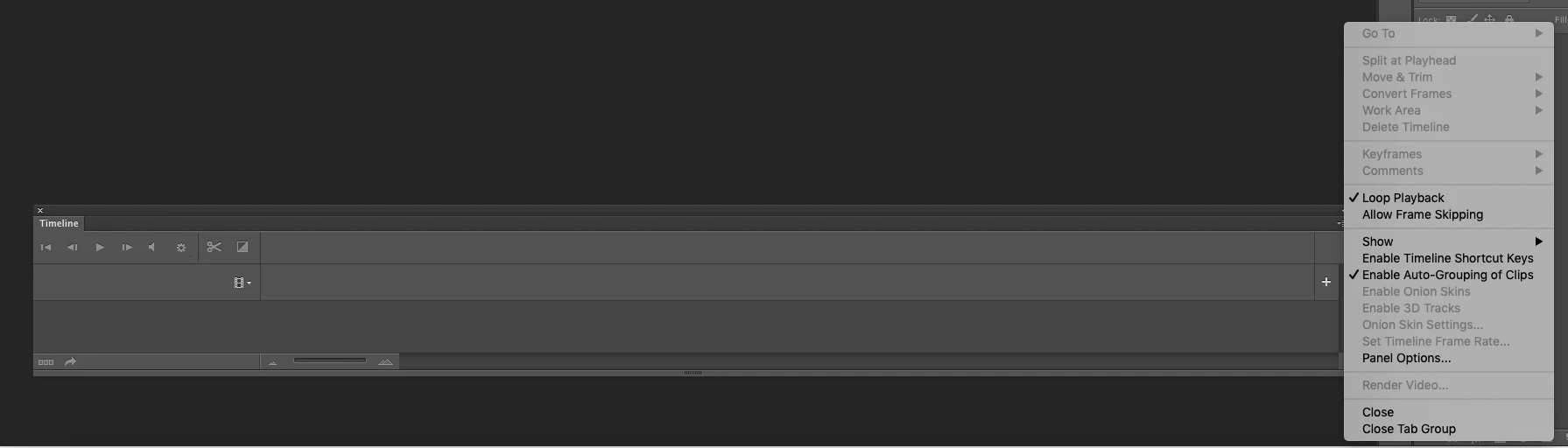
I cannot find any option to turn it to Frame Animation, and dont know why everytime i quit and open photoshop it wont let me choose between Frame Animation and Video Timeline. Thank you for reading and if you know how to help please do it is urgent.
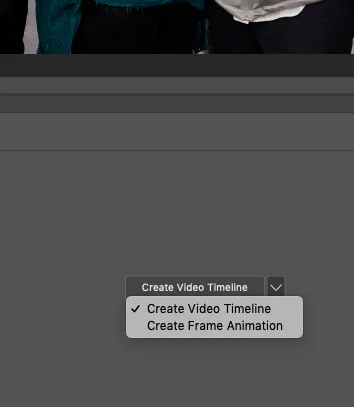
This topic has been closed for replies.
Correct answer Kevin Stohlmeyer

You have to have an image open to change

1 reply

Kevin Stohlmeyer
Community Expert
Kevin StohlmeyerCommunity ExpertCorrect answer
Community Expert
October 30, 2019

You have to have an image open to change

Participant
November 27, 2021

Someones previous question: I cannot find any option to turn it to Frame Animation, and dont know why everytime i quit and open photoshop it wont let me choose between Frame Animation and Video Timeline. Thank you for reading and if you know how to help please do it is urgent.


I have the same issue right now. I have an open 7 layer PSD file and I accidently clicked on Video.

How do I reset back to Frame Animation? I've closed and reopened the program.

I'm using Photoshop 2020 on an older Mac running Catalina 10.15.7.

My iMac has 32GB's of ram and a second monitor just for palettes. It's a Beast.