Inspiring
February 24, 2018
Question

How to change vignette degree in Camera Raw ?

  • February 24, 2018
  • 1 reply
  • 867 views

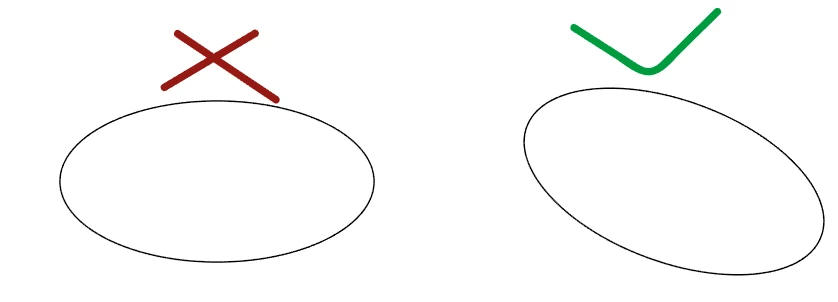
I just need to change the vignette angle in this way instead of the default 90°. I'm working with Photoshop CC 2017.

    This topic has been closed for replies.

    1 reply

    Mohammad.Harb
    Community Expert
    Community Expert
    February 24, 2018

    There is No one click to change the vignette angle, Here is a workaround ( screenshot included)

    1- Draw an ellipse with the elliptical marquee tool

    2- From the layers panel,  Create a New Fill Black Adjustment layer

    3- Double click on the mask icon to open the Properties Panel, Invert the Mask and change the Feather value

    4- click on the "link icon" between the layer and the mask, Make sure the Mask thumbnail is selected

    5- Press ctrl + T , and Rotate the Mask to the degree you want.

    Horshack
    Legend
    February 24, 2018

    Another way (and likely easier) is to use the Radial filter in Camera raw, rotating it as well:

    slam629Author
    Inspiring
    February 24, 2018

    Thank you Horshack , this is closer to what I'm asking even though I don't have all the control the Effect panel is able to give me.