
analytical_Solace0D4C
Participant
September 20, 2012
Question

How to combine more Paths into One Layer Path? can you help me out?

  • September 20, 2012
  • 3 replies
  • 25322 views

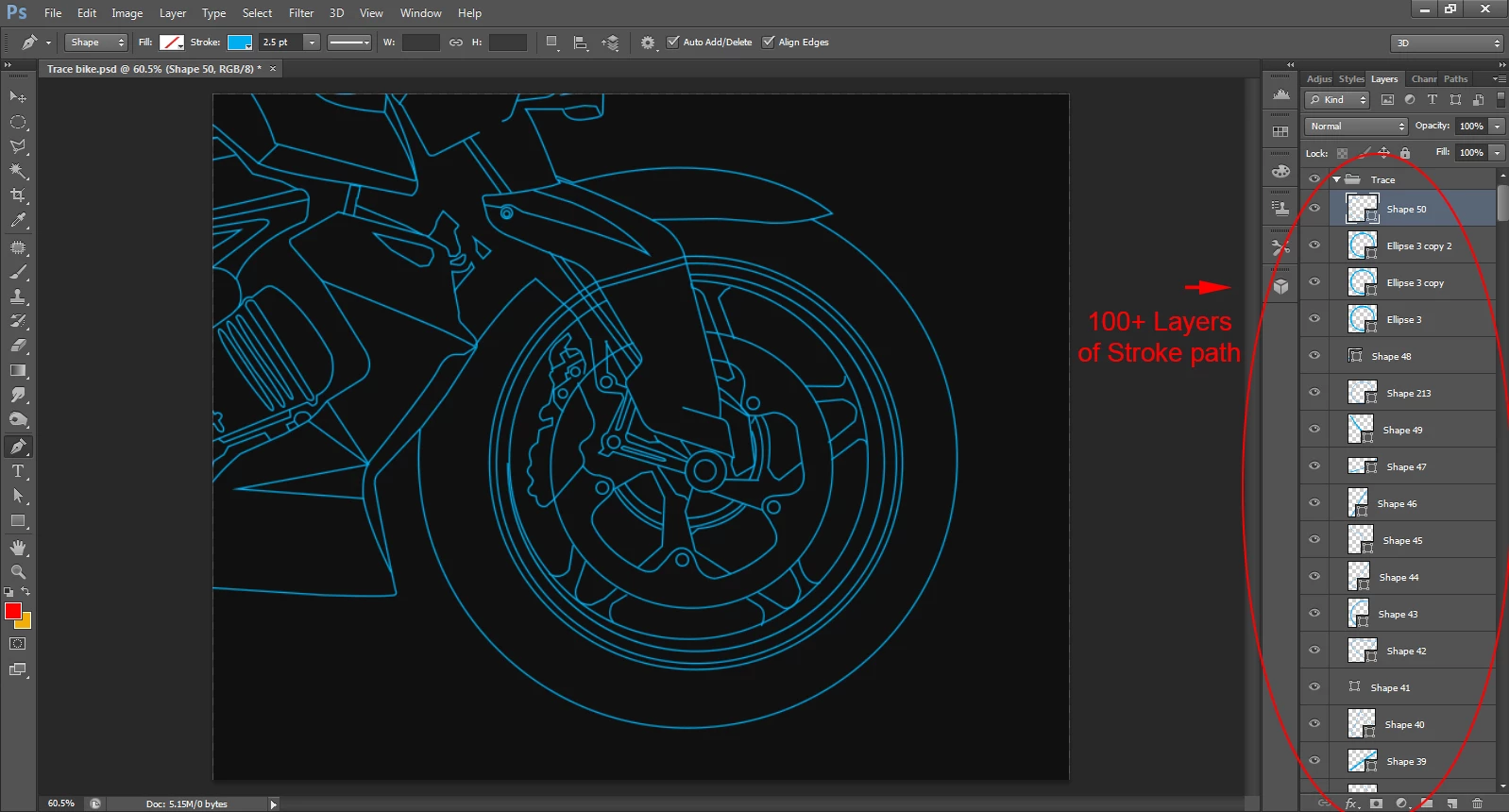
I have traced below image (bike). Using PEN tool stroke path.
Path is around 100 layers or +.
So, how to combine this all Stroke paths to one layer Path?
can you help me out?
    This topic has been closed for replies.

    3 replies

    JJMack
    Community Expert
    Community Expert
    September 24, 2012

    An othe way is to combine them as you create them. Create the first shape. Use the pull doen menu to check combine shape. Here is a screen capture where I 'm adding lines with arrow heads to the current shape layer.

    JJMack
    analytical_Solace0D4C
    Participant
    September 29, 2012

    Dear Sir,

    you are talking abt shape. I know it can be merge on 1 layer. if you seen my image there is Stroke path (not a shape).

    sudarshan.t
    Inspiring
    September 29, 2012

    In your image, the stroke color is highlighted. But look at your Pen Mode - It's in 'Shape', not 'Path'. Shapes with stroke outline can exist and can be merged with the solution that was already posted earlier.

    conroy
    Participating Frequently
    September 24, 2012

    You have a choice:

    Layer > Merge Shapes to merge into one Shape layer

    or

    Layer > Merge Visible to merge into one pixel layer

    See keyboard shortcuts in menu. These items are at bottom of Layer menu. Combining Option/Alt key with these commands will result in the layers being retained in addition to the new merged layer being added to the document.

    sudarshan.t
    Inspiring
    September 24, 2012

    Layer > Merge Shapes

    Layer > Merge Visible

    Use 'Merge Shapes' if you want your shapes to still be editable. Merge Visible flattens the layers, rendering them non-editable.

    conroy
    Participating Frequently
    September 24, 2012

    Yes, that's in my post. You must have been writing your post while I posted my edit.

    Community Manager
    September 24, 2012

    Moving to the Photoshop CS general forum to help you get a response.