
elisavoi
Participant
December 4, 2018
Answered

How to convert a sketch into a specific mode?

  • December 4, 2018
  • 1 reply
  • 828 views

Hey there! This is my first time here so I apologize if this isn't the right place to ask this.

There's this one artist that posted their drawing process for a piece and I wanted to know how to do a certain thing they did using photoshop.
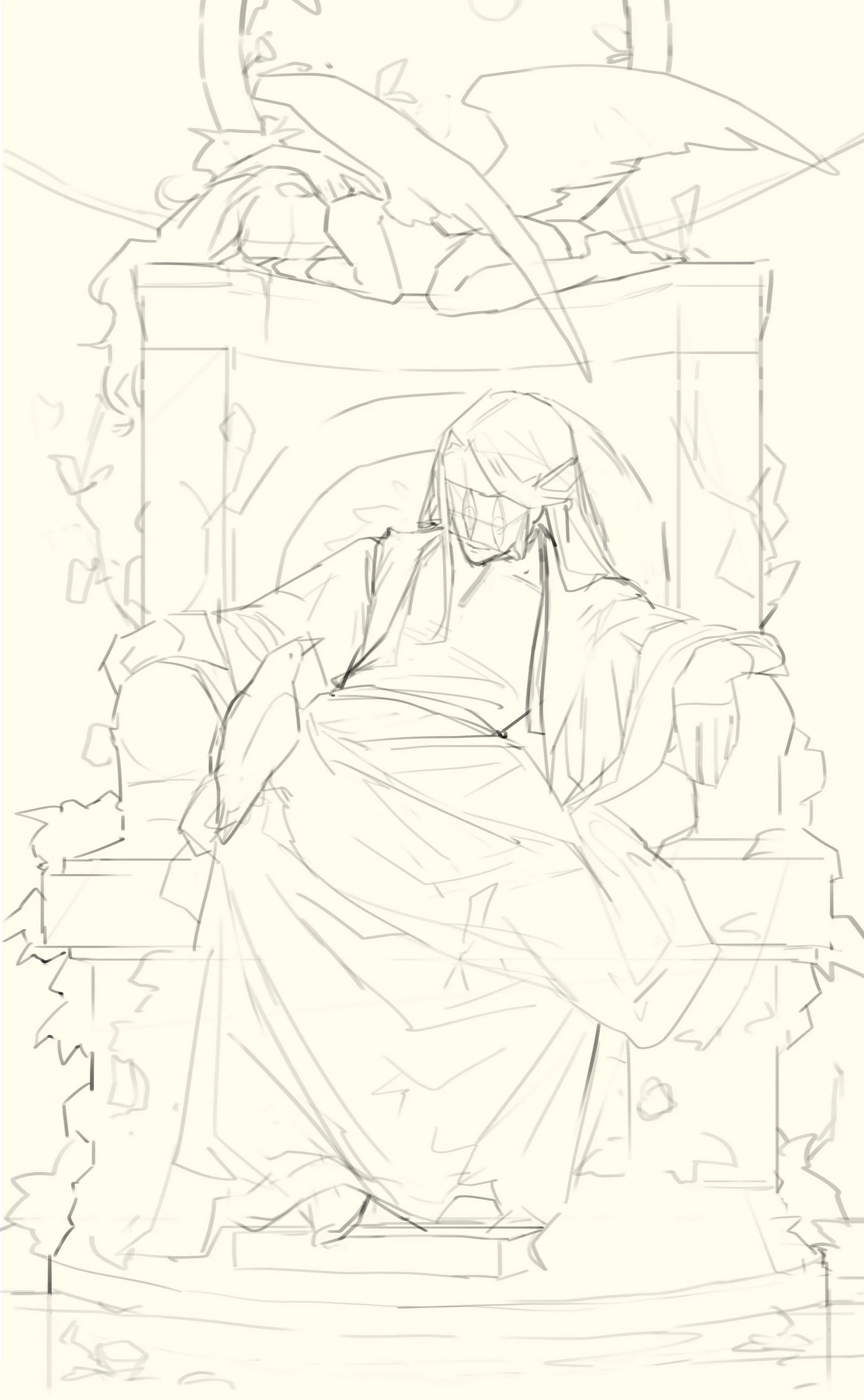
So they started with a sketch, then made a line art, and then the next step just completely lost me and I haven't been able to find the right tool to replicate it (the second picture). Converting to bitmap didn't work, doing that in 50% threshold didn't work, fiddling with curves and levels didn't work either. However, it's also possible that I just didn't do it right. They somehow started with a line art and used a certain tool or filter or transformation to transform the line art into pure black-and-white areas which show where shadows should be in the line art. So the picture became one with just black and white areas which enhance the locations of highlights and shadows. Is there any way to know what tool transforms the first picture into the second one?

    This topic has been closed for replies.
    Correct answer c.pfaffenbichler

    With a Clipping Masked Curves Layer to make the »background« white and darken the strokes one can set the sketch to Multiply (and later on hide it completely) and work underneath it.

    1 reply

    c.pfaffenbichler
    Community Expert
    Community Expert
    December 4, 2018

    I guess you need to paint, because obviously much of the information of the final artwork is absent in the sketch.

    And for painting Layers are often useful, so it seems likely that was done in grayscale or RGB as bitmap does not allow Layers.

    So simply using the sketch as a Layer of its own (either in the background or multiplying with Blend Ik settings or Clipping Masked Adjustment Layer/s in the foreground) would seem like a reasonable approach.

    But talking about a tutorial without providing a link to it makes it difficult to guess exactly what has been said and how you may have misunderstood it.

    elisavoi
    elisavoiAuthor
    Participant
    December 4, 2018

    Sorry for not including the link! It's here: https://www.artstation.com/artwork/vl2Wv

    It's not a video though, just a series of pictures. And because they placed the black and white version before the ones where they started to paint, I assumed they did something to the sketch to result in that, then used that to start painting. But I think you're right, some details are missing from the first one that show up on the second so they must have painted a bit beforehand.

    c.pfaffenbichler
    Community Expert
    c.pfaffenbichlerCommunity ExpertCorrect answer
    Community Expert
    December 4, 2018

    With a Clipping Masked Curves Layer to make the »background« white and darken the strokes one can set the sketch to Multiply (and later on hide it completely) and work underneath it.