
Answered
How to copy, rotate and paste (ex. pattern on a shirt)?
I'm fairly new to PS and cannot seem to figure out how to do the above.
Thanks for your help.

I'm fairly new to PS and cannot seem to figure out how to do the above.
Thanks for your help.
Have you worked through any basic tutorials to get familiar with the tools? That's where every beginner should start.
Adobe Photoshop Learn & Support
I use keyboard shortcuts.
Ctrl+A to select all
Ctrl+C to copy
Ctrl+V to paste.
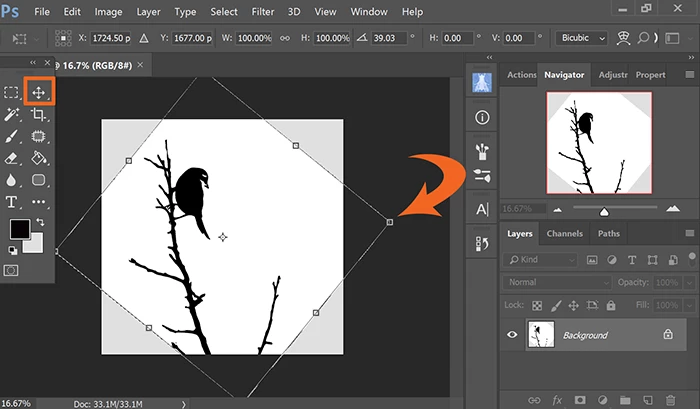
Go to Edit > Transform > Rotate. With the Move tool selected, click & drag handles to rotate image. When done, hit Enter. See screenshot.
\
Already have an account? Login
Enter your E-mail address. We'll send you an e-mail with instructions to reset your password.
 AdChoices