
Participant
November 18, 2017
Answered

How to create a distressed brush effect on a font?

  • November 18, 2017
  • 1 reply
  • 1922 views

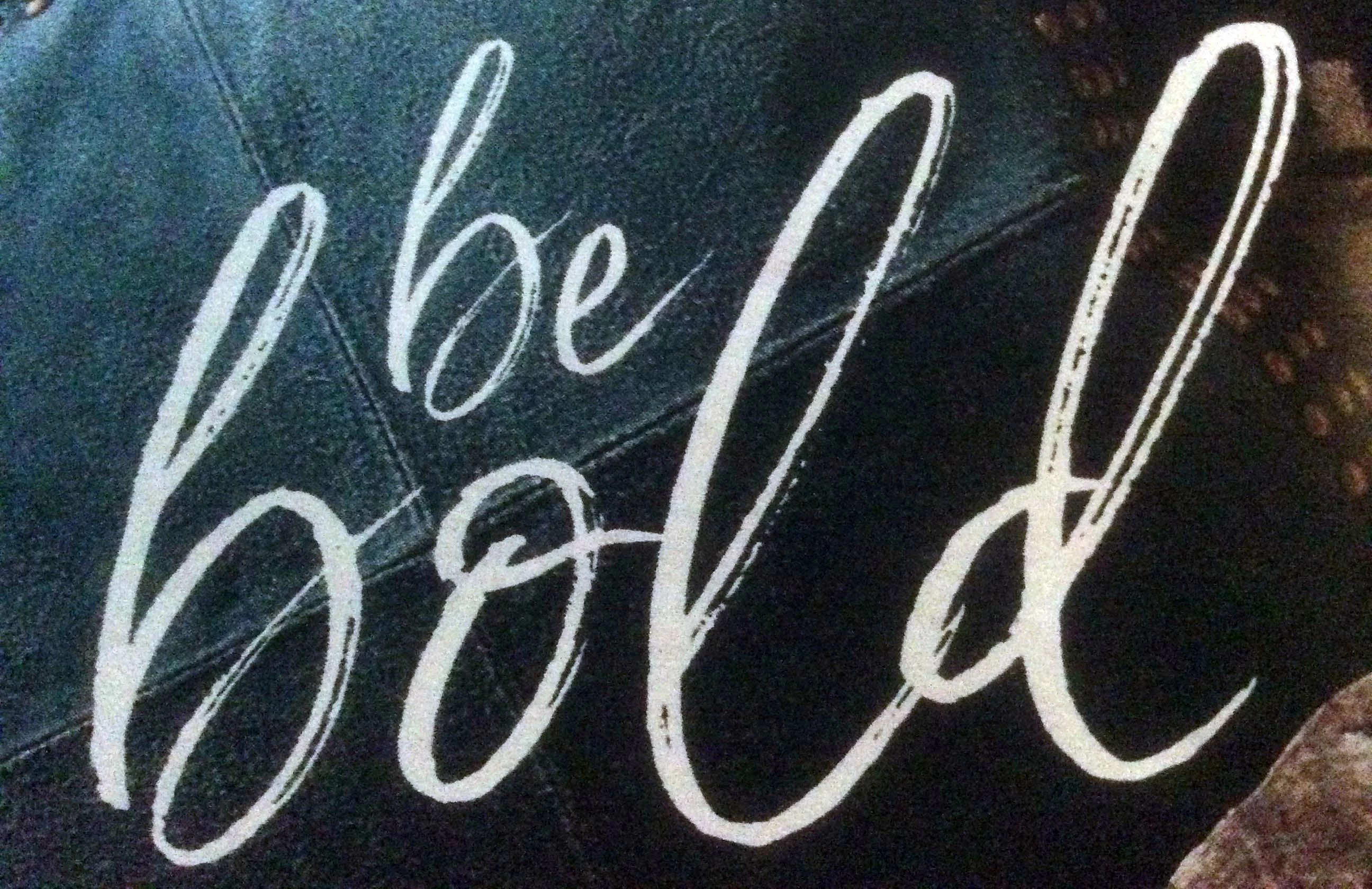
I really like this brush effect on a font, but I'm not sure what it is called to recreate. Is there a way to recreate this in Photoshop using a brush technique? If so, do you have a tutorial? Thanks!
    This topic has been closed for replies.
    Correct answer michelew83603738

    This is probably built within the font itself - like Northwell for example. But if you want to try to create it in a font that you are using, I would rasterize the type layer, then make a mask and use a brush in the mask layer that is of a texture that you like. Maybe a chalk like texture that you can try to emulate that erosion with. It is best it you have a tablet so that you can use the sensitivity and pressure so it looks more natural.

    1 reply

    michelew83603738
    Community Expert
    michelew83603738Community ExpertCorrect answer
    Community Expert
    November 18, 2017

    This is probably built within the font itself - like Northwell for example. But if you want to try to create it in a font that you are using, I would rasterize the type layer, then make a mask and use a brush in the mask layer that is of a texture that you like. Maybe a chalk like texture that you can try to emulate that erosion with. It is best it you have a tablet so that you can use the sensitivity and pressure so it looks more natural.

    linkjggAuthor
    Participant
    November 18, 2017

    Thanks so much for your suggestions! I'll try that!

    michelew83603738
    Community Expert
    Community Expert
    November 18, 2017

    Glad to help!