
dnlszk
Participant
December 29, 2017
Answered

How to deactivate brush "auto-completion"?

  • December 29, 2017
  • 1 reply
  • 2187 views

I'm drawing with Photoshop using the brush tool (B), and when i make small lines, the program fills/completes/connects the start and ending point with a straight line. I like the intention and try to help, but that's not what i actually want. How do i deactivate this?
    This topic has been closed for replies.
    Correct answer JJMack

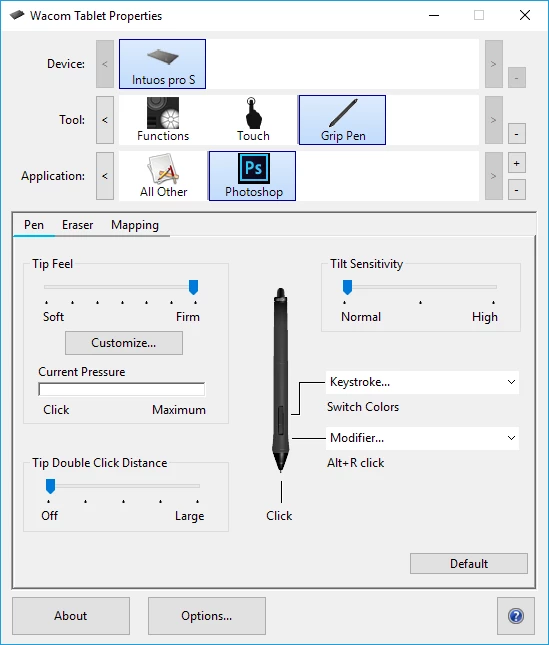
    There are several settings and many post on this subject. One setting suggestion that come to mind was to turn off Wacom double tap distance for Photoshop.

    1 reply

    JJMack
    Community Expert
    Community Expert
    December 30, 2017

    That sound like a bug some Wacom user see.  I the they fix it by changing some wacom settings. Are you using a pen?

    JJMack
    dnlszk
    dnlszkAuthor
    Participant
    December 30, 2017

    Yes, i have an old Bamboo model. Which settings should i change?

    JJMack
    Community Expert
    JJMackCommunity ExpertCorrect answer
    Community Expert
    December 30, 2017

    There are several settings and many post on this subject. One setting suggestion that come to mind was to turn off Wacom double tap distance for Photoshop.

    JJMack