Participant
November 1, 2021
Question

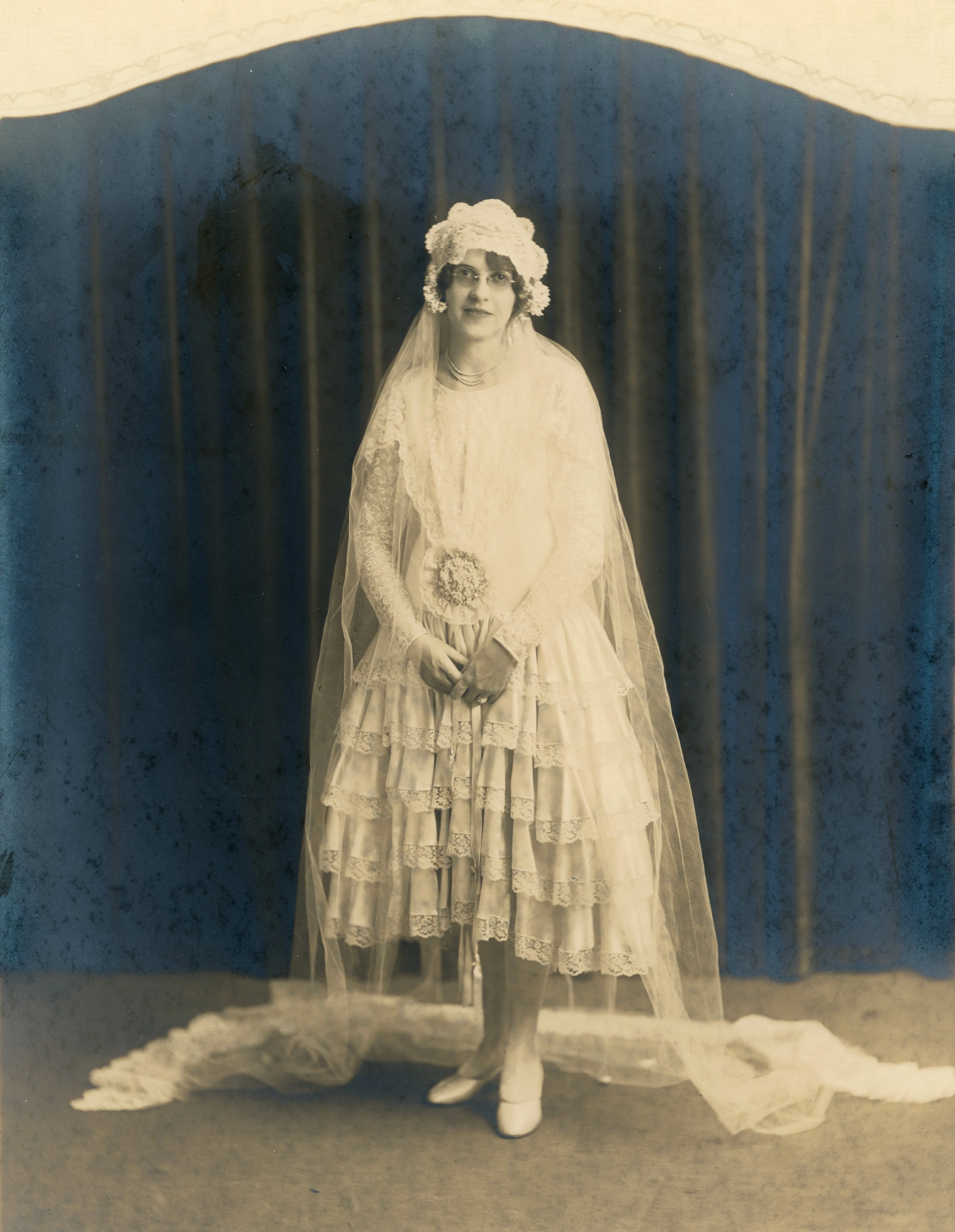
How To Dehaze This Antique Photo?
  • November 1, 2021
  • 5 replies
  • 897 views

Got some serious fading going on in this old photo. Any ideas how to get rid of this hazing effect? It's a bit more than I've dealt with.

This topic has been closed for replies.

5 replies

Chuck Uebele
Community Expert
Community Expert
November 2, 2021

Here's an example of what cross polarization filters can do to remove silvering.

Jeff Arola
Community Expert
Community Expert
November 2, 2021

I did some instructions for removing silvering using photoshop elements, however, it should work in photoshop as well.


https://community.adobe.com/t5/photoshop-elements-discussions/deleting-quot-silvering-quot-particles-from-scans-of-antique-photo-prints/m-p/10802318


Though Chuck Uebele use of cross polarization filters yields a much better result.

DBradleyAuthor
Participant
November 1, 2021

Figured it out! Found a Youtube guide on removing silvering.

Chuck Uebele
Community Expert
Community Expert
November 1, 2021

From you image, it looks like an issue called Silvering. You can eliminate it, but you have to do it when copying the photo. It requires using two light sources at 45 degrees to the print, Nd the lights have to have polarizing filters over them. Then you need a polarizing filter over your lens. This will eliminate reflections as well as silvering.

DBradleyAuthor
Participant
November 1, 2021

Wow, I never thought a polarizing filter would penetrate that haze! I have a polarizing filter for my camera, but not lights. Playing around in photoshop has given me some good results though. I'll post here in a bit.

Chuck Uebele
Community Expert
Community Expert
November 1, 2021

If you're doing a lot of copying, it's worth it to get the filters for the lights.

DBradleyAuthor
Participant
November 1, 2021

Note: Tried dehaze slider in Lightroom. Didn't help.