Answered
How to delete Anchor points (?) when using the Brush Tool
Greetings,
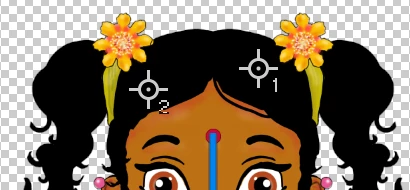
I'm using the Brush tool in Photoshop CC 2018, and I see two symbols that look like Anchors / Origin Points. I've attached a screen shot of them.
What are they, and how do I get rid of them?
Thanks in advance for your help.
Regards,
Rajnesh
 AdChoices