

How to determine PC specs for running Photoshop?
Is there anyway to determine how powerful a PC you need to run Photoshop for your needs? I keep upgrading my laptop with more RAM and SSD, and Photoshop is still slow as molasses. I'm at the end of my rope. Maybe I need a desktop and not a laptop, but with what I've been through I need to stop assuming that "bigger is better" and know HOW big - more or less precisely. How does one determine what kind of specs to buy for their particular needs? Here's mine in a nutshell:
I work with huge files created from panoramas; I have layers that I turn into Smart Objects and then often use Puppet Warp and other filters. A file I am currently working with is 7 GB and that's not atypical.
I bought a Dell gaming laptop a month ago - my 6 yr. old Toshiba laptop just wasn't cutting it. The Dell had an iCore 7 processor and a 256 GB SSD, 1 TB HD and 16 GB of RAM. It worked well for a few weeks but then I started noticing slowness. It started taking hours to render and save files. So I replaced the SSD with a 1 TB SSD and added 16 GM more RAM for a total of 32 RAM. I just got back the computer this evening and turned a layer into a Smart Object a half hour ago and it's still processing.
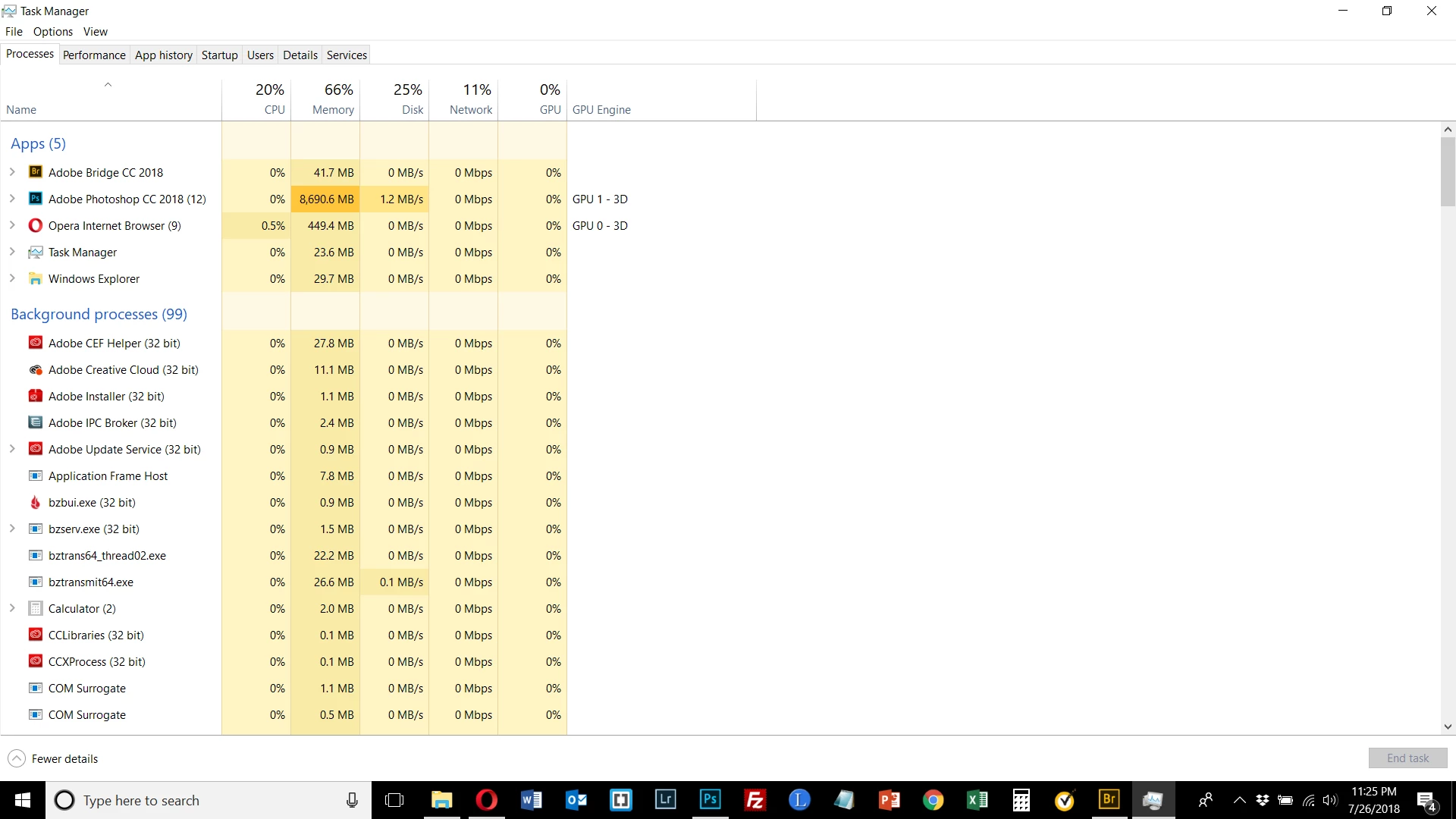
When I bring up the Task Manager I see the following. I don't know how to read this exactly but in the Memory column is that 66% being used by Photoshop? This is the same kind of readings I was getting before I upgraded from the 16 GB of RAM and 256 SSD. Photoshop is still eating up the same amount of RAM as it was before. Why is this? What do I need to do or know to run Photoshop with sane and reasonable response and processing times?
 AdChoices