Answered
How to disable the menu shown when I hold on the left click?
When I hold down the left click in the Photoshop workspace I get a menu, how do I disable it?
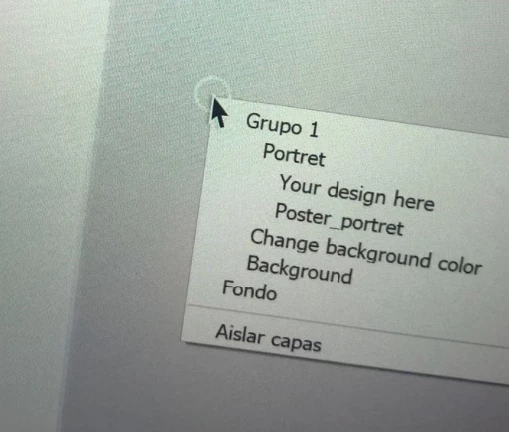

When I hold down the left click in the Photoshop workspace I get a menu, how do I disable it?
That's the context menu that appears when the Selection tool is selected and you right-click. It will allow you to select one of the listed items. Other context menus appear when you right-click with other tools selected.
If you're seeing it with a left-click then you might want to try resetting your Preferences or reinstalling Photoshop.
Here's more information about the feature:
Already have an account? Login
Enter your E-mail address. We'll send you an e-mail with instructions to reset your password.
 AdChoices