
Participant
May 5, 2022
Answered

How to do this stroke outline text effect without using fx option or blending option (stroke)?

  • May 5, 2022
  • 3 replies
  • 1095 views

For outline stroke text effect we add stroke to text from fx menu and do the fill amount 0%. but recently i found a psd on freepik in which text layer was in stroke mode without using stroke option and fill was also 100%. and that text was fully cusomisable, you can edit that. can anyone tell me how we can do something like this. i am attaching google drive link of psd also in case you want to check out.

https://drive.google.com/file/d/1CRi2HPpuiChUxjkEGdPAM3r6ahuvoQox/view?usp=sharing

This topic has been closed for replies.
Correct answer Jeff Arola

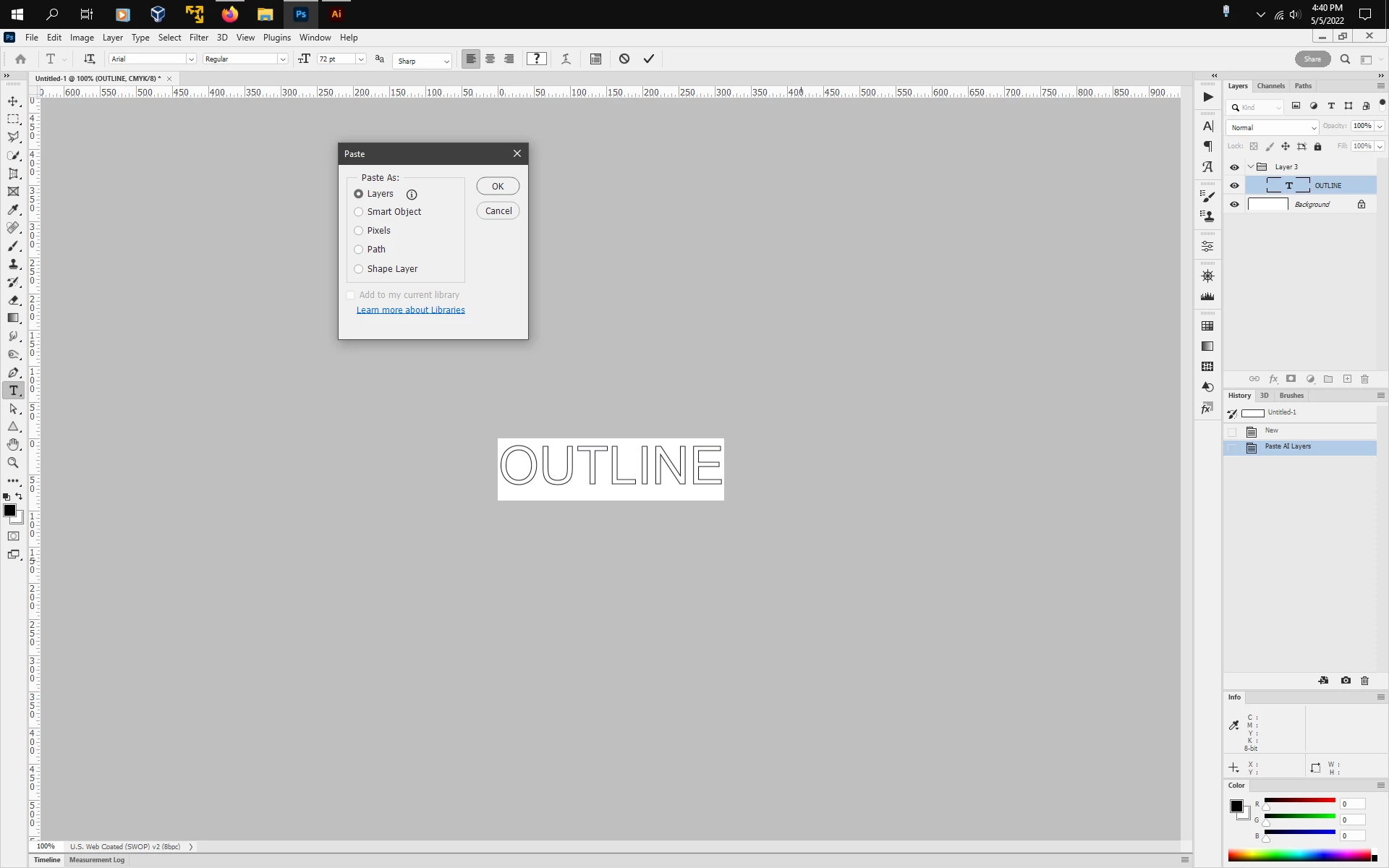
Looks like the text may have been created in Adobe Illustrator, copy and pasted as Layers into photoshop

and then saved as a psd file.


As far as i know, one cannot create editable text like that in photoshop without using layers styles and/or Blending Options or using a specific font.


3 replies

Participant
May 6, 2022

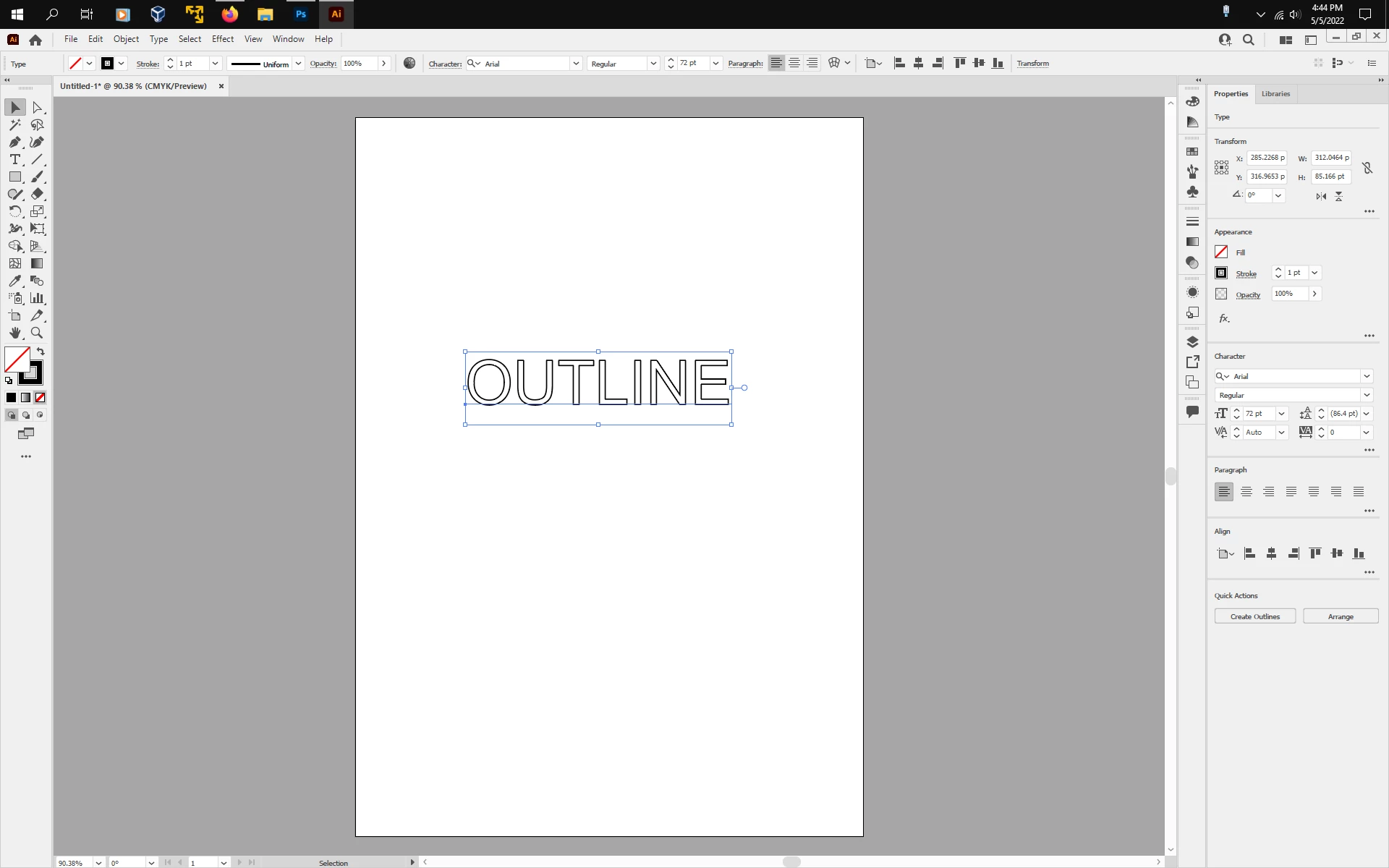
thanks to all of you. i got the solution. all we haveto do is just type the text in illustrator and change it to outline mode and select text with type tool and copy it. now go to photoshop and select type tool and paste it there.. you are done.

Abambo
Community Expert
Community Expert
May 5, 2022

A Photoshop only solution:

Two Fonts are used, same family: one outline, one filled.


I know that's not the solution used  here! The text is customizable, but not the colours and outline.

ABAMBO | Hard- and Software Engineer | Photographer
Participant
May 6, 2022

thank you so much for your help.

Jeff Arola
Community Expert
Jeff ArolaCommunity ExpertCorrect answer
Community Expert
May 5, 2022

Looks like the text may have been created in Adobe Illustrator, copy and pasted as Layers into photoshop

and then saved as a psd file.


As far as i know, one cannot create editable text like that in photoshop without using layers styles and/or Blending Options or using a specific font.


Legend
May 5, 2022

@Jeff Arola wrote:

Looks like the text may have been created in Adobe Illustrator, copy and pasted as Layers into photoshop and then saved as a psd file.


That is very likely how it was done: if you copy that headline with the text tool and paste it into Illustrator, the stroke and fill colors are editable in Illustrator.

Participant
May 6, 2022

thank you so much ... your answer helped me.