
sorayat36594229
Participant
May 20, 2018
Question

How to edit audio on Photoshop?

  • May 20, 2018
  • 1 reply
  • 3006 views

Hi,

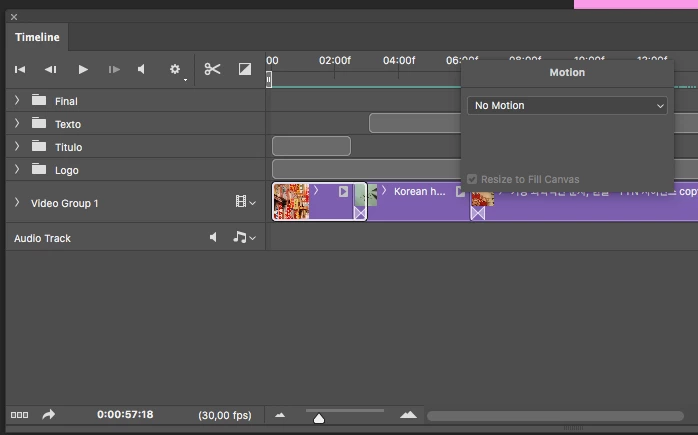
I haven't been able to edit the audio from the clips on Photoshop. How can I proceed?

I have clicked the popup options for each clip but it hasn't worked out (when I click it, it only shows the option "motion").

Thanks!
This topic has been closed for replies.

1 reply

Chuck Uebele
Community Expert
Community Expert
May 20, 2018

There is very little you can do with editing audio tracks. Pretty much just delete or replace them. You need a program like Audition to edit audio.

sorayat36594229
Participant
May 20, 2018

And how can I simply delete the audio from each clip?

Chuck Uebele
Community Expert
Community Expert
May 20, 2018

You can't delete a track, until you add another one. You can mute the audio, with the speaker icon.